

Balatro
You are viewing a potentially older version of this package. View Latest Version

English | 简体中文
Undo mistakes. Experiment freely. Never lose progress.
Save Rewinder automatically creates save points as you play Balatro, letting you rewind to any recent moment with a single keystroke.
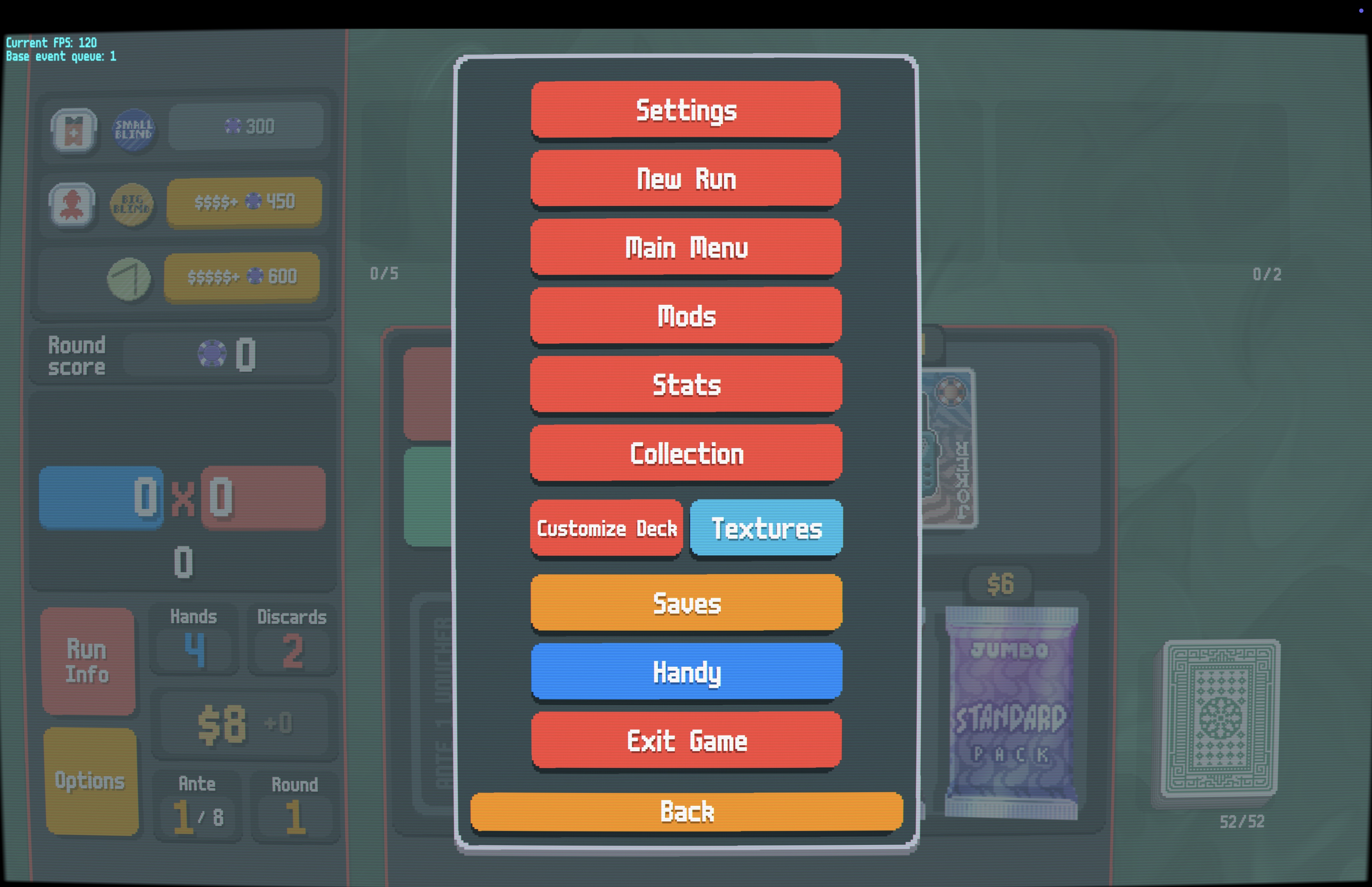
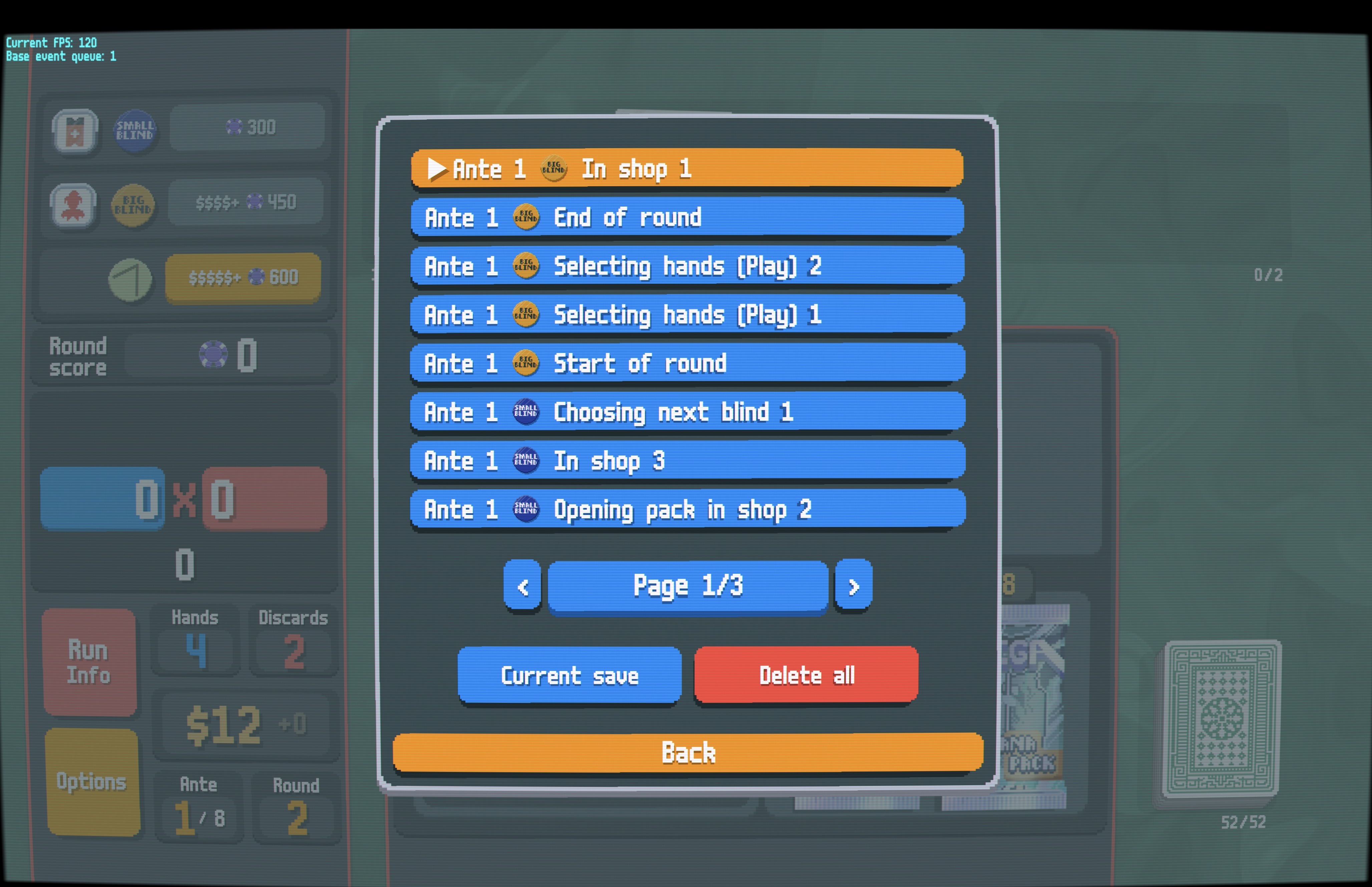
S to step back, no menus needed| Saves Button | Save List (Blind Icons) |
|---|---|
 |
 |
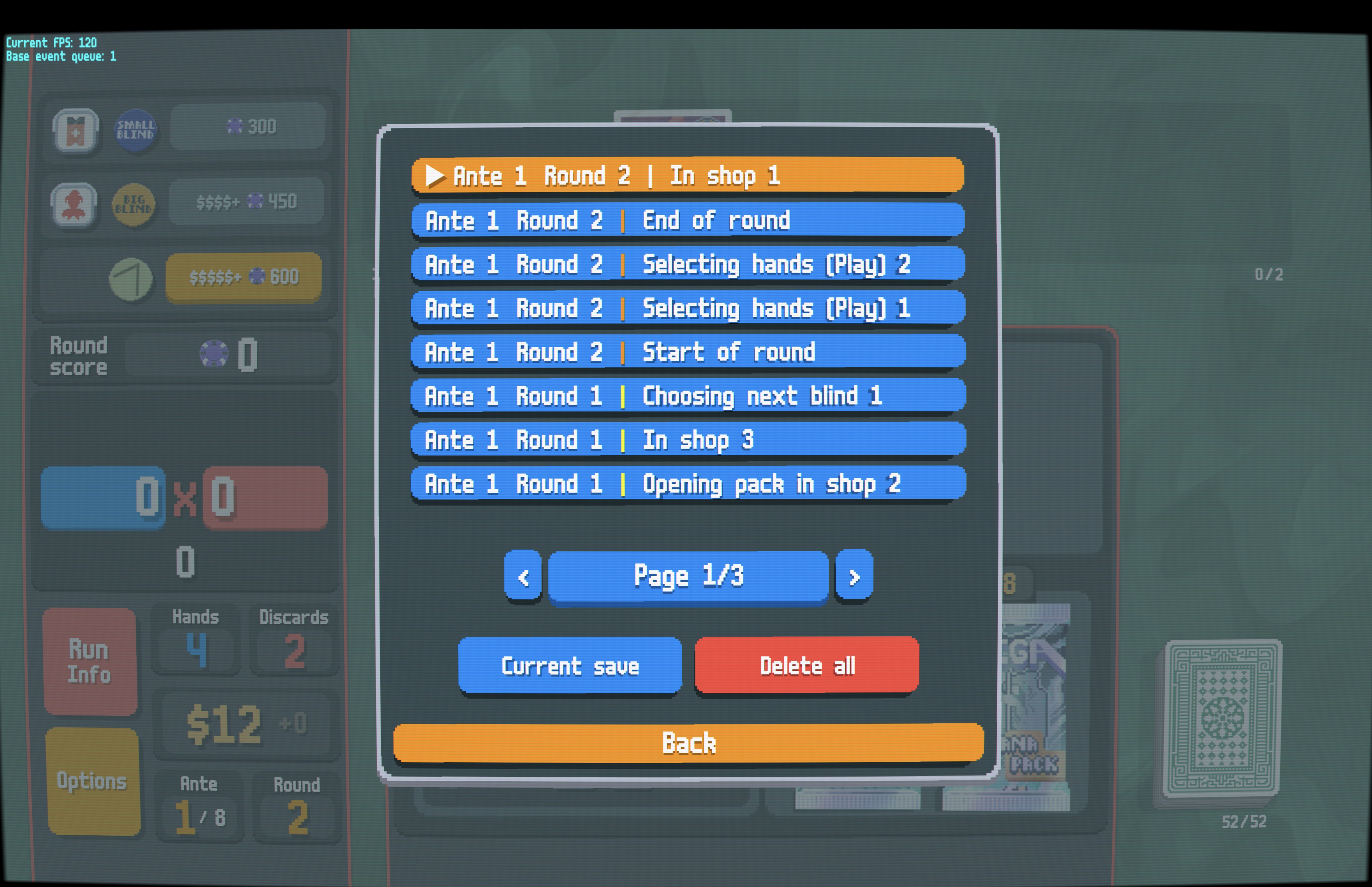
| Save List (Round Numbers) | Mod Settings |
 |
 |
SaveRewinder-[version].zip) from the Releases pageSaveRewinder folder (NOT SaveRewinder-[version]) into your game's Mods folder| Action | Keyboard | Controller |
|---|---|---|
| Step back one save | S |
Click Left Stick |
| Open saves list | Ctrl+S |
Click Right Stick |
| Navigate pages | — | LB / RB |
| Jump to current | — | Y |
Open the Options menu and click the orange "Saves" button, or press Ctrl+S (or click Right Stick):
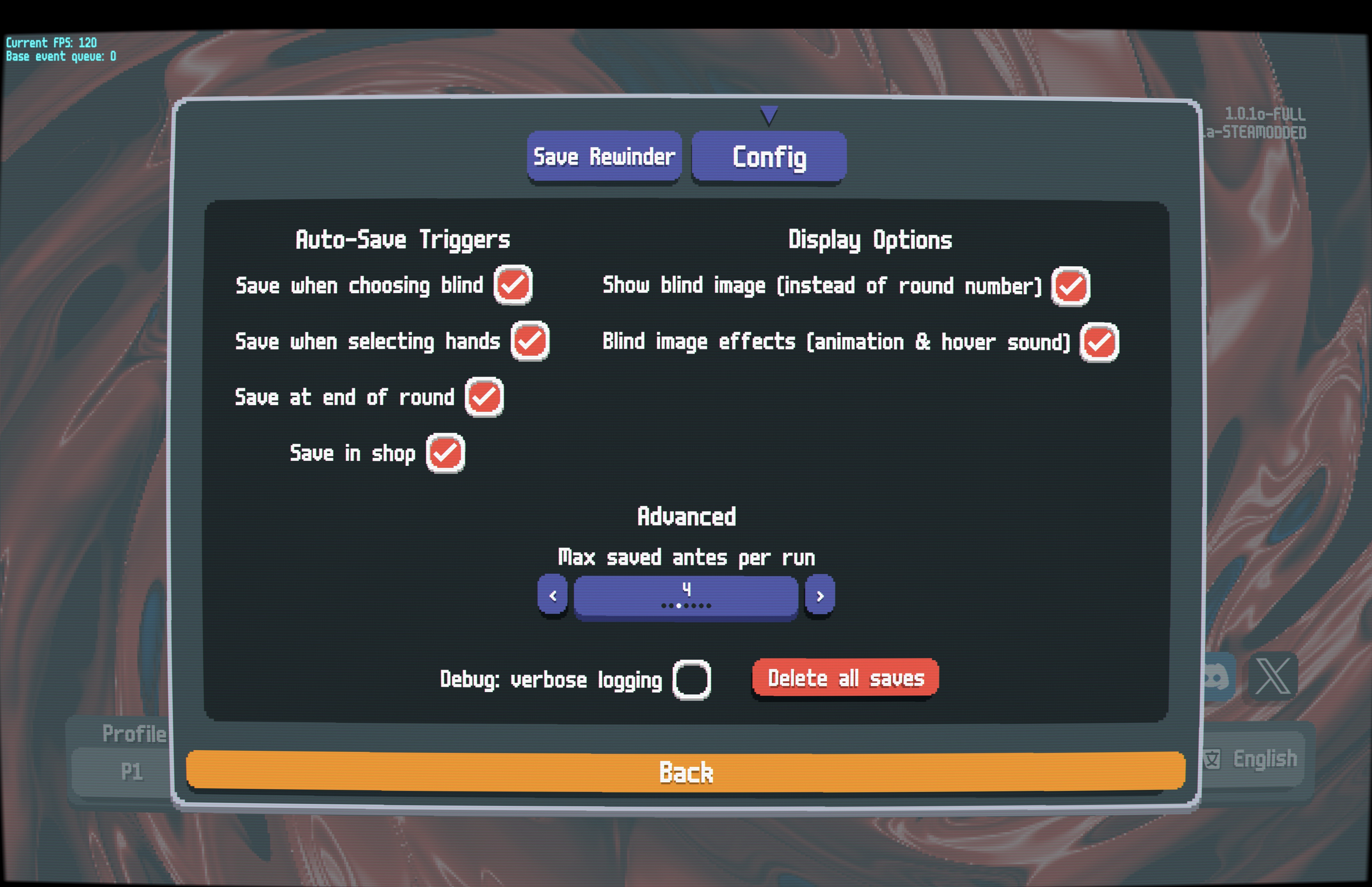
In the Steamodded config menu for Save Rewinder:
Auto-Save Triggers:
Display Options:
Advanced:
Saves are stored in your Balatro profile folder:
[Balatro Save Path]/[Profile]/SaveRewinder/
.jkr files — The actual save data, named <ante>-<round>-<timestamp>.jkr.meta files — Cached metadata for faster loading.⚠️ Note: Saves are only kept for your current run. Saves persist even if you quit the game mid-run — when you reopen and continue your run, all saves will still be available. Starting a new run will delete all previous saves.
🤖 Developers: Working with LLM/AI? See
docs/AGENT.mdfor architecture and design details.