

Balatro
You are viewing a potentially older version of this package. View Latest Version

English | 简体中文
Undo mistakes. Experiment freely. Never lose progress.
Save Rewinder automatically creates save points as you play Balatro, letting you rewind to any recent moment with a single keystroke.
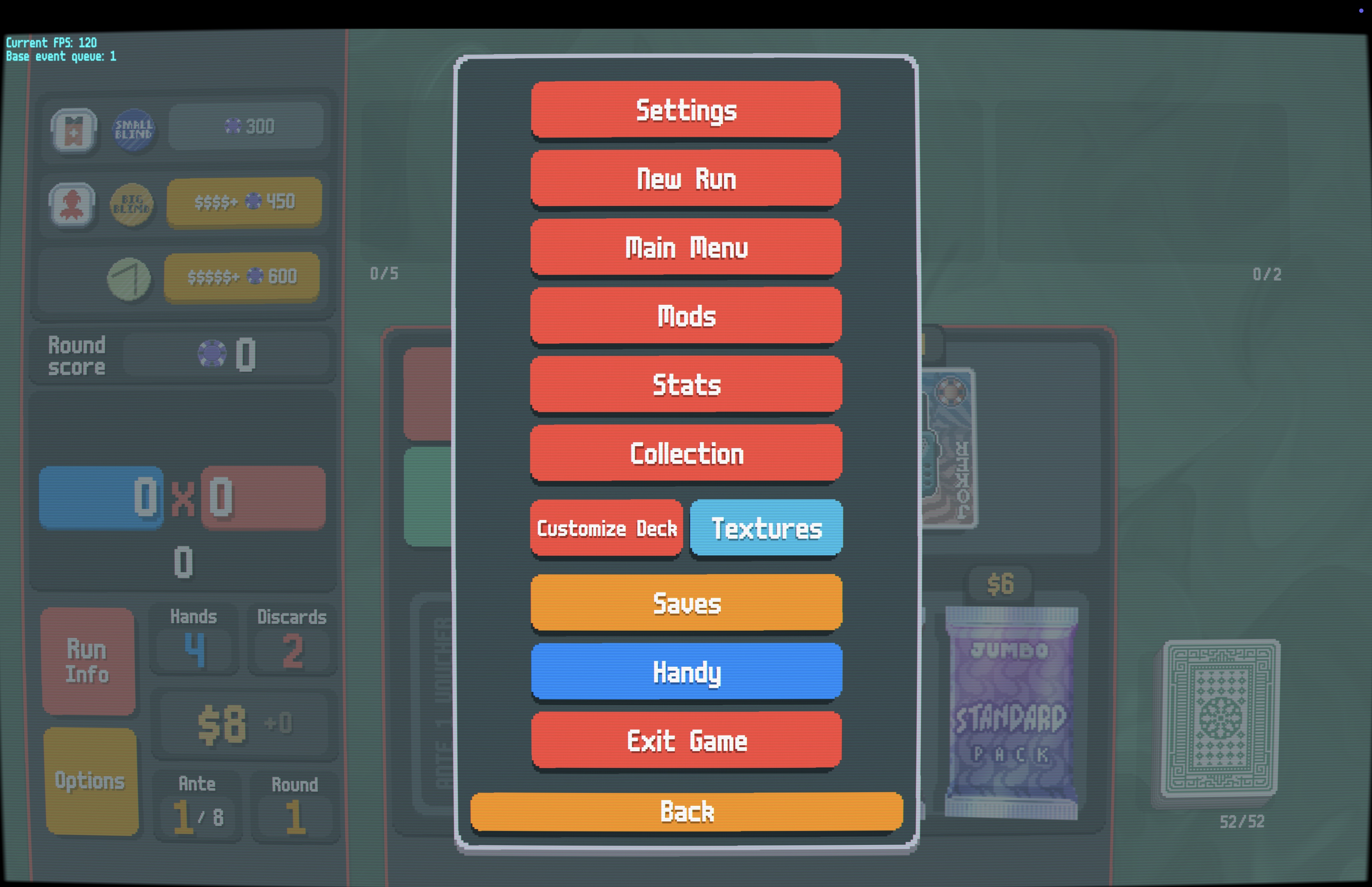
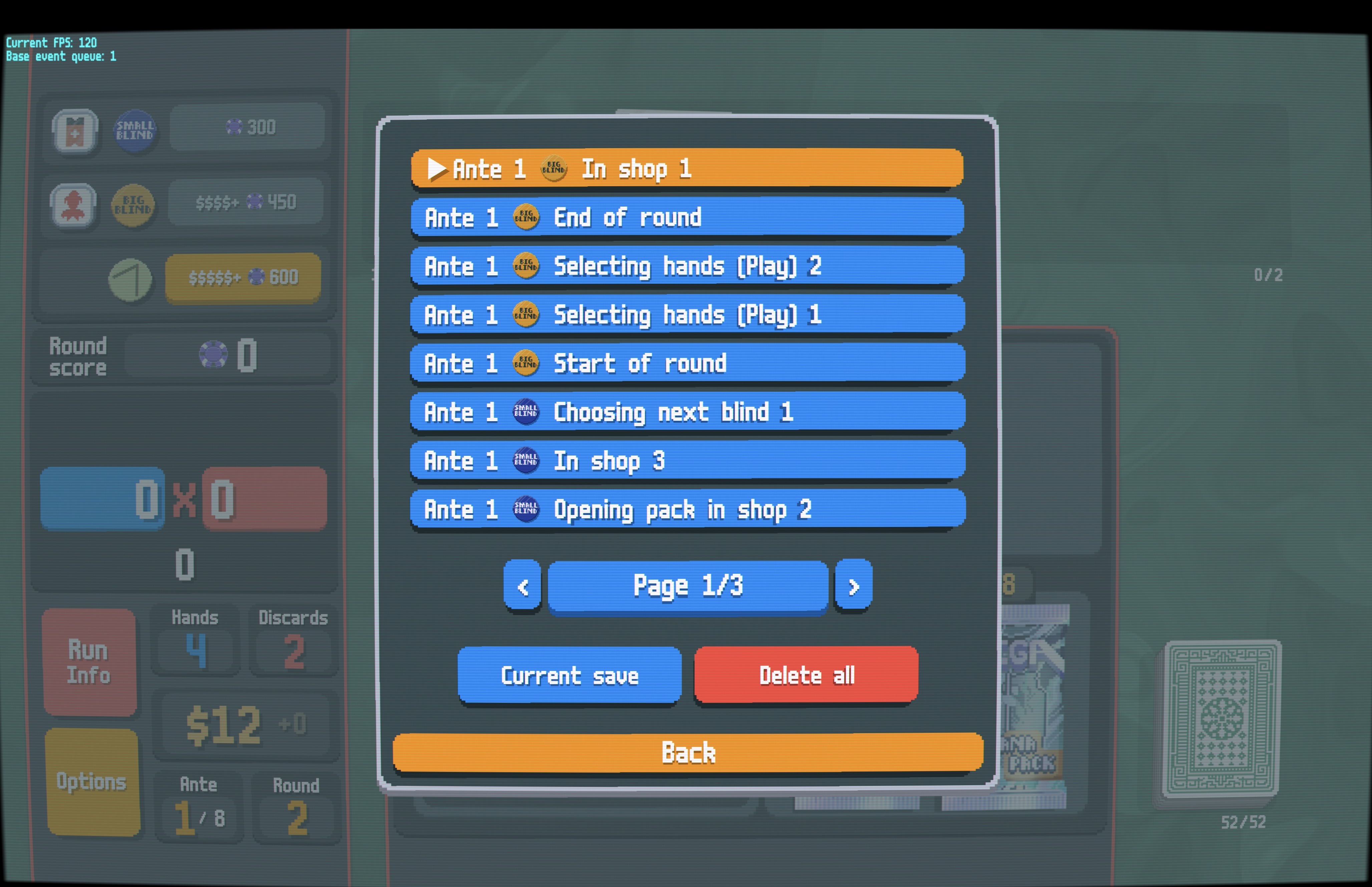
S to step back, no menus needed| Saves Button | Save List (Blind Icons) |
|---|---|
 |
 |
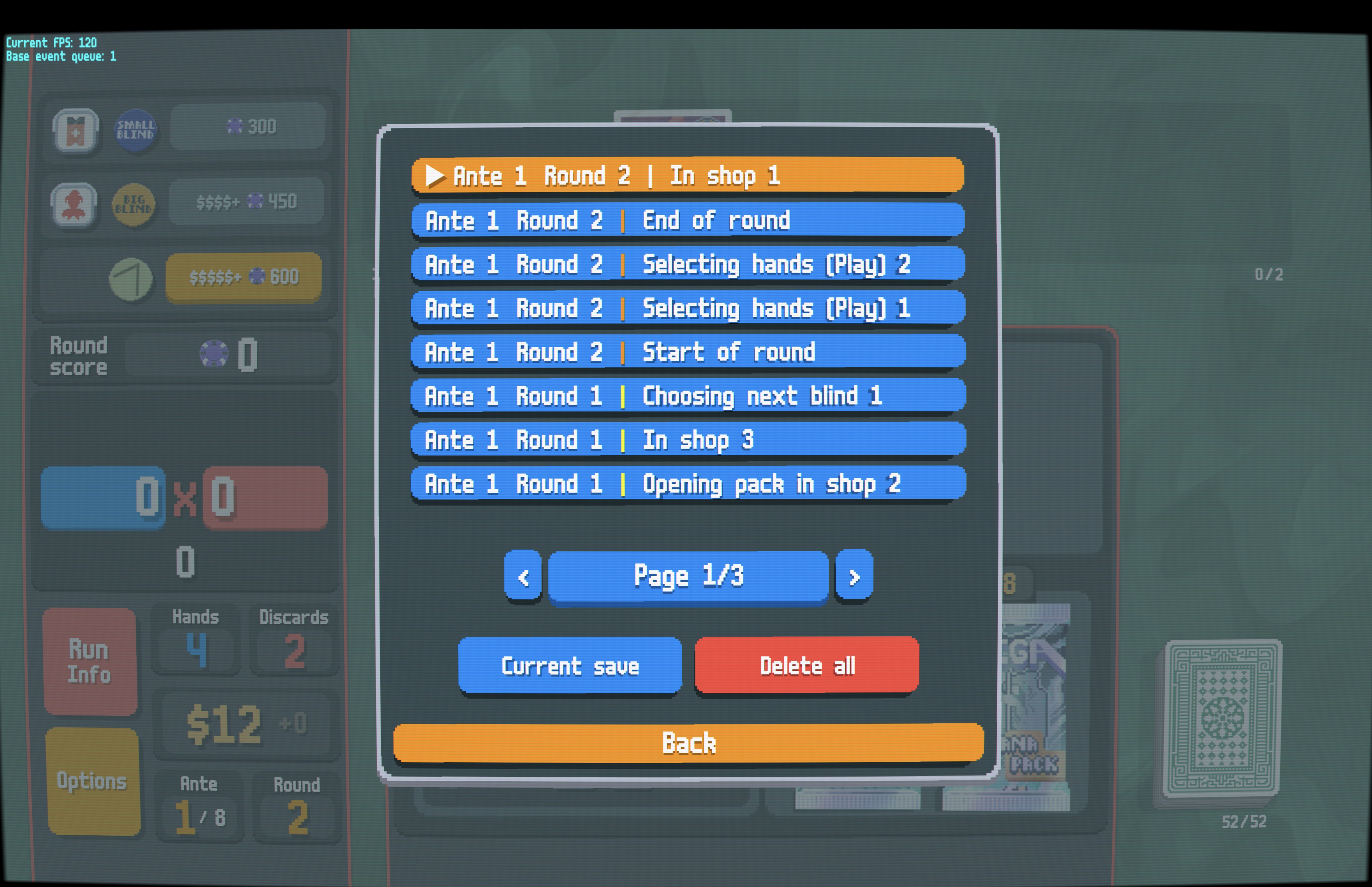
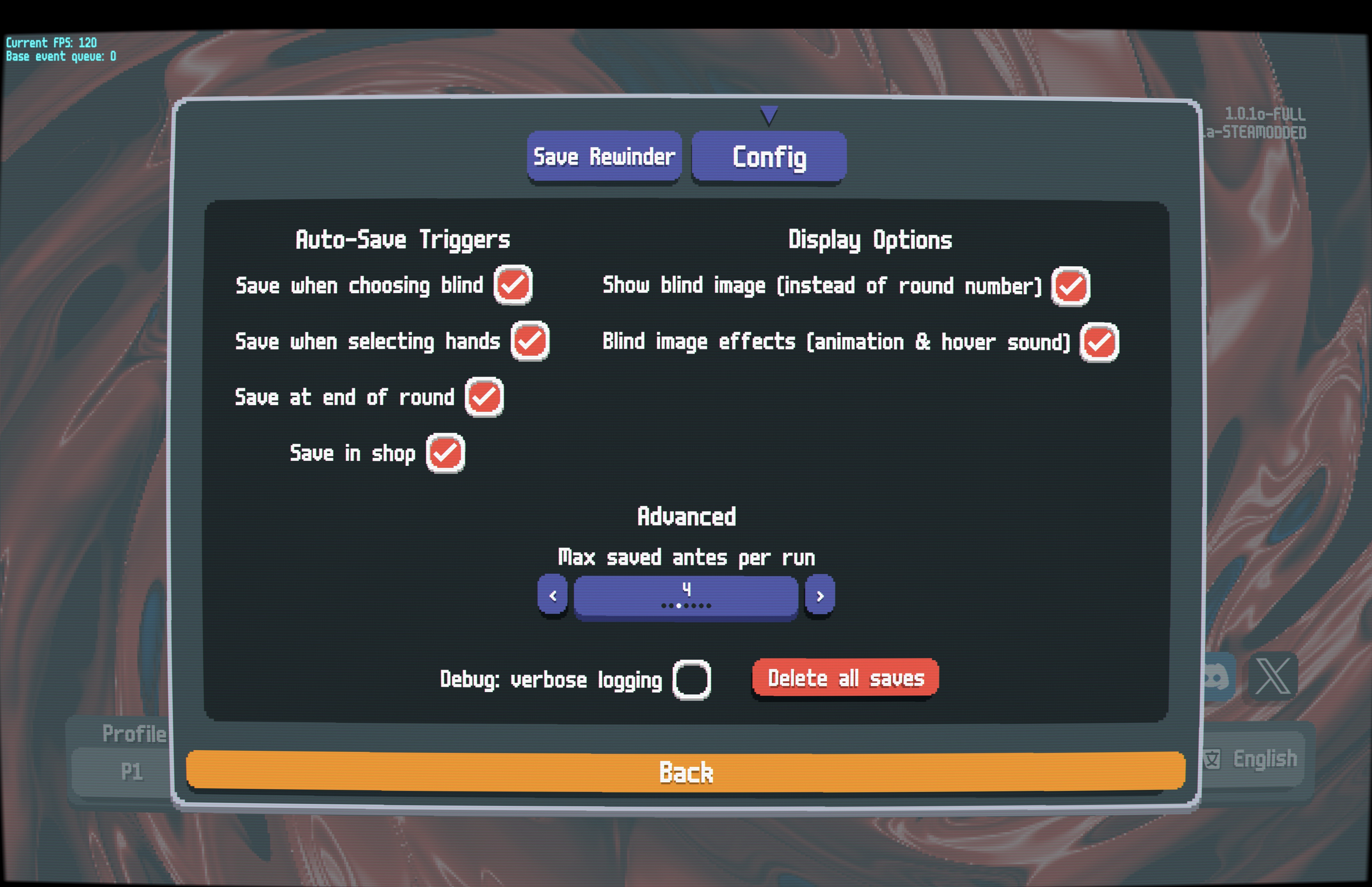
| Save List (Round Numbers) | Mod Settings |
 |
 |
SaveRewinder.zip from the Releases pageMods folder (creates Mods/SaveRewinder/)⚠️ Make sure
Mods/SaveRewinder/contains mod files directly (likemain.lua), not anotherSaveRewinderfolder.
| Action | Keyboard | Controller |
|---|---|---|
| Step back one save | S |
Click Left Stick |
| Open saves list | Ctrl+S |
Click Right Stick |
| Navigate pages | — | LB / RB |
| Jump to current | — | Y |
Open the Options menu and click the orange "Saves" button, or press Ctrl+S (or click Right Stick):
In the Steamodded config menu for Save Rewinder:
Auto-Save Triggers:
Display Options:
Advanced:
Saves are stored in your Balatro profile folder:
[Balatro Save Path]/[Profile]/SaveRewinder/
.jkr files — The actual save data, named <ante>-<round>-<timestamp>.jkr.meta files — Cached metadata for faster loading.⚠️ Note: Saves are only kept for your current run. Saves persist even if you quit the game mid-run — when you reopen and continue your run, all saves will still be available. Starting a new run will delete all previous saves.
💡 Smart Continue: When you quit and continue your run later, the mod remembers your exact position in the save list. Even if you stepped back before quitting, the current save will be correctly highlighted.
ℹ️ Technical Note: This mod adds a small
_rewinder_idfield to your save data for accurate position tracking. This does not affect normal gameplay or compatibility with other mods.
🤖 Developers: Working with LLM/AI? See
docs/AGENT.mdfor architecture and design details.