

Red Vox Gramophone
A simple gramophone record of ambient tracks from existing songs.Details
A new pair of records.
A simple gramophone record addition. Mainly stems extracted from Red Vox songs. -# (Very good Rock band by the way, heavy DavidBowie/PinkFloyd/TalkingHeads/QOTSA-inspiration. Vinny Vinesauce is the singer!!!)
https://www.youtube.com/@RedVox https://vine.bandcamp.com/music
GO LISTEN ITS REALLY FUCKING GOOD!!! >:0000
How to Download
These are in the perspective of someone using Windows10. Windows11 dumb. I'm sorry, Mac and Linux users. -w-'
Both ThunderstoreModManager on Overwolf and the standalone r2Modman support Inscryption. This mod should be found on both managers' search tab with Not Safe For Work mods shown. Up near the top of the page, just above the dependancy list, "This mod requires the following mods to function," there's two buttons, "Install with Mod Manager," and "Manual Download."
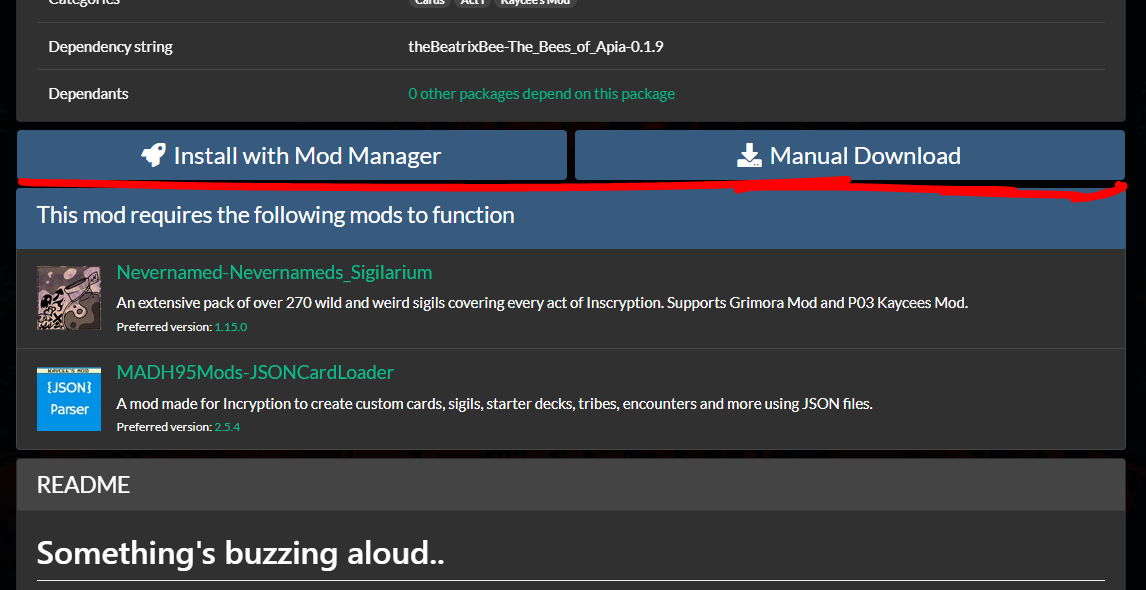
Automatic Install

Clicking "Install with Mod Manager" should automatically install the mods in your mod manager. If a prompt appears asking to send things to an application, hit Allow.
Installing automatically should be the easier option.
Manual Install

Clicking "Manual Download" will download a zip file of the mod to your set downloads folder, most if not all browsers will have a pop-up showing you it's downloading. Find the zip file in your downloads folder, and open your mod manager.
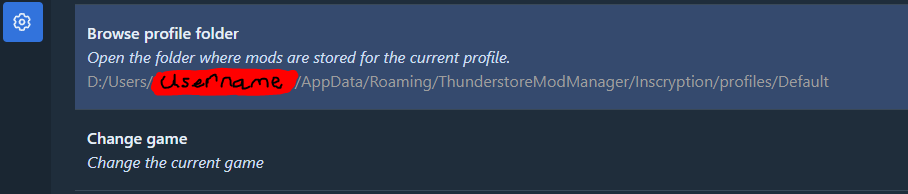
Once your mod manager is open, and you've selected Inscryption, and a mod profile, navigate to your settings and click "Browse Profile Folder," the second option on the default tab. When a File Explorer has opened, open the following folders; BepInEx > Plugins. Keep that window open. Open your downloads folder and open up the .zip file you downloaded just earlier. Back to your Plugins folder, create a new folder and name it the same as the zip file. Once it's named, open it up. Lastly, select all files in the .zip file ( Apart from anything named ".." ( That brings you into the folder containing the zip file. )) and dump them all into your newly made folder in Plugins.
You should be able to find the mod in your mod manager's installed mods list, but it will need dependancies. But once it has everything, you should be able to start the game up and play.