
BigMap
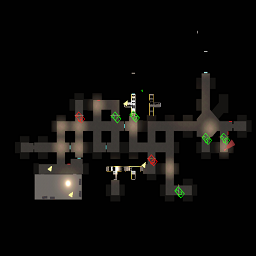
一个能看到设施内部的地图,支持上下层切换Details
BigMap
说明/Documentation
中文
- 可以查看建筑内部的地图(默认按键 "M")。
- 如果是多层的话,可以切换上下层(默认按键"↑"和"↓")。
- 按键都可以在Cfg文件中配置。
- 绿色方块代表着该区域有楼梯。
Bug反馈或建议联系QQ:1039533984
English
- You can view a map of the interior of the building (default button "M").
- If there are multiple layers, you can switch between the upper and lower layers (default keys "↑" and "↓").
- Keys can be configured in the Cfg file.
- The green squares represent areas with stairs.