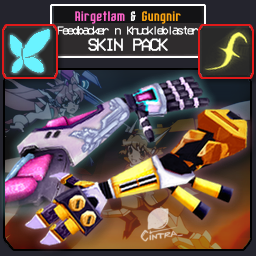
Airgetlam and Gungnir Arm Skins
a skin pack that replaces the Feedbacker and Knuckleblaster textures with Symphogear-themed reskins.Details
README:
This skin can be installed automatically via Thunderstore/r2modman OR be downloaded manually, and requires ULTRASKINS-GC 7.0.0+ to run.
r2modman Instructions:
- Install this skin mod.
- Open Ultrakill and select this skin in the
USMenu next toSettings. - If the skin is not inside the list, scroll down and click the
+button, and then selectAdd Undetected Thunderstore Skin. - Click "Apply" to apply your skin.
Manual Installation Instructions:
- Extract this mod's ZIP file somewhere.
- go to
%APPDATA%\bobthecorn2000\ULTRAKILL\ultraskinsGC-V2/GlobalSkinsand Copy the extracted folder into this directory. - Boot up the game with ULTRASKINS-GC loaded.
- Open up the
USmenu next toSettings. - Select the skin variant you want to use in the list and then click
Applyto apply your skin.
Previews:


About this Skin pack:
Airgetlam Feedbacker
This skin is based on the silver left hand of the Airgetlám Symphogear. This skin was initially made before the Feedbacker Remodel, it had a silver plating akin to that of a metal sheet pre-revamp before i decided to give it a more elaborate design.
Gungnir Knuckleblaster
This skin is based on the gauntlets of the Gungnir Symphogear. This was made after i've already finished the 1.0.0 version of my Gungnir Impact Hammer and didn't look as good as it does today. Because the stock KB only really got a very slight touchup, i decided to give this one a more noticeable one.
want to make your own ultraskin? go to my skin template repo