

Dyson Sphere Program
You are viewing a potentially older version of this package. View Latest Version
Mod for Dyson Sphere Program. Needs BepInEx.
When placing a conveyor belt that will extend to/from the edge of an existing belt, if it conflicts, reverse the direction so that it makes sense automatically.
If it is determined that the direction of the belt to be placed is to be reversed, the cursor tooltip will show "(Reverse)" and the color of the preview line will change to a blue-yellow stripe for notify.
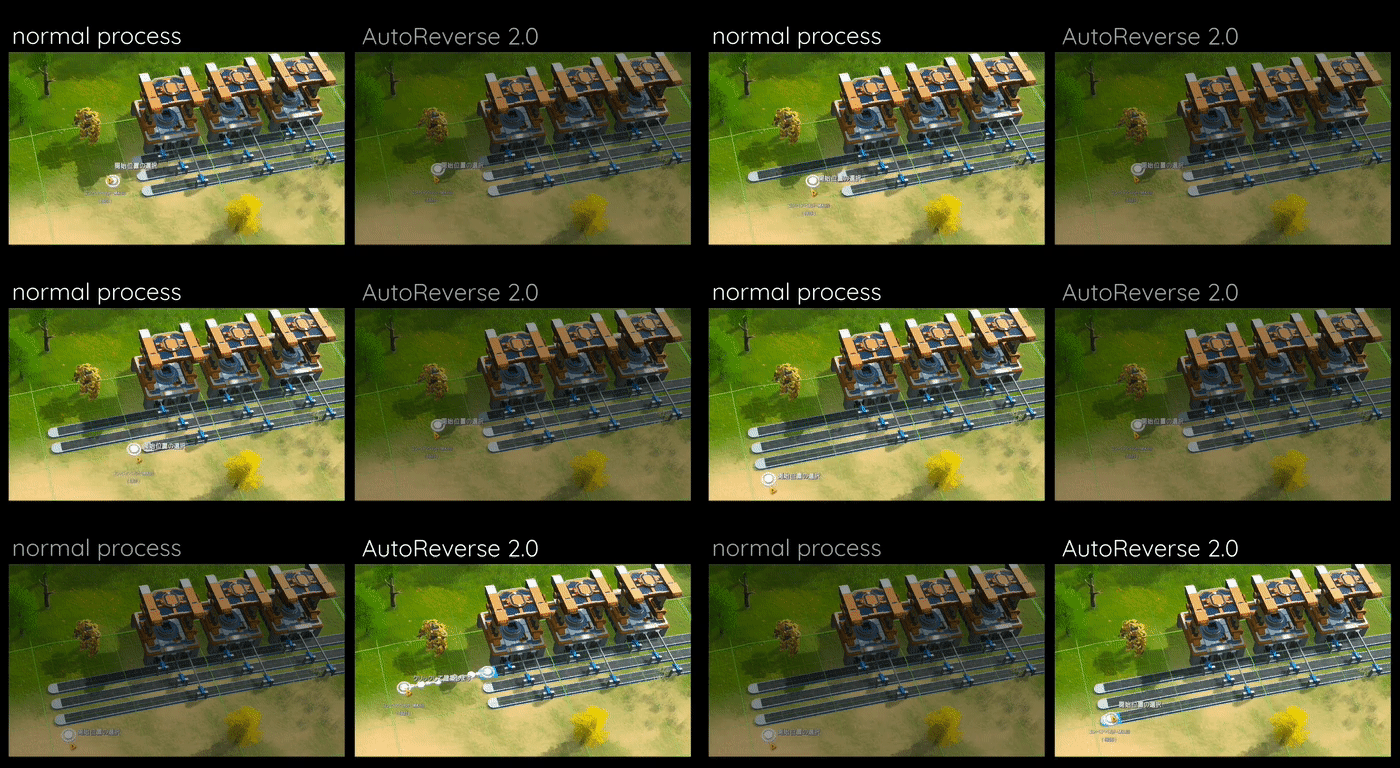
Holding down Ctrl key will automatically generate a preview of a straight line from the edge of the nearby belt to the cursor position. The preview will be automatically updated when you move the mouse cursor. There is no need to consider belt direction, as it will be corrected by the basic AutoReverse function.
Clicking with Ctrl key will place belt and continue to look for the next preview target. Release the Ctrl key to return to normal mode.
AutoReverse has some settings depend on BepInEx (file name is com.hetima.dsp.AutoReverse.cfg).
| Key | Type | Default | Description |
|---|---|---|---|
| enableOnTheSpot | bool | true | Enable OnTheSpot mode when Ctrl is down |
| onTheSpotRange | int | 24 | Maximum range of OnTheSpot mode (1-100) |
| enableBentConnection | bool | false | Allow non-straight connections in OnTheSpot mode |
コンベアベルトを延長設置するときに、既存のベルトと向きが相反するような繋ぎ方をした場合、正しく接続されるように方向を反転させます。
設置予定のベルトが反転される場合には、カーソルのツールチップに「(Reverse)」と表示され、プレビューラインの色を青と黄の縞模様に変化させて知らせます。
ベルト敷設時に Ctrl キーを押していると近くのベルトの端からカーソルの位置まで直線のプレビューが自動生成されます。マウスカーソルを移動させるとプレビューは自動的に更新されます。ベルトの向きは AutoReverse の基本機能で補正されるので気にする必要はありません。
Ctrl キーを押したままクリックするとそのまま敷設され、次のプレビュー対象を探します。Ctrl キーを離すと通常モードに戻ります。
onTheSpotRange and enableBentConnection)