

Dyson Sphere Program
You are viewing a potentially older version of this package. View Latest Version

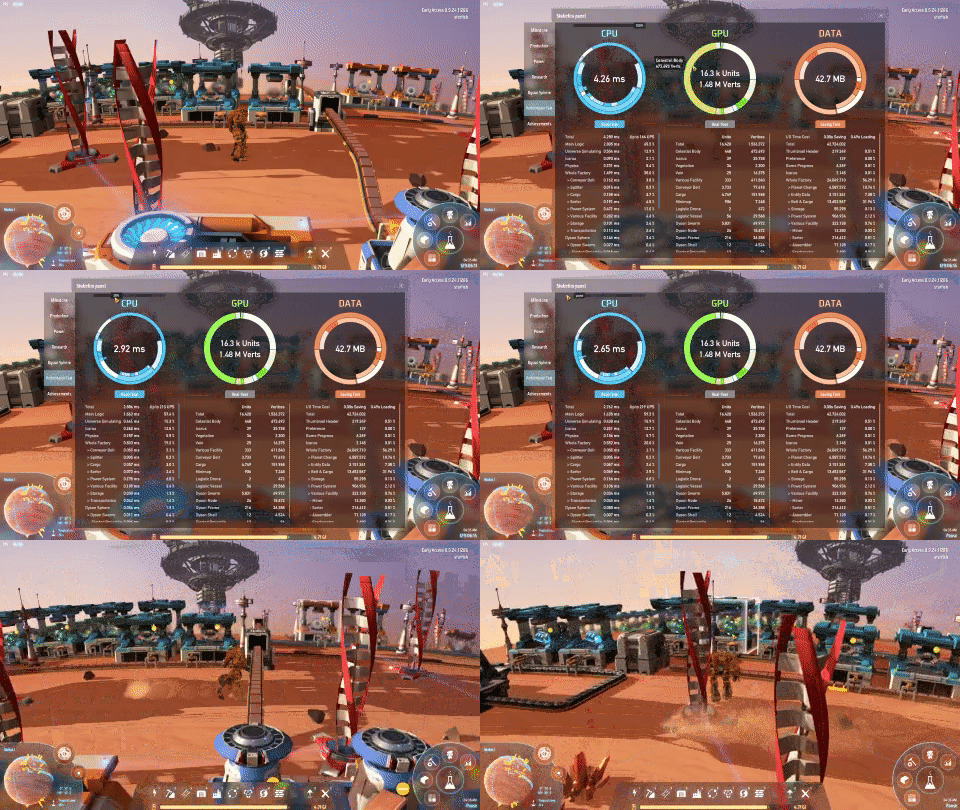
Let user slow down game speed to improve FPS. Run autosave in the background.
调整物理帧數以提高渲染帧數。在背景执行自动保存。
Slow game speed down to lower calculation workload. Improve FPS in late game.
The speed adjustment only affects factories, the mecha will still in normal speed.
The control slider is on in-game statistic performance panel.
When speed is set to 0, the game will enter pause mode, game tick and factories will stop.
在性能测试面板可以调整游戏速度(0~100%),只影响工厂,机甲仍保持正常速度。
速度为0时进入时停模式,gameTick会在离开时停模式后恢复。
Run autosave on another thread so the game won't freeze.
To make sure factory data is consistent, the game will enter pause mode during autosave.
The interaction with the factory is prohibited during the time exporting local factory data.
在背景自动保存的期间,游戏会进入时停模式。写入当地工厂時,玩家和唯读的工厂互动会被阻止。
使用这项功能时建议先测试。
Run the game one time to generate com.starfi5h.plugin.BulletTime.cfg file.
Key name can be found in Unity manual - InputManager.
EnableBackgroundAutosave
Run autosave in background. (Default:false)
在背景执行自动保存。 (预设为关闭)
KeyAutosave
Hotkey for auto-save. (Default:F10)
自动存档的热键(预设为F10)
StartingSpeed (Default:100)
Game speed when the game begin. range:0-100
开始时的游戏速度 范围: 0-100
When a player is joining or requesting factory data, unfreeze and enter pasue mode (the player can move).
When host is saving or manually entering pause mode, the client will enter pause mode too.
If clients disconnect during pausing, the host can manually resume the game by changing the slider.
Players can stop/resume dyson sphere rotation in the editor at top-left button.
当玩家加入、请求工厂数据、存檔時,进入时停模式。
如果客户端在时停期间中断连接,主机可以通过拖动滑块来恢复游戏运行。
玩家可以在编辑器左上角的按钮中停止/恢复戴森球旋转。
- Enable Nebula dyson sphere rotation start/stop button in editor.
- Handle multiple pause events happen at the same time.
- Show game speed in FPS indicator (Shift + F12)
- Fix camera & mecha movement speed in low speed.
- Add Nebula extra functions.
- Add StartingSpeed config option.
- Only block interaction during exporting local factory.
- Initial release. (Game Version 0.9.24.11286)
All trademarks, copyright, and resources related to Dyson Sphere Project itself, remain the property of Gamera Game and Youthcat Studio as applicable according to the license agreement distributed with Dyson Sphere Program.