

Dyson Sphere Program
You are viewing a potentially older version of this package. View Latest Version

When pressing KeyPause key, the game will enter true pause mode. The following actions are allowed:
Mecha activity is disabled in this true pause mode. To enable, set EnableMechaFunc to true.
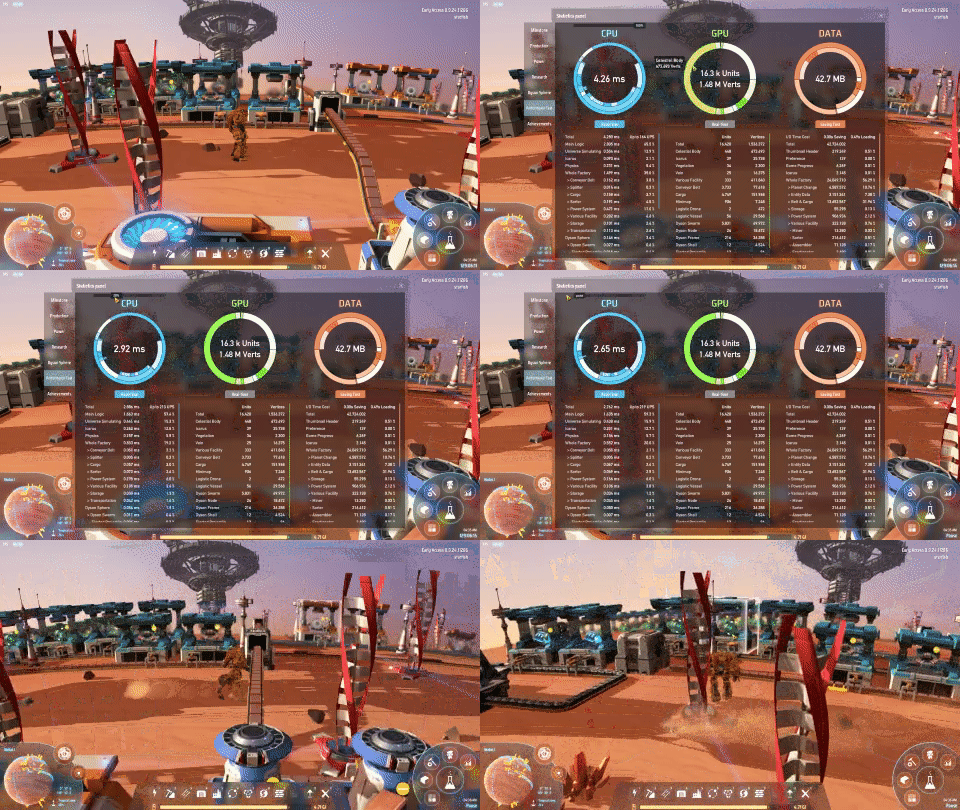
Slow game speed down to lower calculation workload. Improve FPS in late game.
The speed adjustment affects everything but the mecha, the mecha will still in normal speed.
The control slider is on in-game statistic performance panel.
When speed is set to 0, the game will enter pause mode, game tick and factories will stop.
Run autosave on background thread so the game won't freeze.
To make sure factory data is consistent, the game will enter pause mode during autosave.
The interaction with the factory is prohibited during the time exporting local factory data.
Run the game one time to generate com.starfi5h.plugin.BulletTime.cfg file.
Key name can be found in Unity manual - InputManager.
KeyAutosave
Keyboard shortcut for auto-save. (Default:F10 + LeftShift)
KeyPause
Hotkey for toggling pause mode. () (Default:Pause|Break)
EnableMechaFunc
When enable, mecha will be ablet to move in pause mode and projectiles will fly in normal speed. (Default:fasle)
EnableBackgroundAutosave
Run autosave in background. Besides config file, it can toggle in stat - performance panel. (Default:false)
StartingSpeed
Game speed when the game begin. range:0-100 (Default:100)
EnableFastLoading
Increase main menu loading speed. (Default:true)
RemoveGC
Remove force garbage collection of build tools. (Default:true)
在性能测试面板可以调整游戏速度(0~100%),只影响机甲以外的世界,机甲仍保持正常速度。
速度为0或启用热键时进入时停模式,gameTick会在离开时停模式后恢复。
在背景自动保存的期间,游戏会进入时停模式。写入当地工厂時,玩家和唯读的工厂互动会被阻止。
使用这项功能时建议先测试。
.cfg文件需要先运行过游戏一次才会出现,修改后要重启游戏才会生效。
管理器安装: 左边选项Config editor -> 找到starfi5h.plugin.BulletTime -> Edit Config
手动安装: 更改BepInEx\config\com.starfi5h.plugin.BulletTime.cfg文件
KeyAutosave
自动存档的热键组合 (默认为F10 + LeftShift)
KeyPause
暂停模式(世界停止+画面提示)的热键 (默认为Pause|Break)
EnableMechaFunc
启用后,机甲能够在暂停模式中活动。弹射物将以正常速度飞行。 (默认为关闭false)
EnableBackgroundAutosave
在背景执行自动保存。除了配置文件之外,它还可以在统计-性能测试面板中切换。 (默认为关闭false)
StartingSpeed
开始时的游戏速度,范围: 0-100 (默认为100)
EnableFastLoading
加快载入主选单 (默认为开启true)
RemoveGC
移除建筑工具的强制内存回收 (默认为开启true)
All trademarks, copyright, and resources related to Dyson Sphere Project itself, remain the property of Gamera Game and Youthcat Studio as applicable according to the license agreement distributed with Dyson Sphere Program.
Pause-button icons created by Uniconlabs - Flaticon