

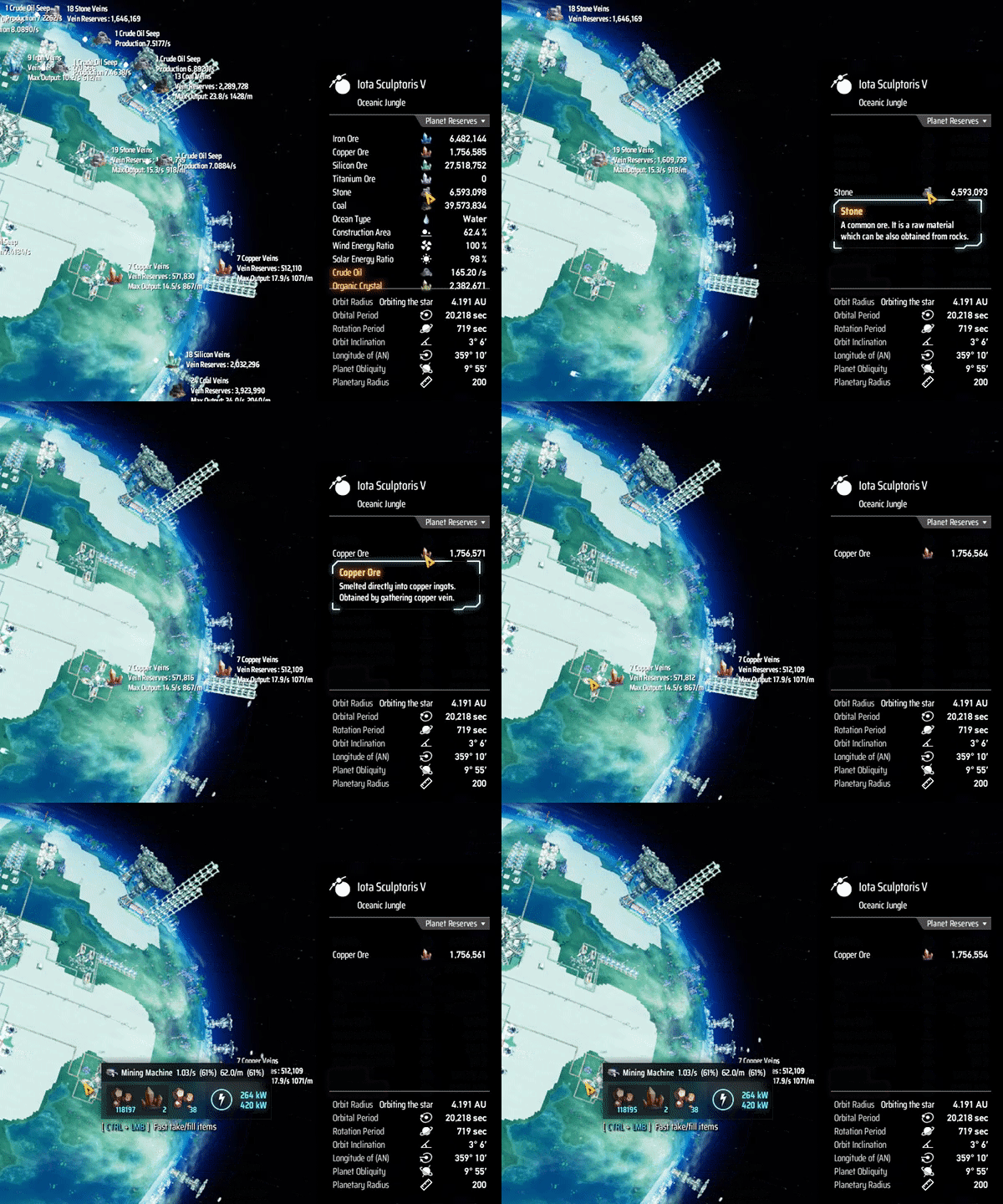
Via r2modman, or manual download the file and put MinerInfo.dll in BepInEx/plugins folder.
Run the game one time to generate BepInEx\config\starfi5h.plugin.MinerInfo.cfg file.
If you're using mod manager, you can find the file in Config editor.
| Default | Description | |
|---|---|---|
ShowItemsPerSecond |
false | If true, display unit per second. |
ShowItemsPerMinute |
true | If true, display unit per minute. |
ShowMinedNodesCount |
false | If true, display (mined node/total node) for each veinGroup |
MaxMinerOutput-Enable |
true | Show the maximum number of items per time period output by all miners on a vein. |
MaxMinerOutput-Text |
Max Output: | Prefix text show before numbers. |
ShowCurrentMinerOutput |
true | Show mining efficiency in miner hovering tip |
.cfg文件需要先运行过游戏一次才会出现,修改后要重启游戏才会生效。
管理器安装: 左边选项Config editor -> 找到starfi5h.plugin.MinerInfo -> Edit Config
手动安装: 更改BepInEx\config\starfi5h.plugin.MinerInfo.cfg文件
| 默认 | 描述 | |
|---|---|---|
ShowItemsPerSecond |
false | 显示每秒产能 |
ShowItemsPerMinute |
true | 显示每分钟产能 |
ShowMinedNodesCount |
false | 显示(开采的节点/总节点) |
MaxMinerOutput-Enable |
true | 显示一条矿脉上所有采矿机最大产能的总和 |
MaxMinerOutput-Text |
Max Output: | 最大产能字串 |
ShowCurrentMinerOutput |
true | 当鼠标悬停在矿机上时,显示当前矿机产能和工作比率 |
v1.1.4 - Add config ShowMinedNodesCount and ShowCurrentMinerOutput. (DSP-0.10.30.22292)
v1.1.3 - Apply vein filter for planned/not planned veins. (DSP-0.10.29.21950)
v1.1.2 - Fix NRE in CurrentOutputPatch. (DSP-0.10.28.21219)
v1.1.1 - Support for DSP-0.10.28.20779
v1.1.0 - Add filter vein type feature. Enable showing both /s and /m in units. (DSP-0.9.27.15466)
v1.0.0 - Initial release. (DSP-0.9.27.15033)
Inspired by brotchie's MinerInfo.
All trademarks, copyright, and resources related to Dyson Sphere Project itself, remain the property of Gamera Game and Youthcat Studio as applicable according to the license agreement distributed with Dyson Sphere Program.
