

Dyson Sphere Program
You are viewing a potentially older version of this package. View Latest Version
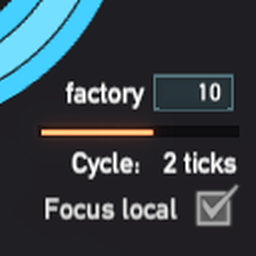

Change how many planet factories run per tick, simulating idle factories input and output using values from last tick.
Lower MaxFactoryCount can reduce calculation and increase UPS.
Recommend to set focus local factory to true and not set cycle time too high to have a better experience.
Warning: Because this mod manipulate stats data, if it does not work as intend, it may diable Milkyway upload.

User can set how many planet factories can work during a game tick, the rest will be put into the idle state. For working factories, the factories will run as normal. For idle factories, simulate the input/output by value changes of the last active tick.
In the example chart, the upper one is the original game which runs 3 factories per tick, and their factory cycles are 4/3/2. The lower one set cycle time = 3 ticks so there is only 1 factory run per tick, and it now takes 3 times to complete a full factory cycle.

Simulation in action. Above: cycle = 1. Below: cycle = 2.

The production throughput will catch up with original one in long term if it is stable. In short term there are some differences, for example statistic data will be more sparse. Also local conponents inside the factory will be slower, so storage boxes or tanks will have fewer items than vanilla.
Run the game one time to generate com.starfi5h.plugin.SampleAndHoldSim.cfg file.
MaxFactoryCount
Maximum number of factories allow to active and run per tick. (Default:100)
EnableStationStorageUI
Display item count change rate in station storages. (Default:true)
EnableVeinConsumptionUI
Display mineral consumption rate of mineral. (Default:true)
(v) CommonAPI
(v) DSPOptimizations
( ) Blackbox - The production stats of blackbox will be multiplied.
( ) NebulaMultiplayer - Only host can use this. Client will see less item in storage box when he is in different planet from host.
尝试用取样工厂输入/输出的方法来减少计算量。
使用者可以在性能测试面板设定每个逻辑祯可以使多少星球运行,闲置的星球将会用上一个tick的值来模拟工厂的输入和输出。
建议勾选Focus Local让本地工厂保持运行来维持游戏体验,运行工厂数调低到能让UPS>60就好。
警告: 此mod会改动统计资料。虽然目的是为了近似原本游戏的数据,但是出错时可能会让存档无法上传银河系。
此图中有三个星球工厂,星球A的工厂的物品数量变化是+2/+1/+0/-1,经过一个完整生产周期后最终会有2个物品。其余工厂同理。
上方为原本游戏运行方式,每一祯有3个工厂运作,完整周期分别是4/3/2。
下方为Mod改变之后的运作方式,每一祯有1个工厂运作,在闲置的期间(浅色格)会让数值套用上一次工作的变化,完整周期变为3倍-12/9/6。
套用变化的只有工厂的输入和输出,工厂的内部元件会以低速运行。而戴森球系统和运输机则继续每祯都运行。
如果工厂的产出是稳定的,长期下来模拟的产量和真实的产量会相近。
短期上统计的数据可能会变得稀疏,此外工厂内部元件(仓储,运输带)中货物的增加数量也会比原本的少。
.cfg文件需要先运行过游戏一次才会出现,修改后要重启游戏才会生效。
管理器安装: 左边选项Config editor -> 找到starfi5h.plugin.SampleAndHoldSim -> Edit Config
手动安装: 更改BepInEx\config\com.starfi5h.plugin.SampleAndHoldSim.cfg文件
MaxFactoryCount
每个逻辑祯所能运行的最大工厂数量 (Default:100)
EnableStationStorageUI
显示物流塔货物变化速率 (Default:true)
EnableVeinConsumptionUI
显示矿脉的矿物消耗速率 (Default:true)
- Add EnableVeinConsumptionUI option.
- Fix error when removing stations.
- Fix veinGroup value changes.
- Initial release.
All trademarks, copyright, and resources related to Dyson Sphere Project itself, remain the property of Gamera Game and Youthcat Studio as applicable according to the license agreement distributed with Dyson Sphere Program.