

Dyson Sphere Program
You are viewing a potentially older version of this package. View Latest Version
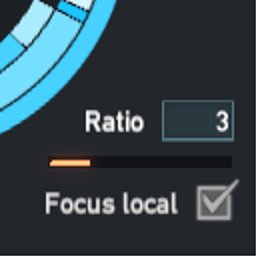
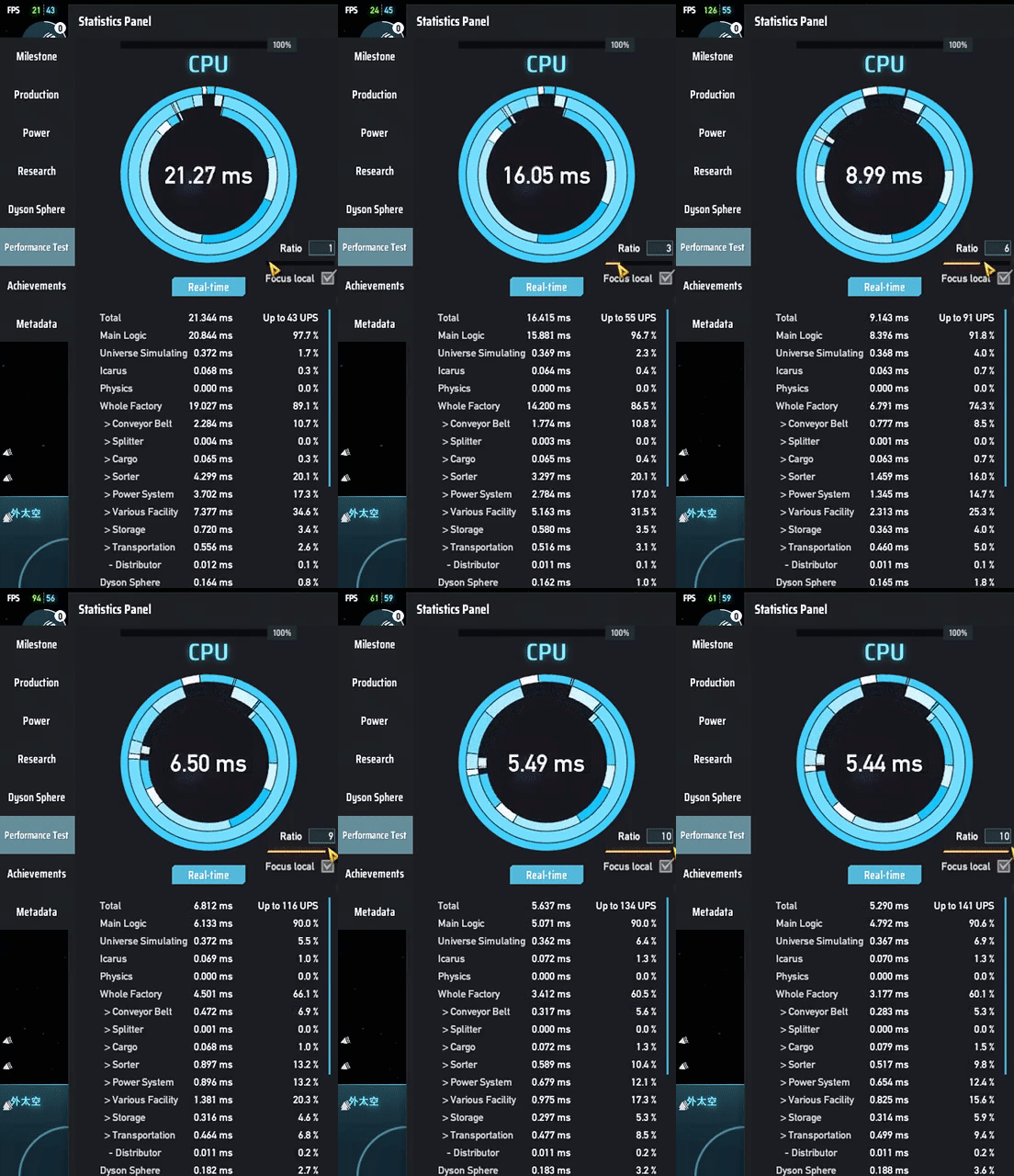
Reduce factory calculation by letting factoies have active tick and idle tick.
When in active, the factory will run the whole simulation. When in idle, the factory will use values from last active tick to generate input and output, multiply the "result".
The goal is to make factories tick less but still make nearly same amount of items in ILS in the long term.
Recommend to set focus local factory = true to have a better experience.
Warning: Because this mod manipulate stats data and item generation, it may diable Milkyway upload.
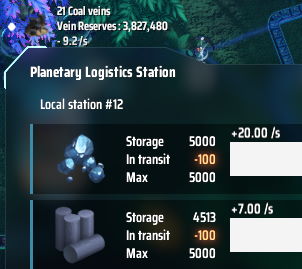
Additional UI for displaying change rate of resources in stations. Configurable in options.
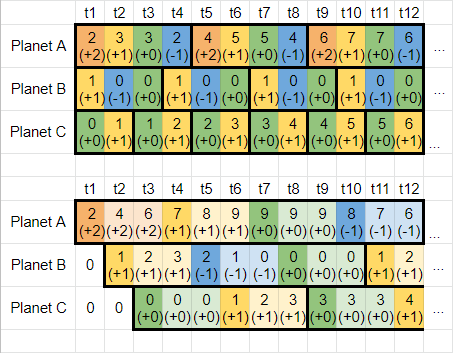
User can set how many planet factories can work during a game tick, the rest will be put into the idle state. For working factories, the factories will run as normal. For idle factories, simulate the input/output by value changes of the last active tick.
In the example chart, the upper one is the original game which runs 3 factories per tick, and their factory cycles are 4/3/2. The lower one set cycle time = 3 ticks so there is only 1 factory run per tick, and it now takes 3 times to complete a full factory cycle.
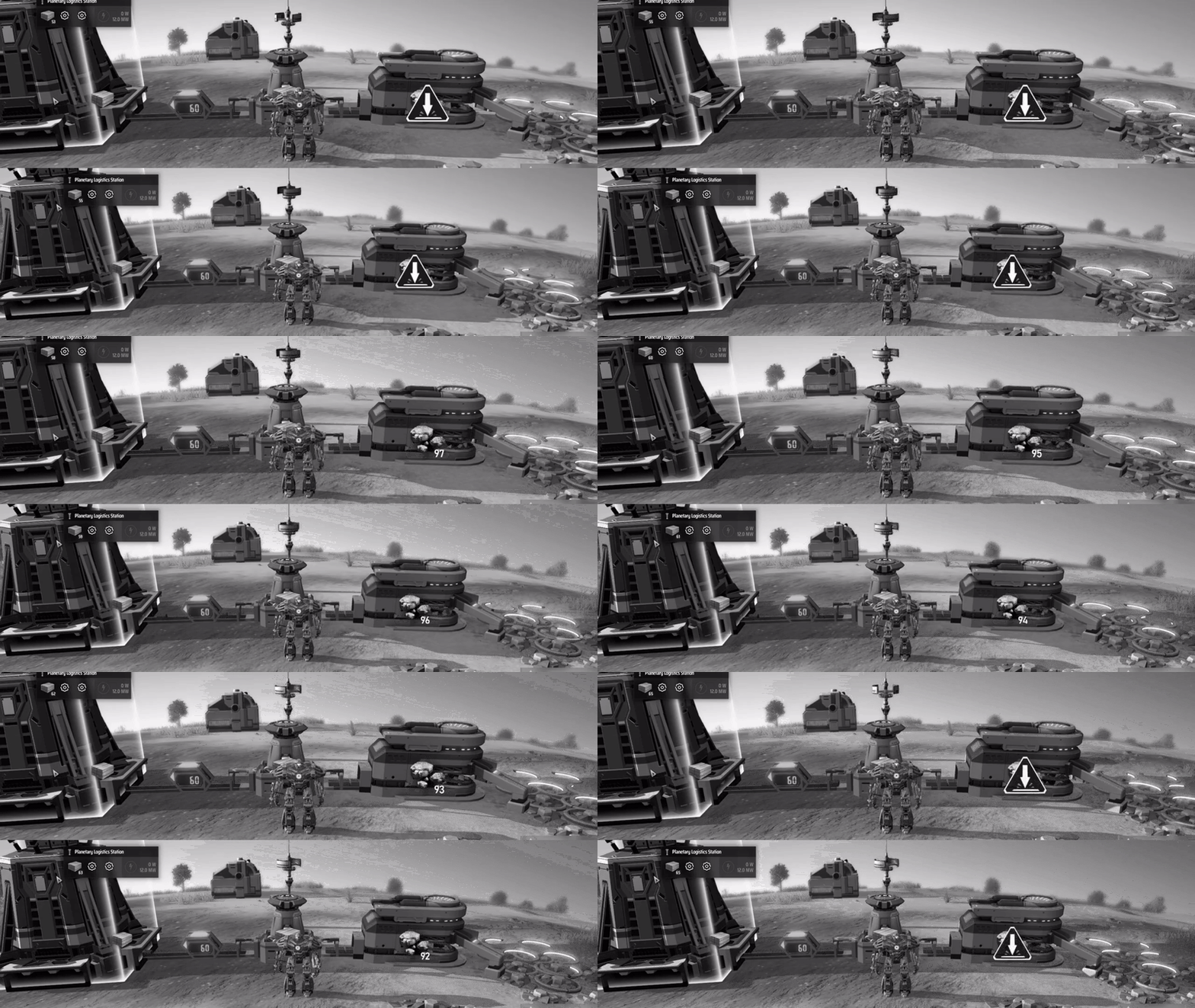
Simulation in action. Above: vanilla game, ratio = 1. Below: mod enable, ratio = 2.
In the gif, both vein amount go from 100 to 90, and station storage go from 55 to 65.

The production throughput will catch up with original one in long term if it is stable. In short term there are some differences, for example statistic data will be more sparse. Also local conponents inside the factory will be slower, so storage boxes or tanks will have fewer items than vanilla.
Run the game one time to generate starfi5h.plugin.SampleAndHoldSim.cfg file.
UpdatePeriod (Default:3)
Compute actual factory simulation every x ticks.
UIStationStoragePeriod (Default:600)
Display item count change rate in station storages in x ticks. 0 = no display
UnitPerMinute (Default:false)
If true, show rate in unit per minute. otherwise show rate in unit per second.
(✅) CommonAPI
(✅) DSPOptimizations
(✅) NebulaMultiplayer - SampleAndHoldSim will be diabled in client mode. Only host can use it.
(✅) TheyComeFromVoid - The star system being attacked will run at normal speed to make turrets work correctly.
(🛠️) Auxilaryfunction - Fix veins get removed when pausing the factoires.
(🛠️) Multfuntion mod - Fix solar sail number incorrected when skipping bullets.
(⚠️) Blackbox - Conflicts: The production stats of blackbox will be multiplied. Analysis won't start.
尝试减少更新频率并倍增每次运算的产物来提升逻辑帧率。
使用者可以在性能测试面板设定倍率,闲置的星球将会用上一个帧的值来模拟工厂的输入和输出。
建议勾选Focus Local让本地工厂保持运行来维持游戏体验,倍率调整至能让逻辑帧高过60就好。
警告: 此mod会改动统计资料和虛空產物。可能会让存档无法上传银河系。
此图中有三个星球工厂,星球A的工厂的物品数量变化是+2/+1/+0/-1,经过一个完整生产周期后最终会有2个物品。其余工厂同理。
上方为原本游戏运行方式,每一祯有3个工厂运作,完整周期分别是4/3/2。
下方为Mod改变之后的运作方式,每一祯有1个工厂运作,在闲置的期间(浅色格)会让数值套用上一次工作的变化,完整周期变为3倍-12/9/6。
套用变化的只有工厂的输入和输出,工厂的内部元件会以低速运行。而戴森球系统和物流塔系统则继续每祯都运行。
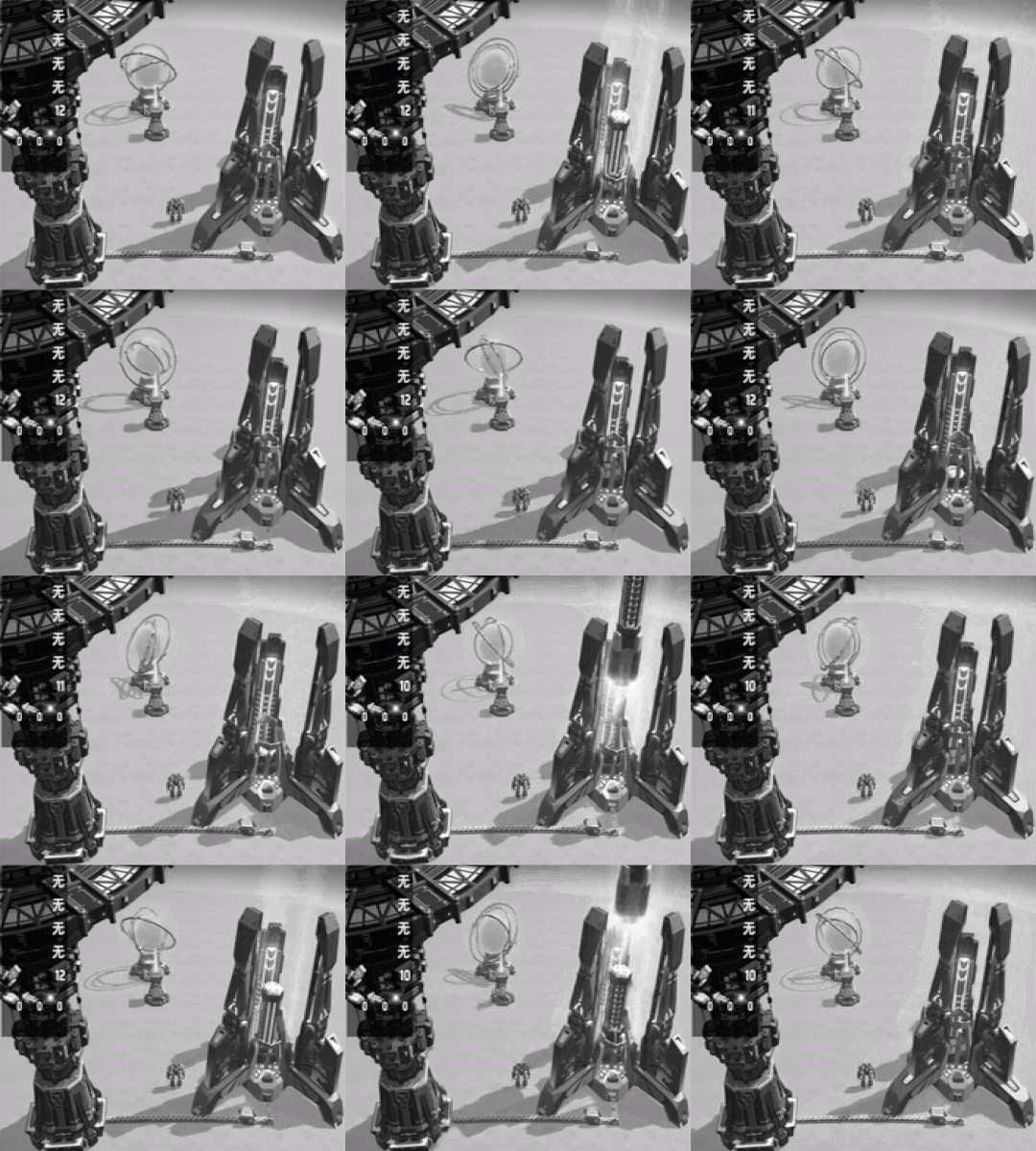
实际演示,上图为正常游戏ratio=1,下图为设置ratio=2。
下图的内部元件速率只有上图的1/2,但是一次发射火箭的数量和一次出塔数量皆为上图的2倍,因此最终两者有一致的输入输出速率:同样12秒间,两者皆发射了2枚火箭,物流塔火箭储量皆从12减少至10。
如果工厂是稳定的,长期下来模拟的产量和真实的产量会相近。短期上统计的数据可能会变得稀疏,工厂内部元件(仓储,运输带)中货物的增减速率也会比原本的少。
工厂内的残留货物在改变速度时(重加载存档, 锁定当地星球)会造成误差, 并且研究站研究时矩阵和哈希值对应的关系也可能被破坏, 这些累积就会触发数据异常。因此要上榜不建议使用此mod。
.cfg文件需要先运行过游戏一次才会出现,修改后要重启游戏才会生效。
管理器安装: 左边选项Config editor -> 找到starfi5h.plugin.SampleAndHoldSim -> Edit Config
手动安装: 更改BepInEx\config\starfi5h.plugin.SampleAndHoldSim.cfg文件
UpdatePeriod (Default:3)
更新周期: 每x逻辑帧运行一次实际计算
UIStationStoragePeriod (Default:600)
显示过去x帧内物流塔货物的流入或流出速率, 0 = 不显示
UnitPerMinute (Default:false)
true: 显示单位设为每分钟速率 false: 显示每秒速率
(✅) DSPOptimizations(优化mod)
(✅) NebulaMultiplayer(联机mod) - 只有主机可使用, 客户端会自动停用并关闭介面
(✅) 深空来敌(战斗mod) - 在战斗过程中, 被攻击的星系将会恢复为原速好让炮塔运作正常
(🛠️) Auxilaryfunction(辅助mod) - 修复停止工厂时矿物会被移除的问题
(🛠️) Multfuntion mod(多功能OPmod) - 修复跳过子弹时, 太阳帆的数量没有被倍增的问题
(⚠️) Blackbox(黑盒化mod) - 不太相容, 低速下产物统计会倍增
All trademarks, copyright, and resources related to Dyson Sphere Project itself, remain the property of Gamera Game and Youthcat Studio as applicable according to the license agreement distributed with Dyson Sphere Program.