Dyson Sphere Program
You are viewing a potentially older version of this package. View Latest Version
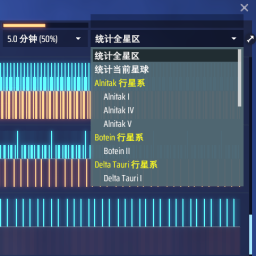
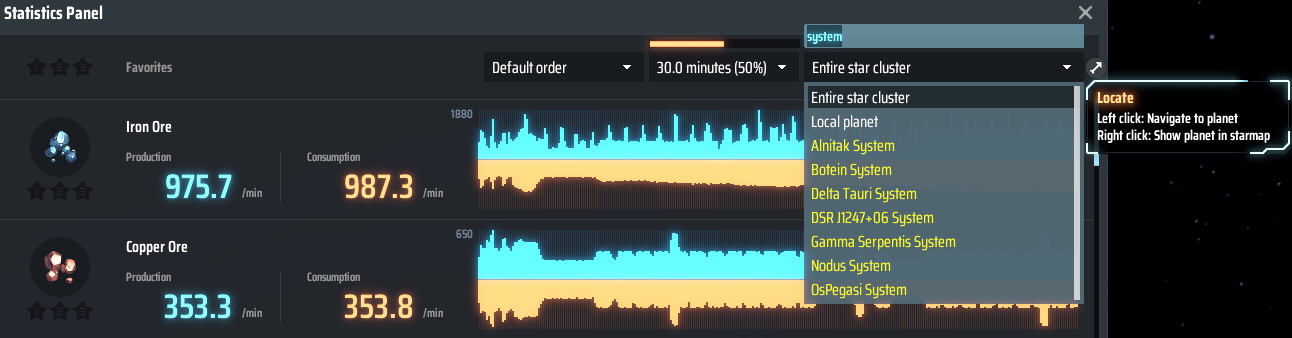
Adds QoL features to the statistics panel.
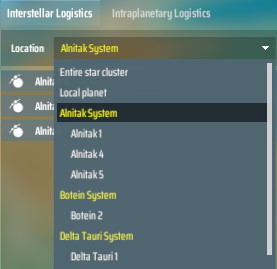
Support astro list in Logistics Control Panel (I) too.
Run the game one time to generate BepInEx\config\starfi5h.plugin.StatsUITweaks.cfg file.
Check Unity - KeyCode for available hotkey names.
| Default | Description | |
|---|---|---|
| AstroBox | ||
OrderByName |
true | Order the list by system name |
DropDownCount |
15 | Number of items shown in drop-down list |
SystemPrefix |
<color=yellow> |
Prefix string of star system in the list |
SystemPostfix |
</color> |
Postfix string of star system in the list |
PlanetPrefix |
ㅤ |
Prefix string of planet in the list |
PlanetPostfix |
Postfix string of planet in the list | |
HotkeyListUp |
PageUp | Move to previous item in astro list |
HotkeyListDown |
PageDown | Move to next item in astro list |
| StatsUITweaks | ||
ListWidthOffeset |
70 | Increase width of the list |
NumericPlanetNo |
false | Convert planet no. from Roman numerals to numbers |
| PerformancePanel | ||
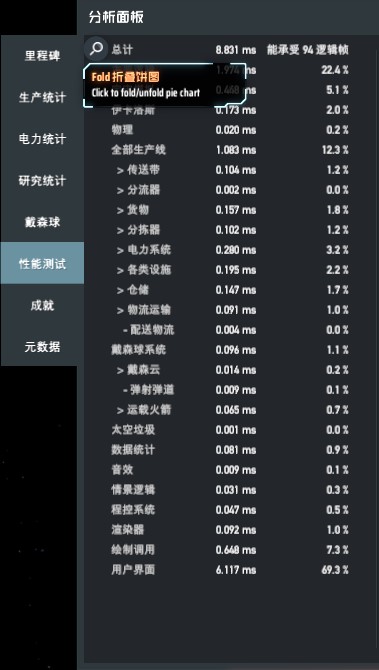
FoldButton |
true | Add a button to fold pie chart |
增加统计面板UI的便利性
以星系名称排序列表
原本游戏是以到达的先后顺序排列下拉清单列表中的星系。启用后会改以星系名称来排序
过滤星球名称
在输入框中输入字串, 将会过滤列表中的星系和星球
自定义星球/星系名称前缀后缀
使用者可以用Unity富文本自由配置字体样式
导航按钮
左键点击会导航至选取的星球。右键点击会开启星图模式显示该星球位置。按钮提示astroId和factory.index(idx)方便除错
热键切换
PageUp/PageDown可以切换至列表的上/下一个项目。压住Ctrl时, 会切换至上/下一个星系。
配置文件(.cfg)需要先运行过游戏一次才会出现。修改后需重启游戏才会生效。
管理器安装: 左边选项Config editor -> 找到starfi5h.plugin.StatsUITweaks -> Edit Config
热键名称请参考Unity手册的KeyCode
| 默认值 | 说明 | |
|---|---|---|
| AstroBox | ||
OrderByName |
true | 以星系名称排序列表 |
DropDownCount |
15 | 下拉列表显示的个数 |
SystemPrefix |
<color=yellow> |
星系名称前缀 |
SystemPostfix |
</color> |
星系名称后缀 |
PlanetPrefix |
ㅤ |
星球名称前缀 |
PlanetPostfix |
星球名称后缀 | |
HotkeyListUp |
PageUp | 切换至列表中上一个项目的热键 |
HotkeyListDown |
PageDown | 切换至列表中下一个项目的热键 |
| StatsUITweaks | ||
ListWidthOffeset |
70 | 增加列表栏位的宽度 |
NumericPlanetNo |
false | 将星球序号从罗马数字转为十进位数字 |
| PerformancePanel | ||
FoldButton |
true | 在性能面板加入一个折叠饼图的按钮 |