
Inscryption
You are viewing a potentially older version of this package. View Latest Version
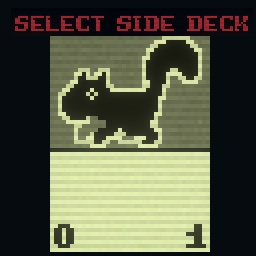
This mod lets you change the side deck to something other than squirrels, and allows changing the number of cards in the side deck, having more than one type of card in the side deck, having cards be selected when starting the run, and even displaying custom card backs.
This mod should work alongside Side Deck Selector for the most part, but you should be aware of a few things:
CSDIsAqua should be shown as options even when the Squirrel Fish challenge isn't on.
Basic Side Deck:
"extensionProperties": {
  "CSDIsSideDeck": "true",
  "CSDSideDeckType": "Basic"
}
Basic side decks work like most side decks: they have 10 copies of one type of card.
Set Count Side Deck:
"extensionProperties": {
  "CSDIsSideDeck": "true",
  "CSDSideDeckType": "SetCount",
  "CSDNumCards": "3"
}
Set Count side decks are like Basic ones, except that you can set the number of cards in the deck using the CSDNumCards extension property.
Configurable Side Deck:
"extensionProperties": {
  "CSDIsSideDeck": "true",
  "CSDSideDeckType": "Configurable",
  "CSDNumCards": "10",
  "CSDNumOptions": "4",
  "CSDOption1": "Squirrel",
  "CSDOption2": "Bee",
  "CSDOption3": "Rabbit",
  "CSDOption4": "Geck"
}
Configurable side decks allow the player to choose which cards to put in the side deck before they start the run. Clicking on a card in the Configure Side Deck screen cycles through the options. There are CSDNumCards cards in the deck, each of which can be any of the CSDOptions. Make sure that the number of CSDOption properties is the same as the value of CSDNumOptions, or it won't work.
Advanced Side Deck:
"extensionProperties": {
  "CSDIsSideDeck": "true",
  "CSDSideDeckType": "Advanced",
  "CSDNumCards": "5",
  "CSDCard1": "Squirrel",
  "CSDCard2": "Bee",
  "CSDCard3": "Rabbit",
  "CSDCard4": "self",
  "CSDCard5": "conf",
  "CSDNumOptions": "2",
  "CSDOption1": "Cat",
  "CSDOption2": "Goat"
}
Advanced side decks can do everything that the other types of side decks can, and they also allow setting a specific amount of each type of card. In any of the CSDCard properties, you can enter the name of a card directly, or, alternatively, you can enter self or conf. CSDCards set to self will be the card the extension properties are on, while CSDCards set to conf will act like the cards in a Configurable side deck. Make sure that the number of CSDCard properties is the same as the value of CSDNumCards, and that the number of CSDOption properties is the same as the value of CSDNumOptions or it won't work.
Bonus Properties:
"extensionProperties": {
  "CSDIsSideDeck": "true",
  "CSDSideDeckType": "Basic",
  "CSDCardBack": "AquaBee_back.png",
  "CSDIsAqua": "true",
  "CSDChallengePoints": "-5"
}
These properties can be used by any kind of side deck.
When CSDCardBack is set to a 125 by 190 pixel PNG file, that image will render in place of the standard side deck back. Check the mod's folder for a template image.
There are a few default images available. Instead of the path to a PNG file, you can choose to use these:
squirrel will use the Squirrel side deck back from the base gamebee will use the Bee side deck back from the base gameaquasquirrel will use the Aquasquirrel side deck back (which is just the Waterborne card back)blank will use a generic blank back with no icongen will make a side deck back automatically based on the main card's portraitIf CSDIsAqua is set to true, the side deck will be selectable when the Squirrel Fish challenge is enabled. You can use this to make Aquasquirrel-style variants of your custom side decks.
The value of CSDChallengePoints will be added to the player's challenge points when they use the side deck in a run.