
To the lucky fella who happens to find this note:
Y'all mighta noticed the chests with equipment that have been left behind, carryin' some useful stuff, but there's one piece of equipment in particular I want to bring your attention to. It's a bona fide Boombox! Bought it from some company that claims to have truly professional employees.
That monumental relic not only plays some... (ahem)- "jammin' tunes", it also actually has a purpose that'll help you. It can work as a fair handful of fuel for the train, but the vibrations of its bass will also occassionally pierce the sands, possibly distracting the worm by making it seem like one of you pardners is movin' around.
Now hurry, ya got a train to catch...
- Gilbert
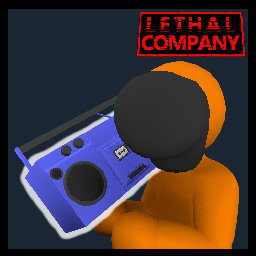
Want to add a little something booming to your desert survival? Well, get ready, as this mod adds Lethal Company's Boombox to Wormtown!
It can be found in the same chests that other equipment such as rifles is found in, and it even includes all its original music! And it's high time to turn that grim desert into a groovy desert with this certified company jig. So now, get back to worm- uh... work!
Feel like adding your own playlist to the boombox? Or want to lengthen the amount of time you can enjoy the music? Then change it!
Go to this mod's Config file to change a handful of options, such as being able to load custom music from your own computer, setting for how long the boombox's battery can play, and how frequently a boombox that's lying on the sand will ping the worm's attention. There's a total of 12 customizable options, some of which affect the whole lobby while some are personal to your game only, so choose whatever fits you and your group!
If you'd like to load custom music from your computer, you can find and change the folder the mod loads music from by going to Thunderstore > Edit config > BepInEx/config/local.SimonTendo.LTOWLethalCompanyBoomboxMod.cfg > Edit Config > Extra > Custom Music Folder