

Lethal Company
You are viewing a potentially older version of this package. View Latest Version

Only Server-Side Install
仅房主需要安装
Present a gift to the employee who uses Inverse Teleport
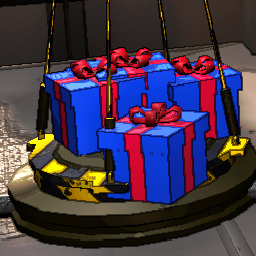
为使用逆向传送的员工送上一份礼物(工具,废料,敌人,甚至陷阱!)
hope they like this gift!
希望他们喜欢这份礼物!
Find the chuxia.InverseGift.yml file in BepInEx\config
在 BepInEx\config 中找到 chuxia.InverseGift.yml 文件
Items are the gifts given to players who use Inverse Teleport
Items是玩家使用逆传之后,赠送的物品
Which items can be gifted?
可以赠送哪些物品?
Using Inverse Teleport once in single-player mode will generate a chuxia.InverseGiftItems.txt file in BepInEx\config
在单人模式下使用一次逆向传送,会在 BepInEx\config 生成一个 chuxia.InverseGiftItems.txt 文件
Open the file and find the item you want to spawn, for example: ProFlashlight:FlashlightItem, then fill in the name before : in Items
打开文件,找到你想要生成的物品,例如:ProFlashlight:FlashlightItem,在Items内填入:前面的名称
Items:
- ItemName: ProFlashlight
  Count: 1
If you want to also gift a shovel, write it like this:
如果你还想多送一把铲子,那么这样编写
Items:
- ItemName: ProFlashlight
  Count: 1
- ItemName: Shovel
  Count: 1
If you want to give a real gift
如果你想赠送一份真正的礼物
Items:
- ItemName: ProFlashlight
  Count: 1
- ItemName: Shovel
  Count: 1
- ItemName: GiftBox
  Count: 1
What's inside the gift? It's up to you to decide!
礼物里面有什么?由你自己决定!
For example, a meteor shower?
例如一场流星雨
Gift:
- Name: Meteor
  Rarity: 2
  Value: 0
  Message: <color=yellow>{player}: Ladies and gentlemen! Let's take a look at the </color><color=red>meteor shower</color> together!
 #Message: <color=yellow>{player}:女士们先生们!一起来看</color><color=red>流星雨</color>!
The name can be filled in with the content contained in chuxia.IverseGiftItems.txt and two special names
名称可以填写chuxia.InverseGiftItems.txt包含的内容以及两个特殊名称
Null = Empty box
Null = 空盒子
Meteor = Meteor Shower
Null = 流星雨
If you are generating scrap, set the scrap value in the Value(Only Host can see scrap value)
如果你生成的是废料,在Value里面设置废料价值(仅主机可见)
Gift:
- Name: GoldBar
  Rarity: 5
  Value: 200
Rarity represents probability. When your Gift configuration contains many, many gifts, you will randomly select one from them as a gift!
Rarity 代表概率,当你Gift配置中包含很多很多礼物,将会从里面随机抽选一个作为礼物!
This is a default configuration example
这是一份默认的配置示例
Items:
- ItemName: GiftBox
  Count: 1
- ItemName: Shovel
  Count: 1
- ItemName: ProFlashlight
  Count: 1
Gift:
- Name: Meteor
  Rarity: 2
  Value: 0
  Message: <color=yellow>{player}:女士们先生们!一起来看</color><color=red>流星雨</color>!
- Name: GoldBar
  Rarity: 5
  Value: 200
- Name: Candy
  Rarity: 1
  Value: 999
- Name: Key
  Rarity: 10
  Value: 0
- Name: Turret
  Rarity: 5
  Value: 0
- Name: Landmine
  Rarity: 5
  Value: 0
- Name: Nutcracker
  Rarity: 10
  Value: 0
- Name: HoarderBug
  Rarity: 10
  Value: 0
- Name: Null
  Rarity: 30
  Value: 0
Every time you make changes and save YAML, it will take effect in real-time within the game, without the need to restart the game!
每当你改动并保存yaml后,游戏内都会实时生效,不需要重启游戏!
The thread in the LC Modding Discord Server
QQ群:263868521,找群主反馈
