

To install this plugin download BepInEx and put the contents of the BepInEx ZIP file into your Muck folder. Then run the Muck.exe. This will configure your BepInEx install. After you have completed the following steps go to the Muck>BepInEx>plugins folder and copy and paste the contents of this plugins ZIP.
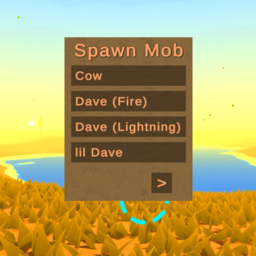
To use this plugin go create a lobby. When you create a host you will become the (Host+), then start the game. Next click on the menu view key (Default:F1). Finally press on the mob you want to spawn. To navigate the menu either press the arrow keys (can be configured), or the arrow buttons on the sceen.