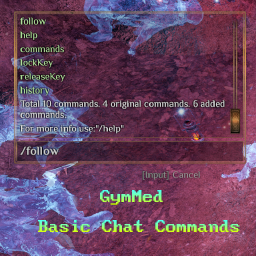

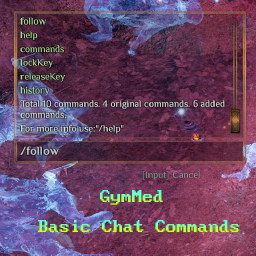



Firstly, install Chat Commands Manager. After that, you can use the commands provided by this mod directly in chat.
NavMeshPath to calculate a path and simulates character
movement input to begin following another character. Following is automatically
canceled when the follower starts moving manually.Usage:
/follow to follow a random nearby character (starting from
the local player)./follow characterName to follow a specific character.Usage:
/maxChatMessages to show chat panel messages limit./maxChatMessages --amount=90 to set max amount of how many messages chat panel can contain.Usage:
/setVisuals 1 15 11 5 2 To change race = 1, hairStyle = 15, hairColor = 11, headVariation = 5 and gender = 2.Usage:
/skills to show currently all available skills in the game./skills --type="1" to show specific type. Available: 0 - All, 1 - Active, 2 - Passive, 3 - Cosmetic.Usage:
/setTime 15:55 to set game time to 15 hours and 55 minutes.Usage:
/setMinutes 55 to set game current hour minutes 55 minutes.Usage:
/enchantments to print all enchantments in detailed way./enchantments --short="true" to print all enchantments count.Usage:
/enchantmentRecipes to print all enchantments recipes in detailed way./enchantmentRecipes --short="true" to print all enchantments recipes count.Usage:
/enchantmentRecipeItems to print all enchantments recipes items in detailed way./enchantmentRecipeItems --short="true" to print all enchantments recipes items count.Usage:
/brokenEnchantments to print all incorrectly added enchantments in detailed way./brokenEnchantments --short="true" to print all incorrectly added enchantments count.Usage:
/cfgToXml to store configs to default location:
"BepInEx\config\gymmed.Mods_Communicator\Basic_Chat_Commands\PlayerConfigs.xml"./cfgToXml --filePath="yourPath" to store configs to your provided path.To manually set up, do the following
Outward\BepInEx\plugins\OutwardChatCommandsTemplate\.BepInEx\plugins\OutwardChatCommandsTemplate\ directory you created.Outward\BepInEx\plugins\OutwardChatCommandsTemplate\OutwardChatCommandsTemplate.dll
Launch the game.