Outward Mods Communicator Menu
A visual in-game menu interface for the Outward Mods Communicator event system. Browse, inspect, and publish events directly from a user-friendly UI.
Overview
Outward Mods Communicator Menu gives you a graphical interface to interact with the Mods Communicator event system. Instead of typing complex chat commands, you can use this menu to:
- Browse all registered events from every mod
- See which mods publish which events
- View which mods subscribe to events
- Send (publish) events with custom parameters
- Toggle the menu with a hotkey or chat command
Requirements
This mod requires the following dependencies to be installed:
How to Use
Opening the Menu
You can open the menu in two ways:
- Chat Command: Type
/MCMenu in the in-game chat
- Keyboard Shortcut: Press your configured hotkey (needs to be set through settings)
Menu Tabs
The menu has three main tabs:
Publish Tab
Use this tab to send events to mods.
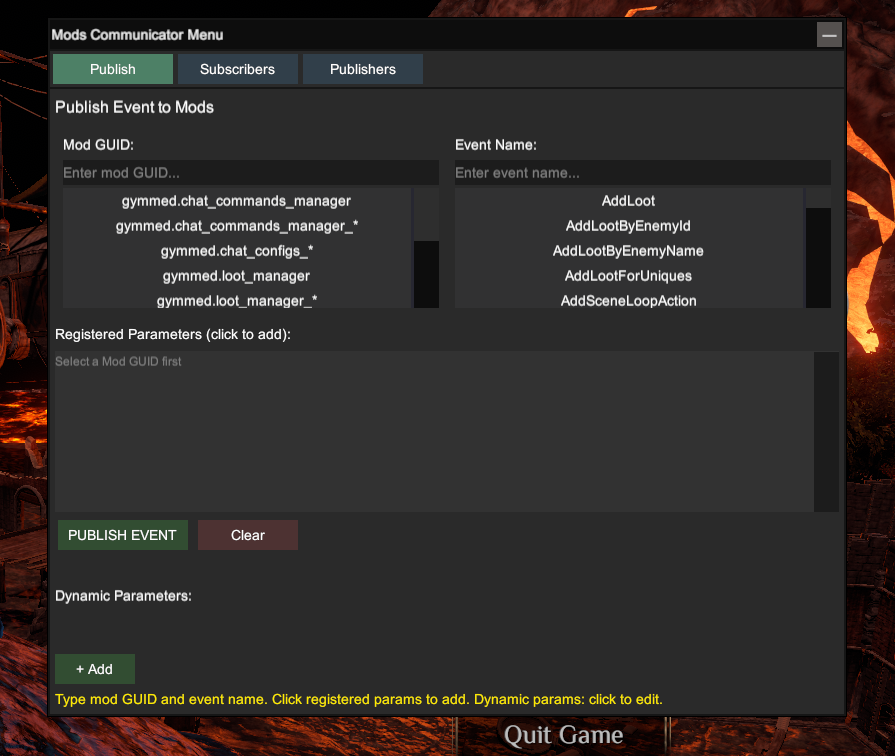
How to publish an event:
- Enter the Mod GUID (e.g.,
gymmed.loot_manager_*)
2. Enter the Event Name (e.g., AddLoot)
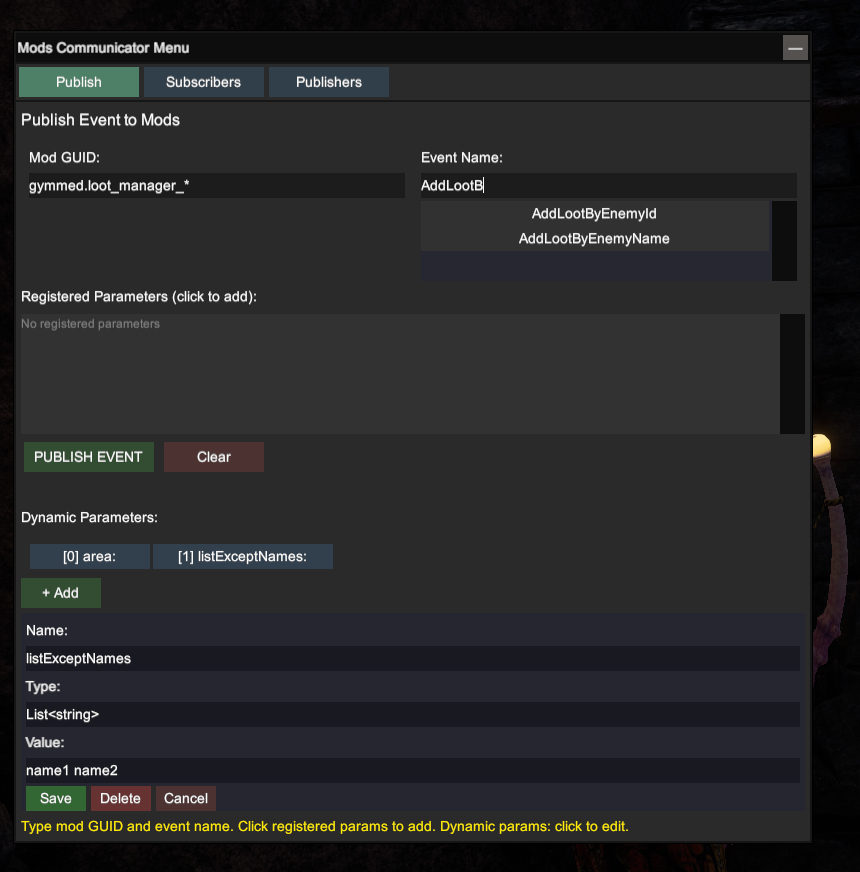
3. Click on registered parameters to add them, or create custom dynamic parameters
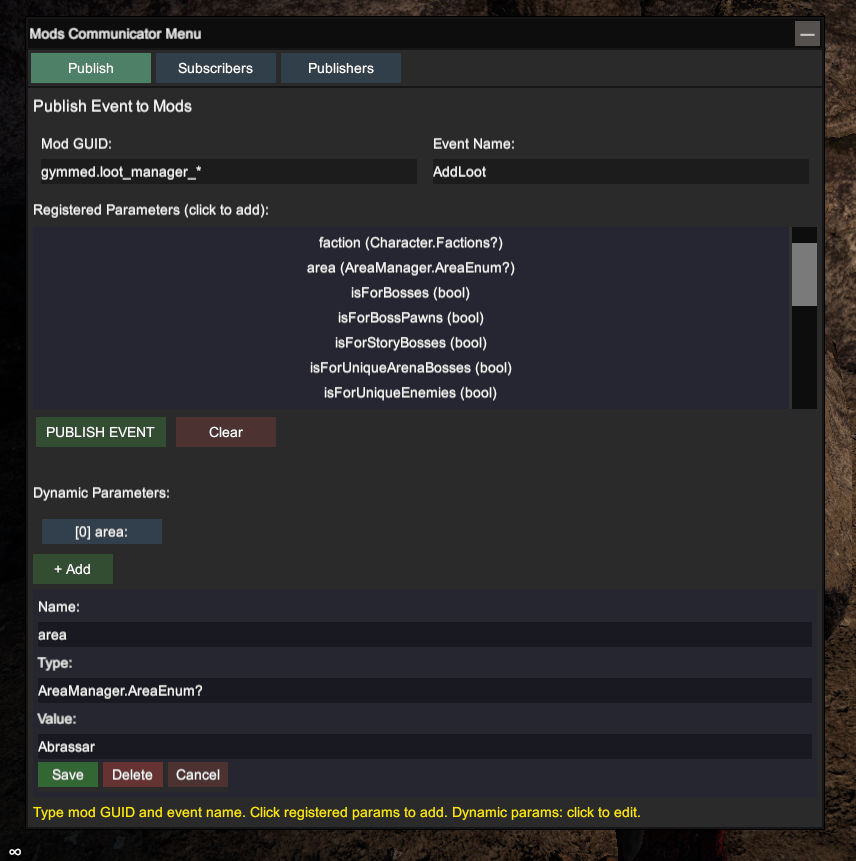
4. Click Publish to send the event
Parameters:
- Registered Parameters: Parameters that the event was originally designed to accept. Click on them to add to your payload.
- Dynamic Parameters: Custom parameters not in the original event schema. Specify the name, type, and value.
Subscribers Tab
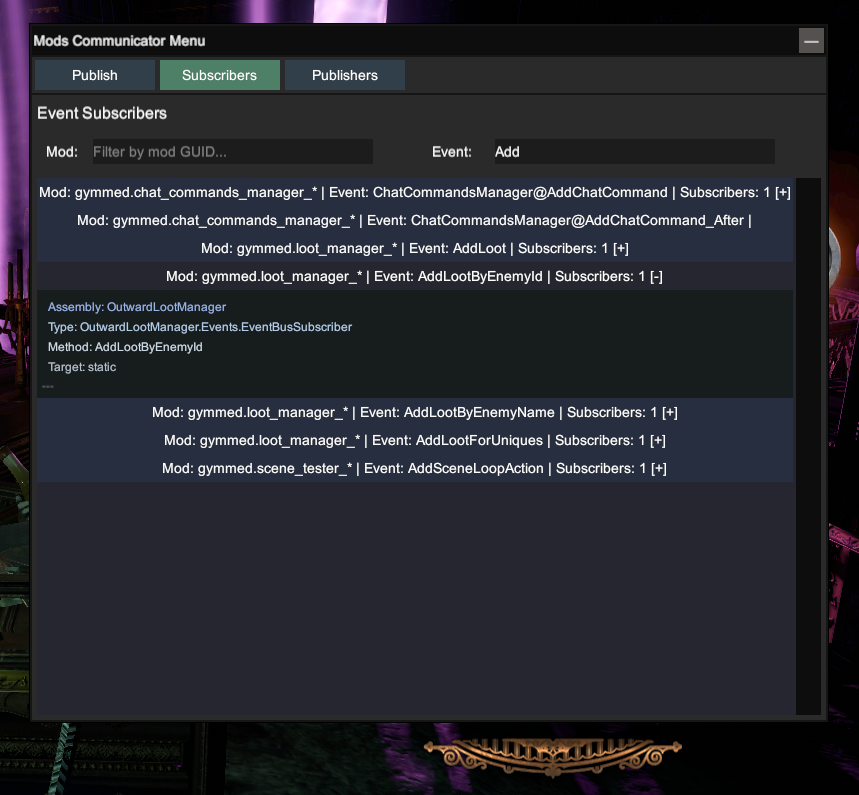
View which mods are listening to which events. This shows you:
- Which mods have subscribed to events
- What callback methods they use
- The event names they're listening for
This helps you understand how different mods communicate and react to each other.
Publishers Tab
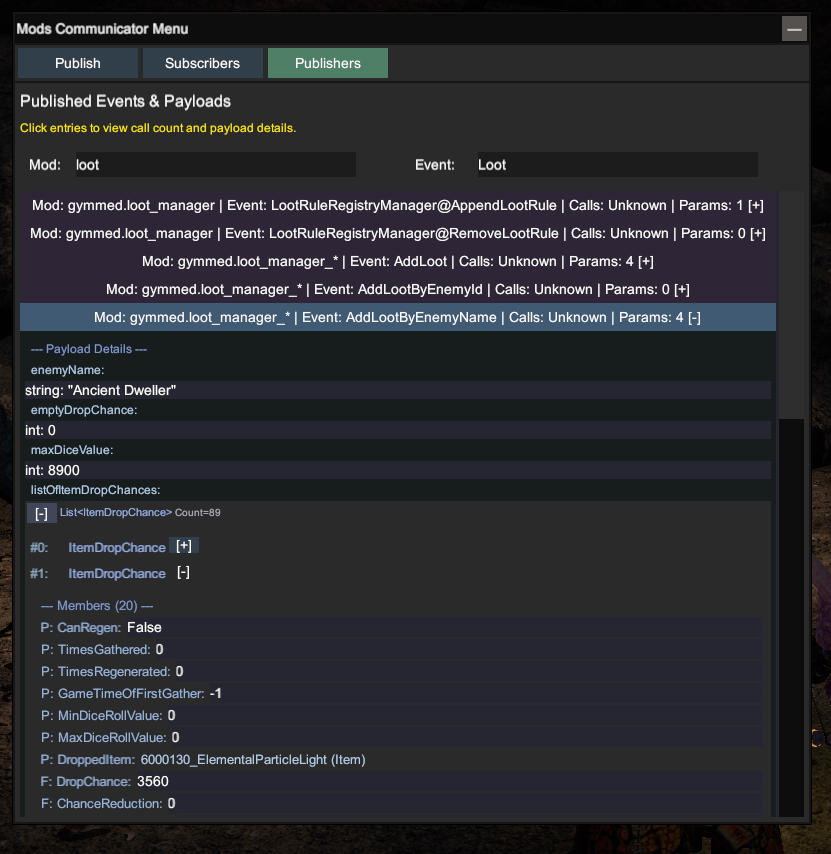
See which mods have published events. This shows:
- Mod GUIDs that have published events
- The events they've sent
- Payload data that was sent
Useful for debugging and understanding the event flow between mods.
Features
Type Support
When entering parameter values, the menu supports various data types:
| Type |
Example |
| Primitives |
string, int, float, bool, double |
| Enums |
Character.Factions.Bandits, ItemDrop.ItemData.ItemType.Weapon |
| Collections |
Lists and arrays of any supported type |
| Vectors |
Vector2, Vector3, Vector4 |
Validation
The menu provides real-time validation:
- Warns if the event isn't registered
- Shows parsing errors for invalid values
- Displays success messages after publishing
Installation
Manual Install
- Create the directory:
Outward\BepInEx\plugins\OutwardModsCommunicatorMenu\
- Extract the mod archive to an empty folder
- Copy the contents from the
plugins\ folder to the directory you created
- Your folder should look like:
Outward\BepInEx\plugins\OutwardModsCommunicatorMenu\OutwardModsCommunicatorMenu.dll
- Launch the game
Thunderstore Install
Install through the Thunderstore mod manager by searching for "Mods Communicator Menu".
Troubleshooting
Menu doesn't open:
- Ensure all dependencies are installed
- Check that the mod is loaded (look for log messages in
BepInEx\LogOutput.log)
Events won't publish:
- Verify the mod GUID and event name are correct
- Check the parameter types match what the event expects
Parameters not showing:
- Not all events have registered parameters
- Use dynamic parameters to add custom data
Technical Details
The menu is built using:
- UniverseLib: For creating the in-game UI panels
- Event Bus: Connects to Outward Mods Communicator's event system
- Harmony: For game method patching
Licensing
This project is licensed under MIT. See LICENSE file for details.
This software uses UniverseLib (https://github.com/sinai-dev/UniverseLib) licensed under LGPL-2.1. The source code for UniverseLib is available at the above URL.
Support
If you encounter issues or have questions:
If you like this mod, consider leaving a star on GitHub!