🏔️ FollowMe-Peak
A BepInEx plugin for PEAK that automatically records paths in levels and displays them as a visual aid for other players.

Table of Contents
✨ Features
- 🤖 Automatic Path Recording: Automatically records your movements in each level.
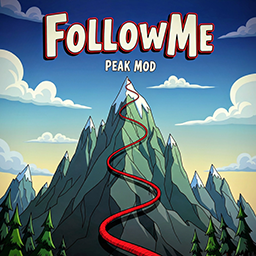
- 🎨 Visual Path Display: Displays recorded paths as visible lines in the game.
- Red Lines: Your locally saved paths.
- Blue Lines: Paths loaded from the cloud.
- 🏞️ Biome-Specific Paths: Saves paths separately for each biome/level area.
- ☁️ Cloud Synchronization: Optionally share your paths with other players via a server.
- ⌨️ Easy to Use: The
F1 key opens the settings menu.
- 💾 Persistent Storage: Paths are saved between game sessions.
🚀 Installation
- Install BepInEx via a Mod Manager (e.g., r2modman or Thunderstore Mod Manager).
- Install FollowMe-Peak via the Mod Manager.
- Start the game. The plugin is now active.
🕹️ Usage
The plugin automatically starts recording as soon as you enter a level.
Opening & Using the Menu
- Press the
F1 key to open or close the settings menu.
- IMPORTANT: After opening the menu, press the
ESC key to unlock your mouse cursor. You can now click the buttons in the menu.
In the menu, you can:
- Toggle Visibility: Click the small icon next to a path in the list to enable or disable its display in the game.
- Configure Cloud Sync: Set up the connection to the server.
- Manage Paths: Delete paths you no longer need.
Paths are automatically saved whenever you light a campfire.
☁️ Cloud Synchronization (Optional)
The plugin can connect to an optional server to share paths. Server setup is optional; the plugin works completely offline.
- Upload: Upload your paths to share them with others.
- Download: Download paths from other players.
- Automatic Sync: New paths are fetched from the server every time a level starts.
How to Share Your Path
- Enable Cloud Synchronization in the settings menu (
F1 > ESC).
- Select your recorded path from the list.
- Click the button to copy the "Peak Code" for that path.
- Send this code to your friends. They can paste it into the menu to download your path.
💻 Compatibility
- Game: PEAK
- Framework: BepInEx
5.4.21 or newer
- Platform: Windows / Steam
🛠️ Troubleshooting
If the plugin doesn't work as expected:
- Check BepInEx Installation: Ensure that BepInEx is installed correctly and that you are launching the game via the mod manager.
- Check the Logs: Look for error messages in the BepInEx log file at
BepInEx/LogOutput.log.
- Restart: Restart the game completely after installing the plugin.
📜 Changelog
v0.1.0
- Initial release
- Basic path recording and visualization
- Cloud synchronization implemented
- User interface added via
F1
💬 Support
For problems, questions, or suggestions, please create an Issue in the GitHub Repository.