

PEAK
You are viewing a potentially older version of this package. View Latest Version
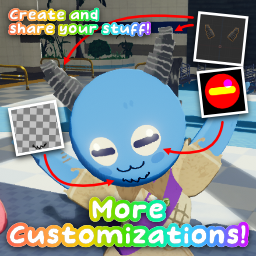

This mod makes it easy to create and add cosmetic-related content.
Most parts are inspired from CustomHats.
More Customizations now supports fit(wear) customization!

Starting from version 1.1.4, there's new version of tool package,
you can update your tool by pressing 'Update' button of tool package in package manager.
[!NOTE]
If you need troubleshooting to make/publish your customization, join PEAK Modding Community Discord!
[!IMPORTANT]
This is only necessary when developing/contributing More Customizations!
If you looking for uploading your content to ThunderStore, check Publish content to ThunderStore!
You can build from source with .NET SDK, this project requires .NET 9.0.
Open MoreCustomizations.csproj file, then find GameDir and DestDir property.
You need to change it for your environment.

GameDir : Installation path of PEAK. (i.e. it should be ended with ...steamapps/common/PEAK)DestDir : Distribution path of compiled results. (i.e. parent directory of BepInEx.)Open this repository in terminal, run below command will compile and distribute result to your BepInEx plugins path.
dotnet build ./src
You can create ThunderStore package with below command.
dotnet publish ./src --configuration Release
This will produces package files to src/bin/ThunderStore.
Recommended to use Package Symlinker package.
If you using that package, open Tool menu will show Package Symlinker.
Add this repository's unity-package folder to work with it in your Unity project.