

PEAK
You are viewing a potentially older version of this package. View Latest Version
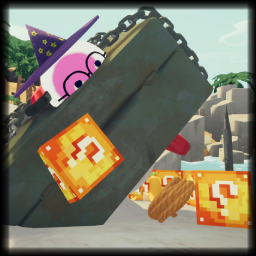
Lucky Blocks can be found around the map in various locations such as in trees, on bushes, or inside of luggage. Smash them open by throwing it at the ground, but be careful, or something bad might pop out!
If you come across any bugs or have feature suggestions, please post them in the thread posted on the mod-releases section on the PEAK Modding discord server.
Add Lucky Blocks as either a soft or hard dependency in your mod's manifest or configuration.
Create a public static method that takes exactly two parameters in this order:
LuckyBreakable lb: Represents the Lucky Blocks Breakable class. You can access properties like lb.item to get data from the Lucky Block item.Collision coll: Contains information about the collision, including contact points and normals.The method should be static and return void. Here's an example:
public static void Enderpearl(LuckyBreakable lb, Collision coll)
{
    Vector3 targetPos = coll.contacts[0].point + new Vector3(0f,5f,0f);

    // Find the owner of this LuckyBlock
    Character owner = lb.item.lastThrownCharacter;
    if (owner != null)
    {
        // Teleport player
        owner.transform.position = targetPos;
    }
}
Call Outcomes.AddOutcome() with your method and a weight value. The weight determines how likely this outcome is to occur relative to other outcomes. Defaults to 100 if nothing is entered
Example:
Outcomes.AddOutcome(Enderpearl, 70) // 'Enderpearl' is the method name and '70' is the outcome weight