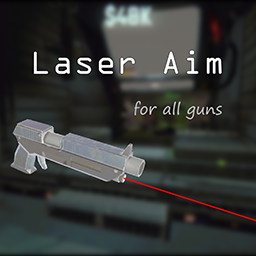
Laser Aim
Adds a laser sight to all guns. A beam projects from the muzzle, and a hit indicator appears on enemies when your aim is on target.
Some guns in REPO don't fire where the crosshair suggests — even when standing completely still. The aim offset also varies inconsistently between different guns. This mod gives you a clear visual reference so you always know exactly where your shot is going.
Features
- Laser beam rendered from the gun muzzle in real time
- Hit indicator appears only when the beam directly hits an enemy's collider — works correctly across all enemy types
- Shotgun support with spread cone visualization
- All options configurable via the BepInEx config file
Configuration
BepInEx/config/com.out_pu22led.LaserAim.cfg
- LaserColor (default: 255,0,0) — Beam color as R,G,B
- LaserAlpha (default: 0.8) — Beam opacity (0–1)
- LaserWidth (default: 0.01) — Beam width in world units
- DotColor (default: 255,0,0) — Hit indicator color as R,G,B
- DotSize (default: 0.1) — Hit indicator size in world units
- DotOffset (default: 0.1) — Pull the indicator back from the hit surface to prevent clipping
- ShotgunMode (default: Cone3D) — Spread visualization: Cone3D (transparent cone mesh), Cone (line ring), Off
- ShotgunAlpha (default: 0.05) — Spread visualization opacity (0–1)
- ConeRayCount (default: 36) — Number of segments in Cone and Cone3D modes (3–36)
Requirements
Changelog
v1.1.0
- Added Cone3D shotgun mode — semi-transparent 3D cone mesh showing the full spread area
- Added DotColor config to set hit indicator color independently from laser color
- Added shotgun spread visualization (Cone mode)
- Added ShotgunAlpha, ConeRayCount configs
v1.0.1
- Fixed hit indicator not showing in multiplayer
v1.0.0
- Laser beam projected from gun muzzle
- Hit indicator appears when beam hits an enemy's collider
- Configs: LaserColor, LaserWidth, LaserAlpha, DotColor, DotSize, DotOffset