

R.E.P.O.
You are viewing a potentially older version of this package. View Latest Version
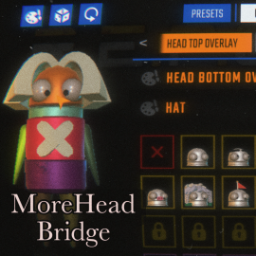
Translates .hhh cosmetics (from MoreHead) into the vanilla R.E.P.O. cosmetics system, so they appear alongside your vanilla cosmetics in the game.
BepInEx/plugins for .hhh files and registers them as vanilla cosmeticsSince .hhh cosmetics don't have built-in icons, the mod generates one for each cosmetic using the following fallback chain:
UseTextureAsPlaceholder)Tip for best results: Before generating icons, remove all cosmetics from your Semibot (vanilla and MoreHead), set it to a neutral color, and make sure it is facing forward. This gives each icon the cleanest background possible. If an icon doesn't look right, you can delete it individually using
DeleteIconsMatchingin the config, or wipe all icons at once withDeleteIconCache(or in the icon cache locacion - see below).
Since the vanilla cosmetics menu has more specific slots than MoreHead, the following mapping is used:
| MoreHead | Vanilla |
|---|---|
| Head | Hat |
| Neck | Face Lower |
| Body | Bodywear Top |
| Hip | Bodywear Bottom |
| Left Arm | Armwear Left |
| Right Arm | Armwear Right |
| Left Leg | Legwear Left |
| Right Leg | Legwear Right |
| World | (not included — see below) |
world tag, so .hhh files using that tag are skipped and will not appear in the vanilla menu.Config file: BepInEx/config/Xuaun.MoreHeadBridge.cfg
| Option | Default | Description |
|---|---|---|
| UnlockAll | true |
Auto-unlock all bridge cosmetics on every game load. Set to false to require earning them like vanilla cosmetics. |
| HideMoreHeadButton | false |
Remove the MoreHead button from all menus. Useful if you want to use only the vanilla cosmetics UI. Requires restart. |
| DefaultRarity | Common |
Rarity tier assigned to bridge cosmetics in the vanilla shop. Values: Common, Uncommon, Rare, UltraRare. |
| SpecificFolders | (empty) | Comma-separated subfolder names under BepInEx/plugins to scan for .hhh files. Empty = scan all folders. Example: Some-MoreHeadPack,Another-Pack. |
| Option | Default | Description |
|---|---|---|
| UseTextureAsPlaceholder | true |
When true, uses the cosmetic's texture as the icon, overlaid on the placeholder. When false, shows the plain placeholder until a captured icon replaces it. |
| AutoCaptureIcons | true |
Reactively capture icons as you hover cosmetics in the menu. Icons are saved as PNGs and loaded instantly on future visits. |
| GenerateAllIcons | false |
One-shot trigger. When true, the next menu open will cycle through all bridge cosmetics without a cached icon and snapshot each one. Auto-resets to false. It can take some minutes to finish. |
| DeleteIconCache | false |
One-shot trigger. When true on the next launch, deletes cached bridge icon PNGs. Use DeleteIconsMatching to filter which ones. Auto-resets to false. |
| DeleteIconsMatching | (empty) | Optional filter for DeleteIconCache. Comma-separated substrings matched against icon filenames (case-insensitive). Empty = delete all. |
| Option | Default | Description |
|---|---|---|
| ResetUnlocks | false |
⚠ Destructive one-shot trigger. When true, removes all bridge cosmetics from your unlocks, outfits, and history on next launch. Auto-resets to false. |
| Option | Default | Description |
|---|---|---|
| ShowBridgeDebugLogs | false |
When true, does NOT suppress NullReferenceExceptions for bridge cosmetics. Use to diagnose bridge-specific issues. |
Icons are stored outside the vanilla cosmetics cache (which REPOLib wipes on every launch):
%userprofile%\AppData\LocalLow\semiwork\REPO\MoreHeadBridge_Icons\
Delete this folder manually to wipe all generated icons, or use the DeleteIconCache config option.
If you have BepInEx Console Extensions (BCE) installed, MoreHead Bridge will use it to print colored messages in the BepInEx console. It is a soft dependency - the mod works perfectly without it - but if you like a more lively terminal, you can install BCE manually and drop it in your plugins folder.
I think that colors make the console feel more human and I love it! lol