

R.E.P.O.
You are viewing a potentially older version of this package. View Latest Version
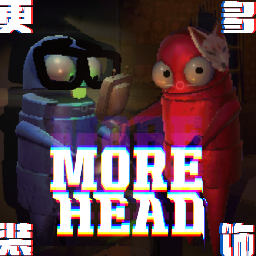
A simple and fun decoration mod that provides a unitypackage for players to import custom models.
Currently, only a few decorations are available, but more updates are planned.
nickklmao-MenuLib mod is required as a prerequisite.
简单好玩的装饰模组,提供 unitypackage,供玩家导入自定义模型。
目前仅有少量装饰,未来会持续更新。
需安装 nickklmao-MenuLib 前置模组。

ESC > Find "MoreHead" in the bottom left > Click to switch components.ESC > 在左下角找到 "MoreHead" > 点击切换部件。
Click to expand for detailed instructions.
点击展开具体说明。
Set up Unity (2022.3* recommended, the game uses built-in render pipeline, please pay attention to the corresponding model materials), import MoreHead-Asset-Pack_v*.*.unitypackage.
Import your model and drag PlayerAvatar prefab into the scene.
Make sure your model is compatible with Unity and properly rigged if animated.
Find the following parts in PlayerAvatar, where models will be placed:
| Name | Description | Tag |
|---|---|---|
| Head decoration (Do Not Move) | Head part that raises when speaking | head |
| Neck decoration (Do Not Move) | Chin/chest area | neck |
| Body decoration (Do Not Move) | Body | body |
⚠️ These positions are anchor references. DO NOT modify coordinates, or your model will be misaligned in-game.
Create an empty object under the target part (referred to as A) and name it.
This name will be displayed in-game as your decoration's name.
Place your model inside A and adjust to a suitable position.
Drag A to the Project window to create a prefab.
Run Tools → Head Decorations Builder, drag your A prefab (or more, batch export is supported) into the script panel, and select the corresponding part from step 3, then click Add Model to List.
Make sure to select the correct body part (head/neck/body) that matches where you placed your decoration.
Click Build All AssetBundle, then locate the [your decoration name].hhh file in the AssetBundles folder.
Only the
.hhhfile is needed for installation. Other generated files can be ignored.
Move the .hhh file to BepInEx\plugins (recommended: place it in \MoreHead\Decorations for better organization).
⚠️ For multiplayer visibility: You and your friends must have the same
.hhhfile installed to see the correct decorations.
Start the game and enjoy!
Press ESC in-game and find "MoreHead" in the bottom left to access your new decoration.
部署 Unity(推荐 2022.3* 版本,游戏使用的是内置渲染管线,请注意对应的模型材质),导入 MoreHead-Asset-Pack_v*.*.unitypackage。
导入模型,并将 PlayerAvatar 预制体拖入场景。
确保您的模型与Unity兼容,如果有动画需要正确绑定骨骼。
找到 PlayerAvatar 中的以下部位,对应模型将会摆放的位置:
| 名称 | 描述 | 标签 |
|---|---|---|
| Head decoration (Do Not Move) | 说话时会上抬的头部 | head |
| Neck decoration (Do Not Move) | 下巴/胸口 | neck |
| Body decoration (Do Not Move) | 身体 | body |
⚠️ 这些位置是坐标锚点参考。请勿修改坐标,否则您的模型在游戏中会错位。
在目标部位下创建一个空对象(称为A),并命名。
此名称将在游戏中显示为您的装饰品名称。
将模型放入A,并调整到合适位置。
拖动A到Project窗口,创建预制体。
运行Tools → Head Decorations Builder,拖入A预制体(或更多,支持批量导出),并选择第3步中对应的部位,随后点击Add Model to List。
确保选择正确的身体部位(头部/颈部/身体),与您放置装饰的位置相匹配。
点击Build All AssetBundle,然后在AssetBundles文件夹中找到[你的装饰品名].hhh文件。
安装时只需要
.hhh文件,其他生成的文件可以忽略。
将.hhh文件移动至BepInEx\plugins(建议放入\MoreHead\Decorations便于管理)。
⚠️ 多人游戏可见性:您和您的朋友必须安装相同的
.hhh文件才能互相看到正确的装饰。
启动游戏,享受装饰!
在游戏中按ESC,在左下角找到"MoreHead"即可访问您的新装饰。
More hats
Screenshots for decorations to assist selection (not guaranteed)
更多的帽子
为装饰物提供截图,方便选择 (不保证)
Masaicker 马赛克了:BILIBILI
YurisCat Calypso 尤里的猫·卡里普索:BILIBILI
For questions and suggestions, submit issues:
如有问题和建议,请提交 Issues:GitHub Issues
Want to support us with coffee and yellow energy crystals?
想请我们喝咖啡和购买黄色能量水晶?
Donate on Ko-Fi
Whispering, we are making an indie game!
悄悄说一句,我们正在制作独立游戏!