

Resonite
You are viewing a potentially older version of this package. View Latest Version
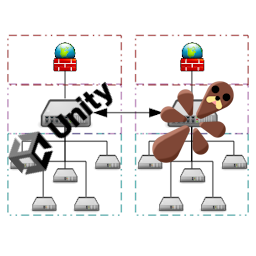
A library for Resonite that allows mods to send data to other processes such as the Unity renderer.
The library only depends on Renderite.Shared.
BepisLoader, BepInEx, RML and Standalone example projects are included in the Tests folder.
After including the library in your project, all you have to do is create your own instance of the Messenger class. You can do this at any time, even before Resonite starts.
var messenger = new Messenger("PluginName");
From here you can use the messenger to send data or receive data.
messenger.SendValue<int>("TestValue", 637);
messenger.ReceiveValue<int>("TestValue", (val) =>
{
	Log($"TestValue: {val}");
});
For BepisLoader, BepInEx and RML, if you have a config entry in both processes with the same type and name, you can sync them like this:
messenger.SyncConfigEntry(MyConfigEntry);
You can also work with lists:
var list = new List<float>();
list.Add(2f);
list.Add(7f);
list.Add(21f);
messenger.SendValueCollection<List<float>, float>("TestValueList", list);
messenger.ReceiveValueCollection<List<float>, float>("TestValueList", (list) =>
{
	Log($"TestValueList: {string.Join(",", list!)}");
});
You can send any class or struct that has the IMemoryPackable interface:
var cmd = new TestCommand();
cmd.Value = 2932;
cmd.Text = "Hello world";
cmd.Time = DateTime.Now;
messenger.SendObject("TestCustomRendererCommand", cmd);
messenger.ReceiveObject<TestCommand>("TestCustomRendererCommand", (recvCmd) =>
{
	Log($"TestCustomRendererCommand: {recvCmd?.Value}, {recvCmd?.Text}, {recvCmd?.Time}");
});
For more examples, you can check the tests files:
https://github.com/Nytra/ResoniteInterprocessLib/blob/main/InterprocessLib.Shared/Tests.cs
Nytra-InterprocessLib-1.0.0.zip) from the Releases page.plugins folder to your BepInEx folder in your Resonite installation directory and the renderer directory:
C:\Program Files (x86)\Steam\steamapps\common\Resonite\BepInEx\C:\Program Files (x86)\Steam\steamapps\common\Resonite\Renderer\BepInEx\InterprocessLib.FrooxEngine.dll and optionally the RML extensions InterprocessLib.RML_Extensions.dll from the Releases page.C:\Program Files (x86)\Steam\steamapps\common\Resonite\rml_libs\