

Risk of Rain 2
You are viewing a potentially older version of this package. View Latest Version
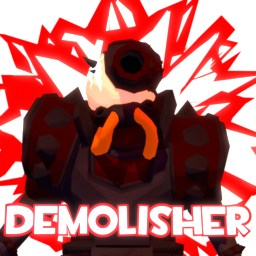
I will just put survivor description from the game here for now:
Demolisher is a powerfull character that can switch between melee and ranged styles at any moment. To switch styles, hold Utility button and click Secondary/Special button.
< ! > Passive allows Demolisher for harmless landing. His explosives have knockback that can be used as a quick position relocation. Holding jump button will redirect knockback force to face your aim direction.
< ! > Swords have a small radius of attack, so you mast aim at the target you want to hit. They compensate it with their high burst damage and strong effects. Swords recharge 25% of Utility charge on hit.
< ! > In ranged style swords are replaced with trap bomb launchers. On impact they stick to the surface and wait for user input for detonation signal. After a while they fully arm, gaining additional damage and blast radius.
< ! > Grenades are awailable for both styles and are a quick way of dealing with targets on distance.
< ! > Shield charge is a great movement skill while also having attack capabilities of increasing sword damage. Shield charge is cancelled upon sword attack, but retains damage increase for a short time.
< ! > In ranged style shield charge is replaced with traps detonation. Traps require time to be armed for detonation and have time before explosion after detonation request.
< ! > Specials can utilise primary selection and base their effects from them.
This character has a big crosshair that will help you know current skills situation without looking at at the skills panel.
To hit enemies on distance with grenades affected by gravity you need to aim upwards. Most of the time characters body closes the view of the enemy you want to hit. I made this solution to this problem.
This is an early release, so expect missing features.
I didn't do much in this update, expect issues
Report bugs in Github Issues.
Custom weapon models are handled by this mod.
Here is the method:
private static void InitWeaponModels()
{
    SkullcutterSwordSkin = new ModelPart("DemolisherBody", ThunderkitAssets.LoadAsset<GameObject>("Assets/Demoman/Weapons/Swords/skullcutter.prefab"), "WeaponR", inputSkillDef: SkullcutterSkillDef, inputCodeAfterApplying: Rotate);
    ZatoichiSwordSkin = new ModelPart("DemolisherBody", ThunderkitAssets.LoadAsset<GameObject>("Assets/Demoman/Weapons/Swords/zatoichi.prefab"), "WeaponR", inputSkillDef: ZatoichiSkillDef, inputCodeAfterApplying: Rotate);
    CaberSwordSkin = new ModelPart("DemolisherBody", ThunderkitAssets.LoadAsset<GameObject>("Assets/Demoman/Weapons/Swords/caber.prefab"), "WeaponR", inputSkillDef: CaberSkillDef, inputCodeAfterApplying: Rotate);
    EyelanderSwordSkin = new ModelPart("DemolisherBody", ThunderkitAssets.LoadAsset<GameObject>("Assets/Demoman/Weapons/Swords/eyelander.prefab"), "WeaponR", inputSkillDef: EyelanderSkillDef, inputCodeAfterApplying: Rotate);
    HeavyShieldSkin = new ModelPart("DemolisherBody", ThunderkitAssets.LoadAsset<GameObject>("Assets/Demoman/Weapons/Shield/HeavyShield.prefab"), "Shield", inputSkillDef: HeavyShieldSkillDef);
    LightShieldSkin = new ModelPart("DemolisherBody", ThunderkitAssets.LoadAsset<GameObject>("Assets/Demoman/Weapons/Shield/LightShield.prefab"), "Shield", inputSkillDef: LightShieldSkillDef);
    void Rotate(GameObject gameObject, ChildLocator childLocator, CharacterModel characterModel, ActivePartsComponent activePartsComponent)
    {
        gameObject.transform.localEulerAngles = new Vector3(0f, 180f, 0f);
    }
}
To make, for example, a unique model for Skullcutter for your skin, do something like this:
///                                                                                                                                                                                (The base ModelPart)
YourSkullcutterSwordSkin = new ModelPart("DemolisherBody", yourSkullcutterPrefab, "WeaponR", inputSkillDef: SkullcutterSkillDef, inputSkinDef: yourSkinDef, inputSkinPartOverride: SkullcutterSwordSkin);
Smoke horns particles are also done with this API:
DemoSmokes = new ModelPart("DemolisherBody", ThunderkitAssets.LoadAsset<GameObject>("Assets/Demoman/DemoSmokes.prefab"), "Head", inputCodeAfterApplying: CustomParticleSimulationSpace);
void CustomParticleSimulationSpace(GameObject gameObject, ChildLocator childLocator, CharacterModel characterModel, ActivePartsComponent activePartsComponent)
{
    ParticleSystem[] particleSystems = gameObject.GetComponentsInChildren<ParticleSystem>();
    foreach (ParticleSystem particleSystem in particleSystems)
    {
        ParticleSystem.MainModule mainModule = particleSystem.main;
        particleSystem.simulationSpace = ParticleSystemSimulationSpace.Custom;
        mainModule.customSimulationSpace = childLocator.FindChild("Base");
    }
}

You can override it to null to remove it and add your particles or anything