

Risk of Rain 2
You are viewing a potentially older version of this package. View Latest Version
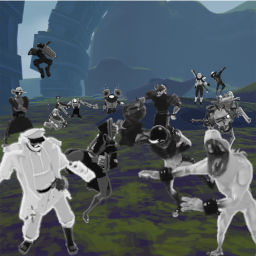
First off, if you are at all confused about any of this, I made a repo with example implementations. https://github.com/ToastedOven/ExampleEmotePlugin Also BadAssEmotes exists if you want to look at a more complete mod. https://github.com/ToastedOven/BadAssEmotes
Create a humanoid animation in unity and import it into your plugin project.
In your project, Import the CustomEmotesAPI dll file and include using EmotesAPI; in your cs file.
Place CustomEmotesAPI.AddCustomAnimation(AnimationClip, false); somewhere in your awake call. Where AnimationClip is the animation clip you imported from unity.
If done correctly, this will load the animation into the list of available emotes. Feel free to change the bool to true and import a looping animation as well.
You can also import custom survivors with
CustomEmotesAPI.ImportArmature(bodyPrefab, underskeleton)
Underskeleton is a copy of the bodyPrefab which is setup as a humanoid skeleton
https://youtu.be/c_G3G4RzCFA a walkthrough of importing a bodyprefab into game. All vanilla survivors are already imported, this is for modded characters
        AnimationClip[] animationClip                   //Default animation Can also use a non-array here if you just have one animation

        bool looping                                    //Whether or not animationClip loops

        string _wwiseEventName = ""                     //Event to post when animation starts consider using Volume_Emotes (0-100, default 50) in your wwise events

        string _wwiseStopEvent = ""                     //Event to post when animation stops

        HumanBodyBones[] rootBonesToIgnore = null       //All bones specified and any child bones will be ignored by the animation

        HumanBodyBones[] soloBonesToIgnore = null       //All bones specified will be ignored by the animation

        AnimationClip[] secondaryAnimation = null       //Animation to play after the primary animation. Use this if you have a non-looping-into-looping animation. animationClip.Length must equal secondaryAnimation.Length or else you will have errors. Can also use a non-array here if you just have one animation

        bool dimWhenClose = false                       //Create an audio dimming sphere around the emotee which will dim normal music when you approach them

        bool stopWhenMove = false                       //Stops the animation if moving

        bool stopWhenAttack = false                     //Stops the animation if attacking

        bool visible = true                             //Dictates if emote will show up in the normal list.

        bool syncAnim = false                           //Dictates if emote will sync the animation.

        bool syncAudio = false                          //Dictates if emote will sync audio (requires wwise start and stop events)

        int startPref = -1                              //Determines which spot in the clip arrays a user will always play if they start a syncing animation, -1 is random

        int joinPref = -1                               //Determines which spot in the clip arrays a user will always play if they join a syncing animation, -1 is random
CustomEmotesAPI.AddCustomAnimation(loserAnimClip, true, "Loser", "LoserStop", dimWhenClose: true);
CustomEmotesAPI.AddCustomAnimation(spinStartAnimClip, false, secondaryAnimation: spinLoopAnimClip);
HumanBodyBones[] upperLegs = new HumanBodyBones[] { HumanBodyBones.LeftUpperLeg, HumanBodyBones.RightUpperLeg };
HumanBodyBones[] hips = new HumanBodyBones[] { HumanBodyBones.Hips };
CustomEmotesAPI.AddCustomAnimation(dabAnimClip, false, "Dab", "DabStop", upperLegs, hips);
If you're still lost, consider srolling up and cloning from the example repo or @ me on Discord @Metrosexual Fruitcake#6969
Version 1.2.2: Fixed animations with an intro and loop, not playing the loop. Ooooops
Version 1.2.1: Fixed default binds for the new buttons which I totally forgot about, please understand. Please rebind these if you downloaded 1.2.0
Version 1.2.0: Made a change to how animations are imported, you WILL need to update your mods. If you are a mod dev, you should only need to recompile and you'll be good.
Version 1.1.10: Changed the bone loading mode to accomidate certain models that add bones in ways not previously accounted for, this "should" be the last time this needs to be done.
Version 1.1.9: Fixed footIK for emotes, everything will now be 10% less floaty.
Version 1.1.8: Fixed a incompatibility with other mods that add bones inside of existing rigs.
Version 1.1.7: Fixed issue where audio syncs didn't get deleted if multiple people are performing the same emote when someone dies.
Version 1.1.6: Touched up commando's import model, it was the first one I ever did so his feet were kinda wack. Removed the auto rigging feature as I have already noticed serious potential problems it could cause in some survivors. It only worked on a couple of mods anyway.
Version 1.1.5: Fixed issue with resolution scaling causing you to be stuck in the emote picker wheel. Added a sfx slider which I encourage everyone importing emotes to use if you have sound. The RTPC value is Volume_Emotes and it ranges from 0 to 100, starting at 50
Version 1.1.4: Added advanced, experimental, rocket science, galaxy brain technology that will usually not work. But in some cases like with Sett, it will auto generate an animation rig if one isn't present. Fixed an issue with emotes getting desynced upon a player dying.
Version 1.1.3: Fixed crippling performance from last patch. Hopefully everything is sorted for real this time. Admittidly the method is a bit jank. My apolocheese
Version 1.1.2: Fixed the fix because I suck at coding :)
Version 1.1.1: Fixed incompatibility issue with AutoSprintMod.
Version 1.1.0: Fixed issue with less than perfect connections causing the emotewheel to lock up. Added the ability to sync audio and animation position of emotes. This changes how you import anim files. If anyone is currently working on an animation pack, you need to download the latest version and use it as a reference for your project.
Version 1.0.1: Fixed error with armature importing. You shouldn't have to change anything on your end.
Version 1.0.0: Initial Release