

ULTRAKILL
You are viewing a potentially older version of this package. View Latest Version

ULTRASTATS is an all-in-one stat tracking, performance analysis, and data collection mod for ULTRAKILL.
The goal of the project is simple: make your runs useful.
Whether you speedrun, grind Cybergrind, test custom levels, or just want a better record of how you play, ULTRASTATS saves your run data in a lightweight format and gives you tools to browse it in-game.
ULTRASTATS currently supports:
This repo is currently on v0.0.12.
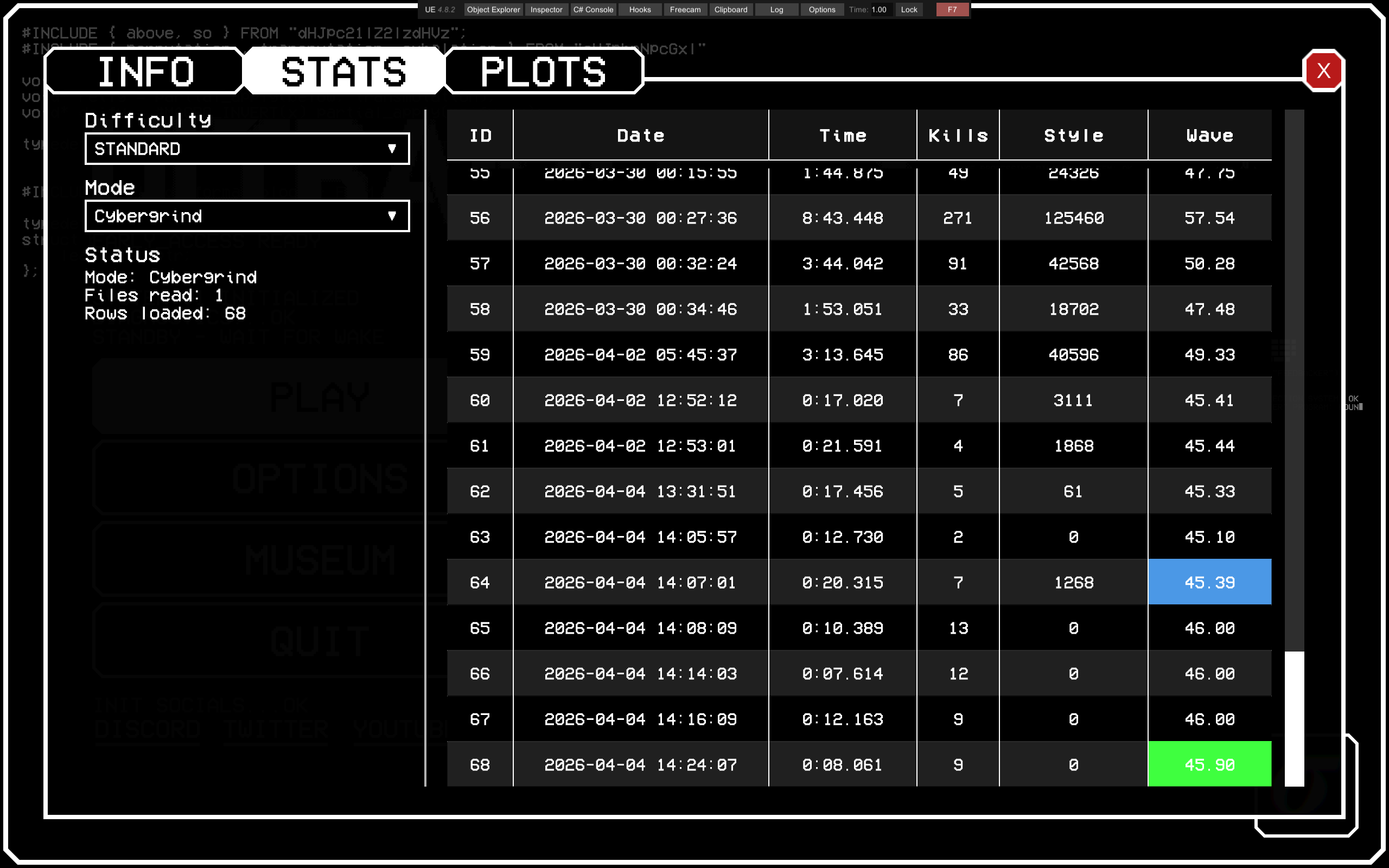
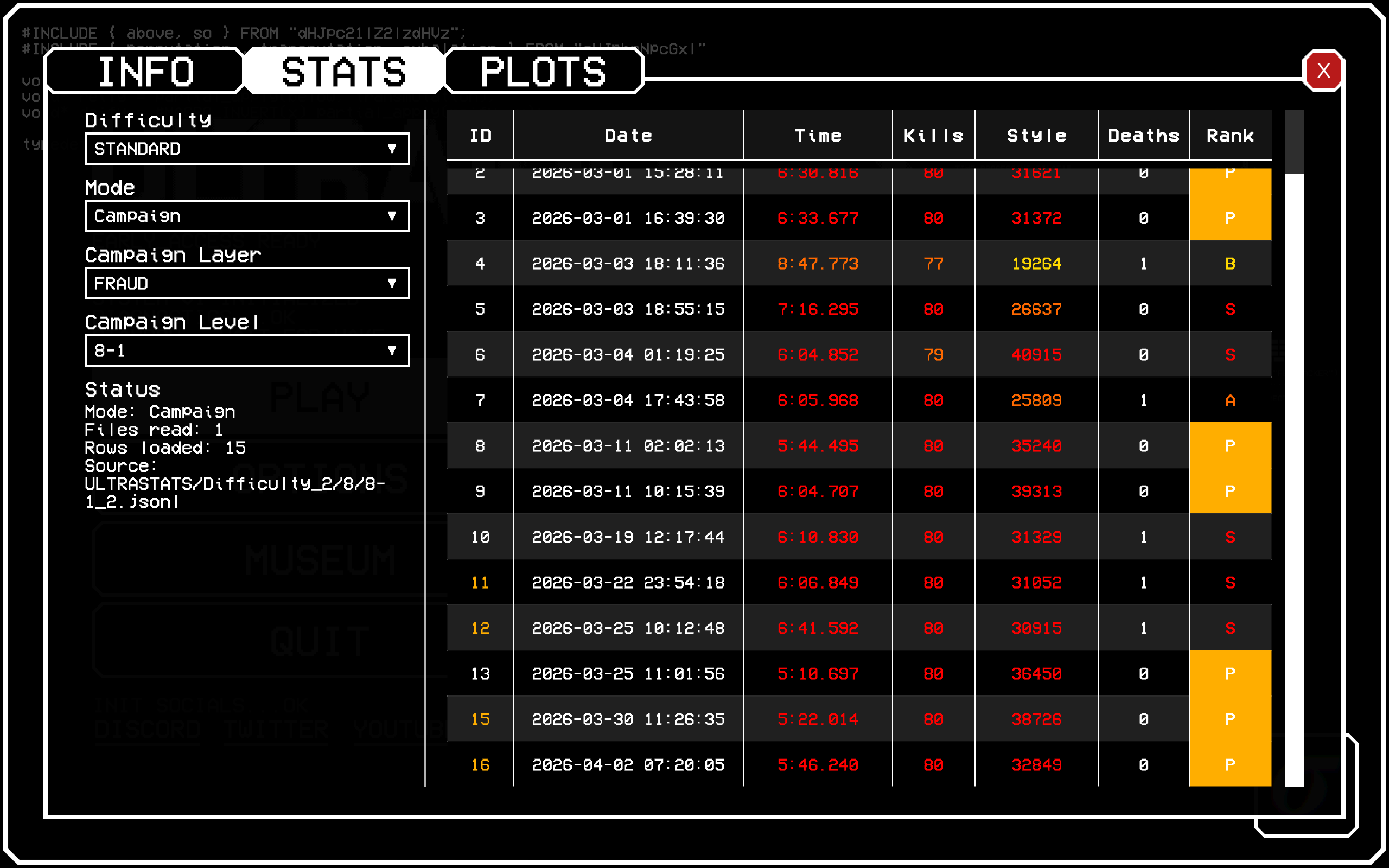
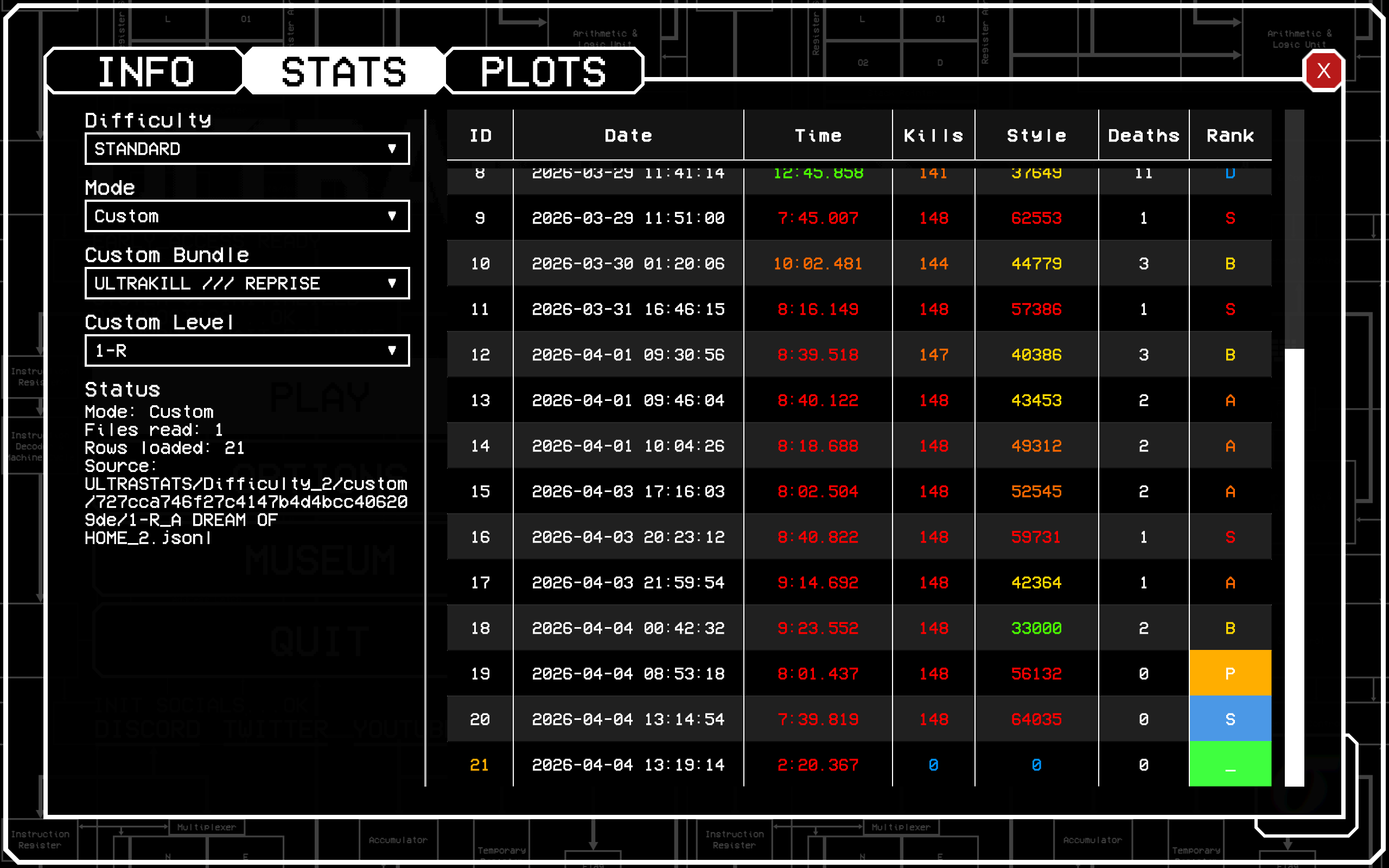
Here is an example of the new ingame stat viewer works:
.jsonl filesRequired:
Optional:
If you already have a working ULTRAKILL mod setup, install ULTRASTATS like any other BepInEx plugin.
Install BepInEx for ULTRAKILL.
Install PluginConfigurator.
Drop the ULTRASTATS plugin files into:
ULTRAKILL\BepInEx\plugins\
Launch ULTRAKILL.
Confirm the mod loaded by checking the BepInEx console or log.
To enable custom level logging, also install:
If Angry Level Loader is not present, ULTRASTATS still works for Campaign and Cybergrind.
ULTRASTATS adds a main menu button that opens its UI.
Right now that UI contains:
The STATS tab is especially useful if you do not want to read raw .jsonl files manually. It can already:
By default, ULTRASTATS stores data in:
%AppData%\Roaming\AtomSmasher1586\ULTRASTATS
You can change the parent folder through PluginConfigurator. ULTRASTATS will still create and use its own ULTRASTATS folder inside that location.
ULTRASTATS stores runs by difficulty first, then by mode.
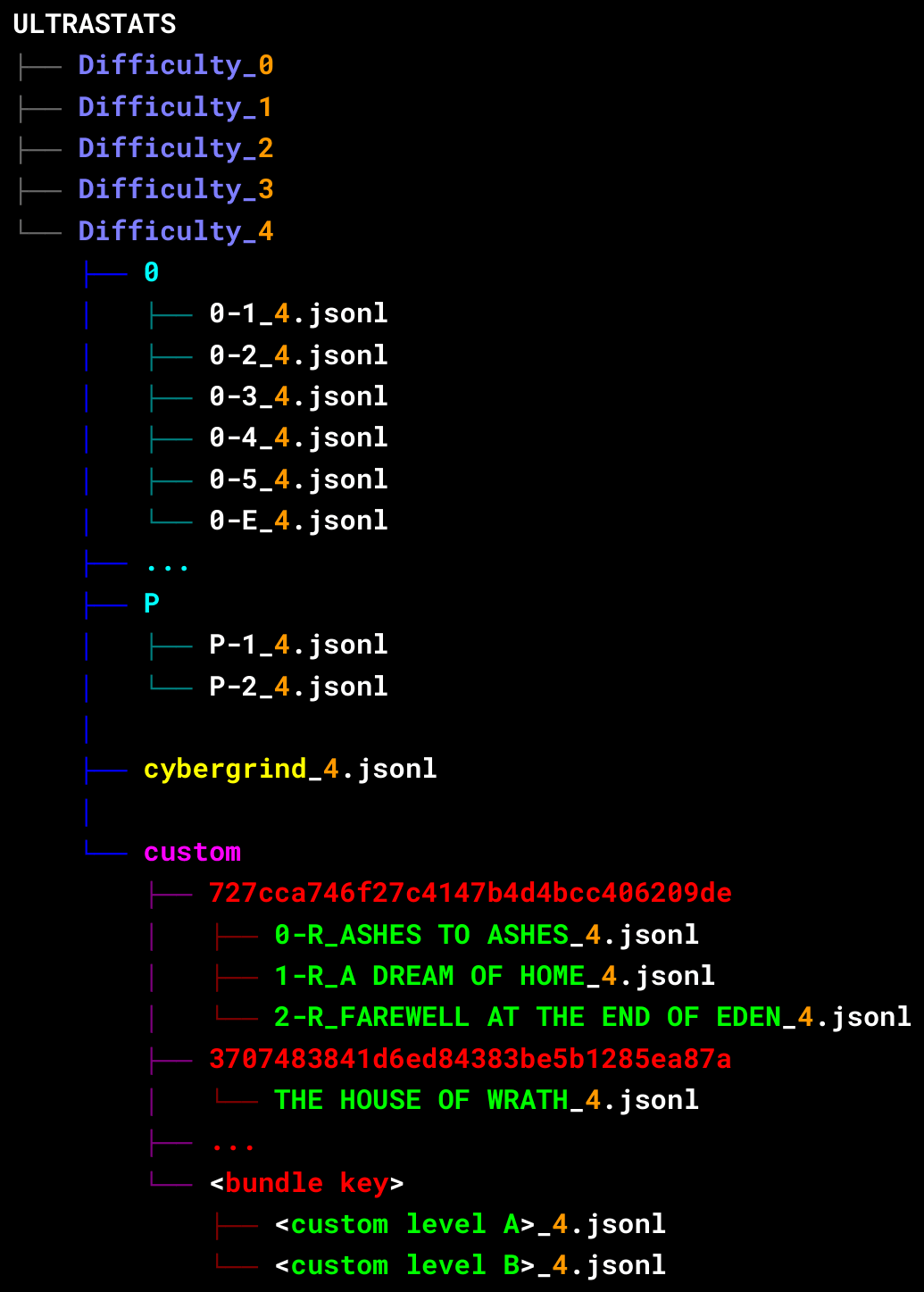
This image is the main reference for the save layout. It shows campaign files grouped into layer folders, a separate Cybergrind file for each difficulty, and custom level files grouped under bundle keys. In the example names, the suffix before .jsonl such as _4 is the difficulty number.
.jsonl Files ManuallyEach line in a ULTRASTATS .jsonl file is one saved run.
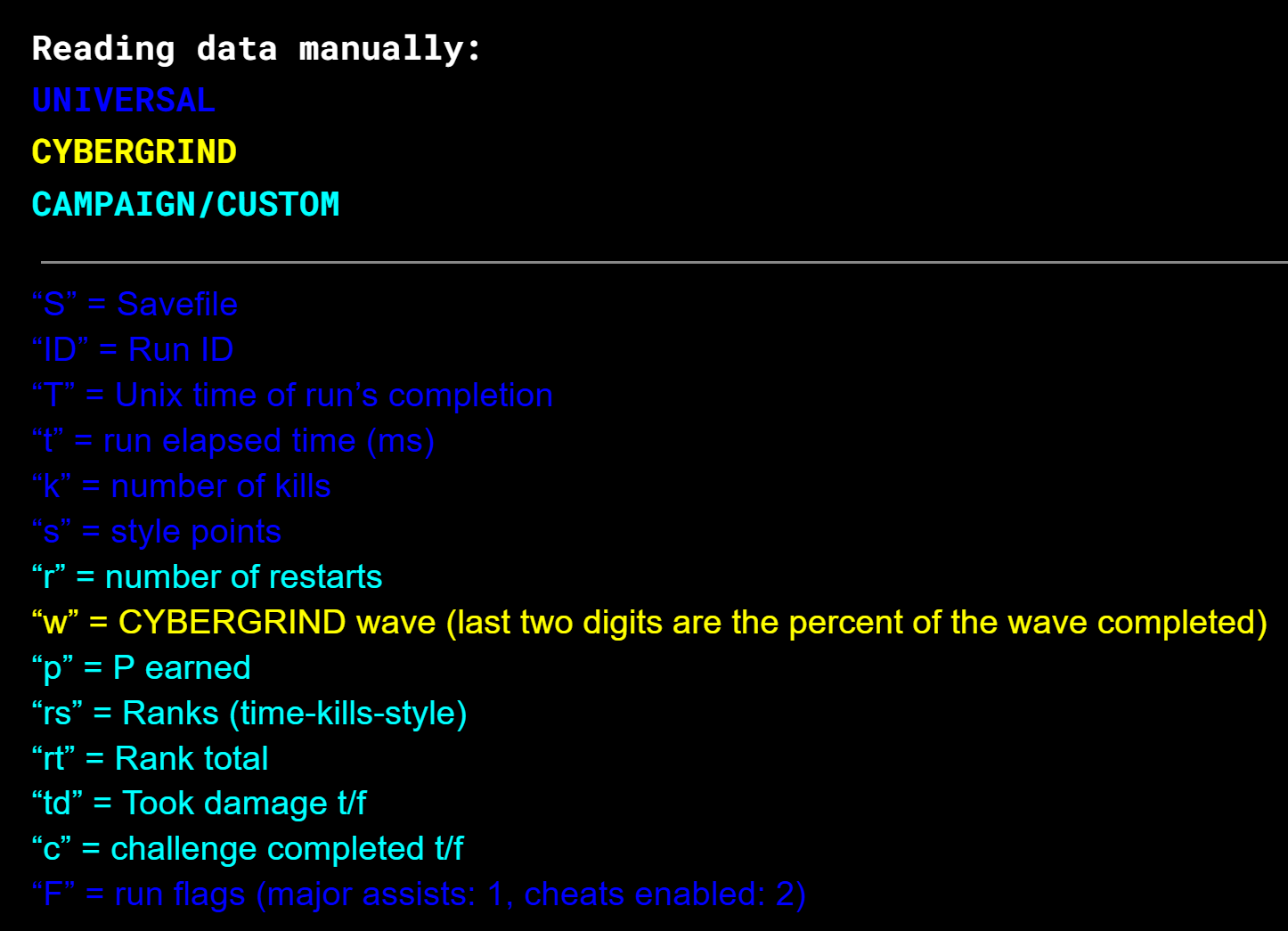
This image is the main reference for the compact field names used in ULTRASTATS logs. Blue entries are shared fields, yellow is Cybergrind-specific, and cyan is used for Campaign and Custom runs. F stores run flags: 1 means major assists, 2 means cheats, and 3 means both. For Cybergrind, w stores the wave, with the last two digits representing percent completion.
If you want readable values without decoding raw fields yourself, use the in-game STATS tab instead.
Custom level logging is designed around Angry Level Loader.
When custom support is available, ULTRASTATS stores custom runs inside a custom folder for the selected difficulty, then sorts them by bundle key and level file.
This keeps custom content separate from the base game while still keeping the layout predictable.
ULTRASTATS is still in active development.
The long-term direction includes better analysis and visualization tools, especially in the PLOTS tab. That tab is intended to eventually hold things like:
If you use ULTRASTATS, feedback helps a lot.
Please reach out if you:
Discord: atomsmasher_1586
ULTRASTATS is meant to be a practical stats backbone for ULTRAKILL:
If you care about understanding your gameplay, this is what the mod is being built for.