Description
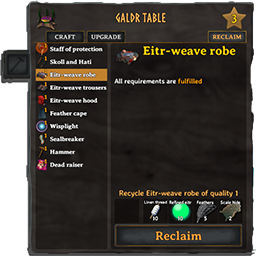
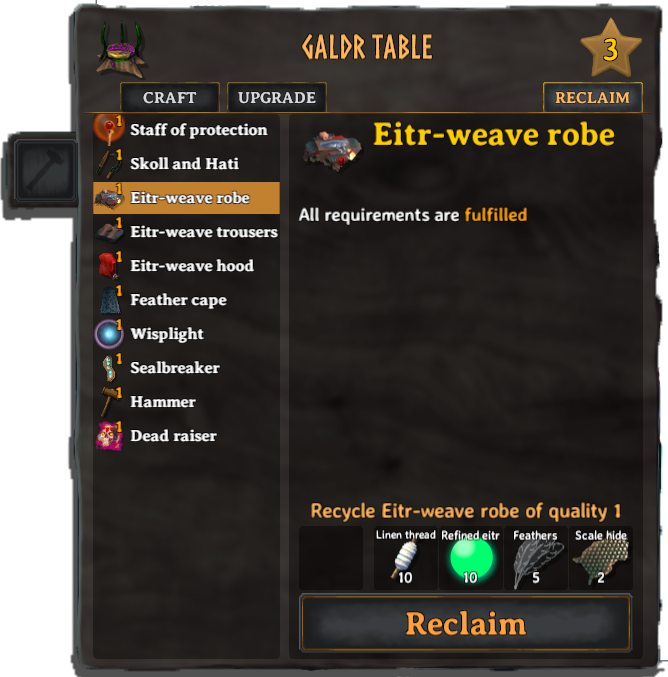
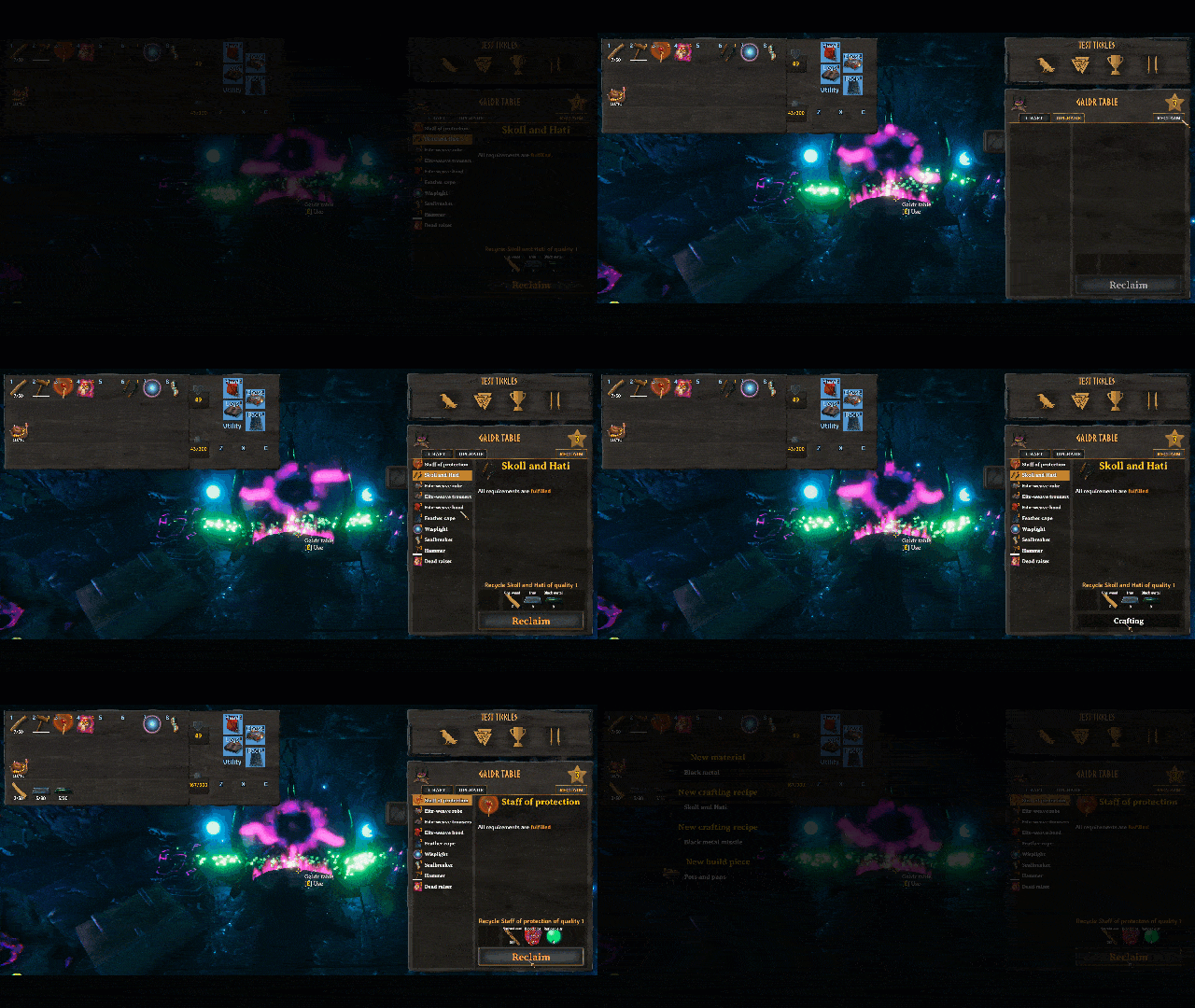
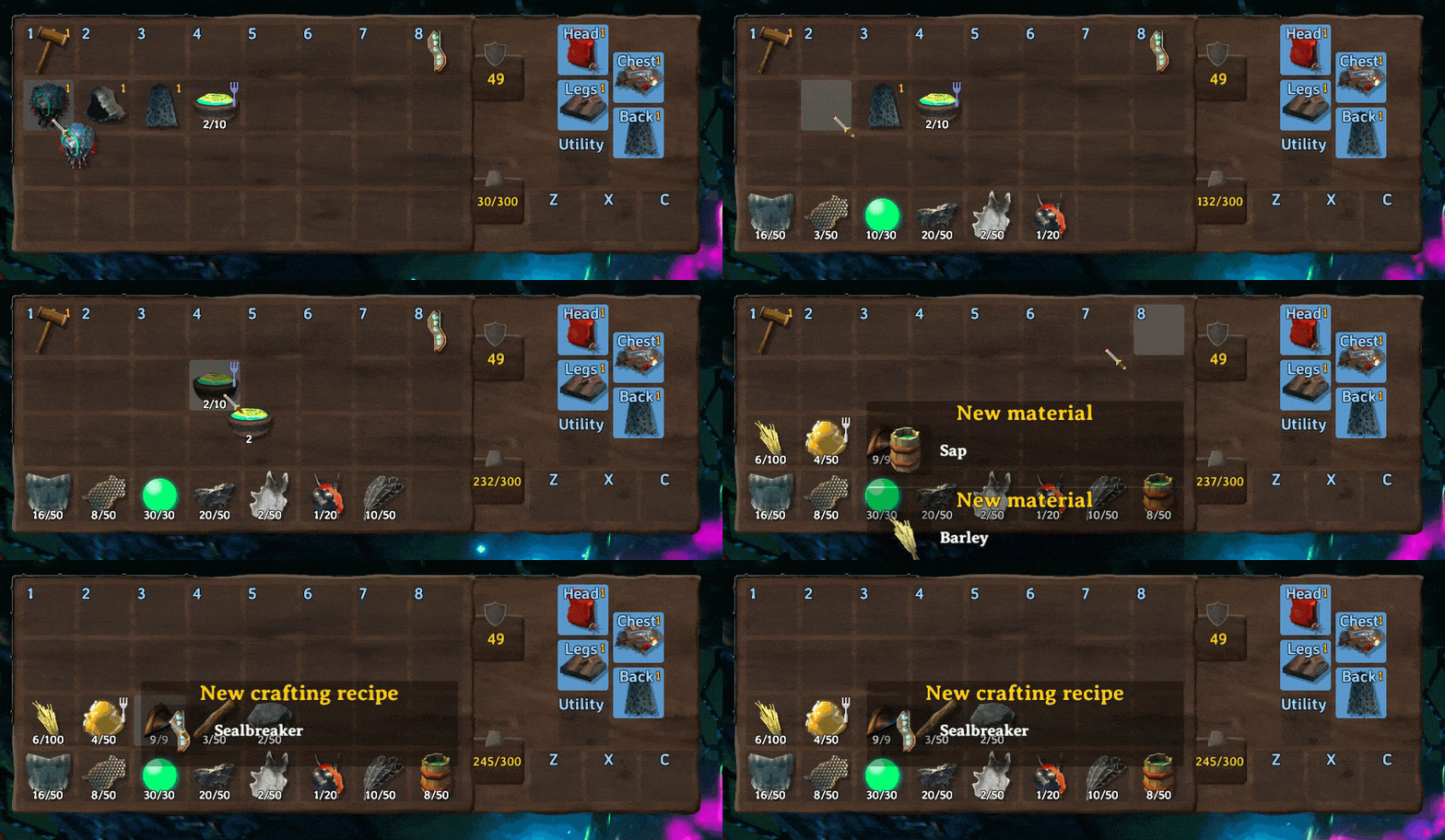
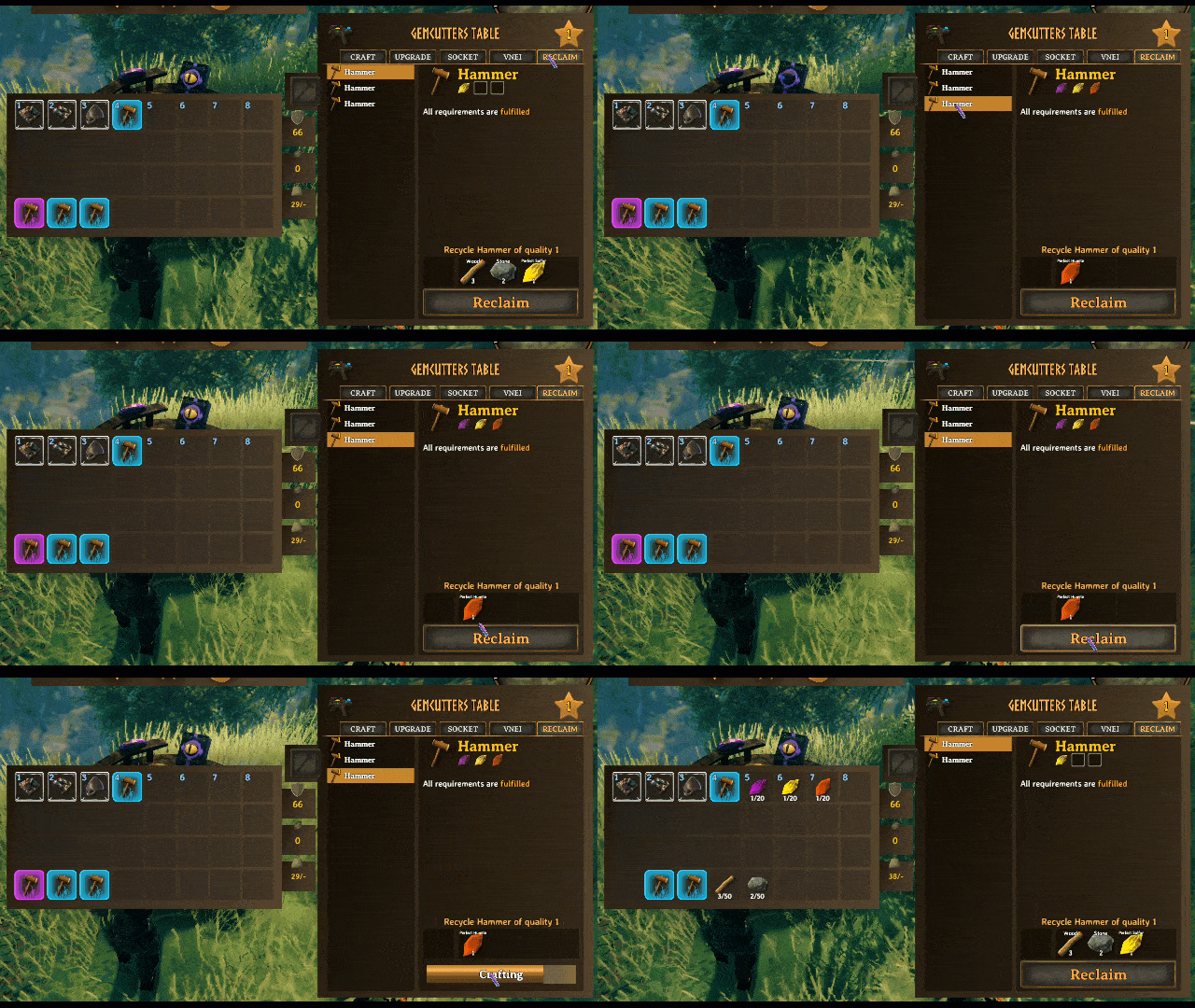
A mod that allows you to recycle/reclaim items back into resources used to make them. Adds a 'Reclaim' tab/button to the crafting menu. Additionally can be used inside of your inventory directly.
Version checks with itself. If installed on the server, it will kick clients who do not have it installed.
This mod uses ServerSync, if installed on the server and all clients, it will sync all configs to client
This mod uses a file watcher. If the configuration file is not changed with BepInEx Configuration manager, but changed in the file directly on the server, upon file save, it will sync the changes to all clients.
Compatible with:
- VNEI
- Jewelcrafting
- EpicLoot (partial...see changelog for version 1.1.0)
- AzuExtendedPlayerInventory
Original Author's Credits
All original code for the crafting tab/button was written
by ABearCodes
Original Mod Link: Simple Recycling
Mod Information
This mod is a combination
of OdinsInventoryDiscard and the mod above.
The aim is to provide an all-in-one solution for
recycling items back into resources.
All code changes after the initial release of this mod was written by me. This includes the merging of the two mods,
addition of ServerSync and
any improvements made to the code.
Installation Instructions
You must have BepInEx installed correctly! I can not stress this enough.
Manual Installation
Note: (Manual installation is likely how you have to do this on a server, make sure BepInEx is installed on the server correctly)
- Download the latest release of BepInEx.
- Extract the contents of the zip file to your game's root folder.
- Download the latest release of Recycle_N_Reclaim from Thunderstore.io.
- Extract the contents of the zip file to the
BepInEx/plugins folder.
- Launch the game.
Installation through r2modman or Thunderstore Mod Manager
-
Install r2modman
or Thunderstore Mod Manager.
For r2modman, you can also install it through the Thunderstore site.

For Thunderstore Mod Manager, you can also install it through the Overwolf app store

-
Open the Mod Manager and search for "Recycle_N_Reclaim" under the Online
tab. Note: You can also search for "Azumatt" to find all my mods.
The image below shows VikingShip as an example, but it was easier to reuse the image.

-
Click the Download button to install the mod.
-
Launch the game.
Configuration Options
Please note that Inventory Recycle and Reclaiming are different sections as well as different functionality within the game. Recycling happens only in the inventory and (by default) limited to admins only. Change the config should you wish to give this ability to everyone. Admins will always (by default) get 100% of the resources returned to them. Reclaiming happens in the crafting menu and is available to everyone. The amount of resources returned is configurable but is 50% by default.
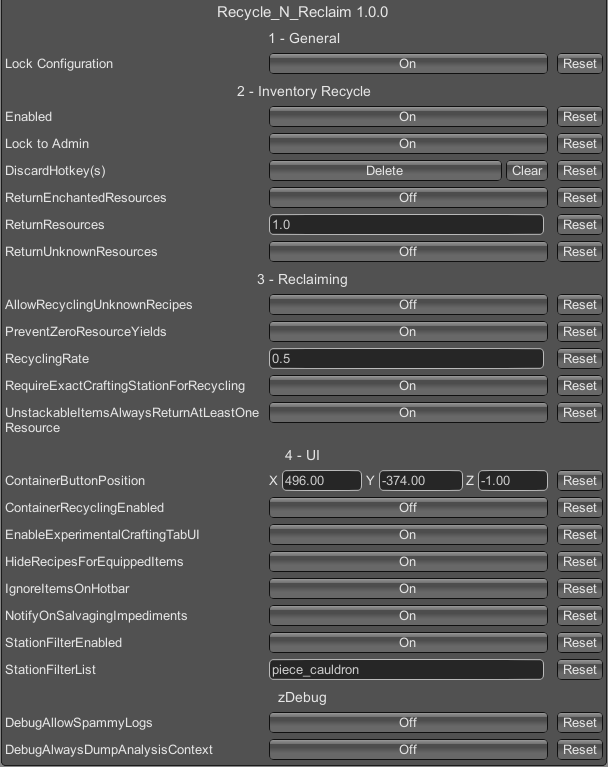
1 - General
Lock Configuration [Synced with Server]
- If on, the configuration is locked and can be changed by server admins only.
2 - Inventory Recycle
Enabled [Synced with Server]
- If on, you'll be able to discard things inside of the player inventory.
Lock to Admin [Synced with Server]
- If on, only admin's can use this feature.
DiscardHotkey(s) [Not Synced with Server]
- The hotkey to discard an item or regain resources. Must be enabled
ReturnUnknownResources [Synced with Server]
- If on, discarding an item in the inventory will return resources if recipe is unknown
ReturnEnchantedResources [Synced with Server]
- If on and Epic Loot or Jewelcrafting is installed, discarding an item in the inventory will return resources for Epic
Loot enchantments or Jewelcrafting gems
ReturnResources [Synced with Server]
- Fraction of resources to return (0.0 - 1.0). This setting is forced to be between 0 and 1. Any higher or lower values
will be set to 0 or 1 respectively.
3 - Reclaiming
RecyclingRate [Synced with Server]
- Rate at which the resources are recycled. Value must be between 0 and 1.
The mod always rolls down, so if you were supposed to get 2.5 items, you would only receive 2. If the recycling rate
is 0.5 (50%), the player will receive half of the resources they would usually need to craft the item, assuming a
single item in a stack and the item is of quality level 1. If the item is of higher quality, the resulting yield would
be higher as well.
ReturnEnchantedResources [Synced with Server]
- If on and Epic Loot or Jewelcrafting is installed, discarding an item in the inventory will return resources for Epic
Loot enchantments or Jewelcrafting gems
UnstackableItemsAlwaysReturnAtLeastOneResource [Synced with Server]
- If enabled and recycling a specific unstackable item would yield 0 of a material,
instead you will receive 1. If disabled, you get nothing.
RequireExactCraftingStationForRecycling [Synced with Server]
- If enabled, recycling will also check for the required crafting station type and level.
If disabled, will ignore all crafting station requirements altogether.
Enabled by default, to keep things close to how Valheim operates.
PreventZeroResourceYields [Synced with Server]
- If enabled and recycling an item that would yield 0 of any material,
instead you will receive 1. If disabled, you get nothing.
AllowRecyclingUnknownRecipes [Synced with Server]
- If enabled, it will allow you to recycle items that you do not know the recipe for yet.
Disabled by default as this can be cheaty, but sometimes required due to people losing progress.
4 - UI
ContainerButtonPosition [Synced with Server]
- The last saved recycling button position stored in JSON
- Default Value: {"x":496.0,"y":-374.0,"z":-1.0}
ContainerRecyclingEnabled [Synced with Server]
- If enabled, the mod will display the container recycling button
NotifyOnSalvagingImpediments [Synced with Server]
- If enabled and recycling a specific item runs into any issues, the mod will print a message
in the center of the screen (native Valheim notification). At the time of implementation,
this happens in the following cases:
- not enough free slots in the inventory to place the resulting resources
- player does not know the recipe for the item
- if enabled, cases when
PreventZeroResourceYields kicks in and prevent the crafting
EnableExperimentalCraftingTabUI [Synced with Server]
- If enabled, will display the experimental work in progress crafting tab UI
Enabled by default.
HideRecipesForEquippedItems [Synced with Server]
- If enabled, it will hide equipped items in the crafting tab.
This does not make the item recyclable and only influences whether or not it's shown.
Enabled by default.
IgnoreItemsOnHotbar [Synced with Server]
- If enabled, it will hide hotbar items in the crafting tab.
Enabled by default.
StationFilterEnabled [Synced with Server]
- If enabled, will filter all recycling recipes based on the crafting station
used to produce said item. Main purpose of this is to prevent showing food
as a recyclable item, but can be extended further if needed.
Enabled by default
StationFilterList [Synced with Server]
- Comma separated list of crafting stations (by their "prefab name")
recipes from which should be ignored in regards to recycling.
Main purpose of this is to prevent showing food as a recyclable item,
but can be extended further if needed.
Full list of stations used in recipes as of 0.216.9:
-
identifier: forge in game name: Forge
-
identifier: blackforge in game name: Black Forge
-
identifier: piece_workbench in game name: Workbench
-
identifier: piece_cauldron in game name: Cauldron
-
identifier: piece_stonecutter in game name: Stonecutter
-
identifier: piece_artisanstation in game name: Artisan table
-
identifier: piece_magetable in game name: Galdr table
- Default Value: piece_cauldron
zDebug
DebugAlwaysDumpAnalysisContext [Synced with Server]
- If enabled will dump a complete detailed recycling report every time. This is taxing in terms
of performance and should only be used when debugging issues.
DebugAllowSpammyLogs [Synced with Server]
- If enabled, will spam recycling checks to the console.
VERY. VERY. SPAMMY. Influences performance.
Feel free to reach out to me on discord if you need manual download assistance.
Author Information
Azumatt
DISCORD: Azumatt#2625
STEAM: https://steamcommunity.com/id/azumatt/
For Questions or Comments, find me in the Odin Plus Team Discord or in mine: