

Valheim
You are viewing a potentially older version of this package. View Latest Version
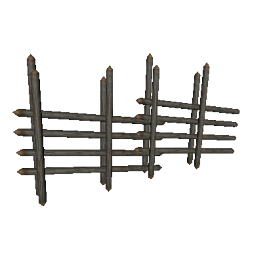
This mod adds snappoints to fences and sharp stakes.
This mod requires BepInEx
Extract the content of FenceSnap into the BepInEx/plugins folder.
Create a file called Environment.props inside the project root.
Copy the example and change the Valheim install path to your location.
If you use r2modman/Tunderstore Mod Manager you can set the path too, but this is optional.
<?xml version="1.0" encoding="utf-8"?>
<Project ToolsVersion="Current" xmlns="http://schemas.microsoft.com/developer/msbuild/2003">
    <PropertyGroup>
        <!-- Needs to be your path to the base Valheim folder -->
        <VALHEIM_INSTALL>E:\Programme\Steam\steamapps\common\Valheim</VALHEIM_INSTALL>
        <!-- Optional, needs to be the path to a r2modmanPlus profile folder -->
        <R2MODMAN_INSTALL>C:\Users\<user>\AppData\Roaming\r2modmanPlus-local\Valheim\profiles\Develop</R2MODMAN_INSTALL>
        <USE_R2MODMAN_AS_DEPLOY_FOLDER>false</USE_R2MODMAN_AS_DEPLOY_FOLDER>
    </PropertyGroup>
</Project>
This project requires the publicized Valheim dlls present at VALHEIM_INSTALL\valheim_Data\Managed\publicized_assemblies\assembly_<assembly>_publicized.dll.
Use any publicizer, see here for example: https://github.com/CabbageCrow/AssemblyPublicizer
If the paths are set correctly, all assemblies are loaded and the project can be compiled.
Now you can run deploy.sh, this will copy the mod to your BepInEx plugin folder as you setup in Environment.props.
0.1.0