Pressure-Plate
About
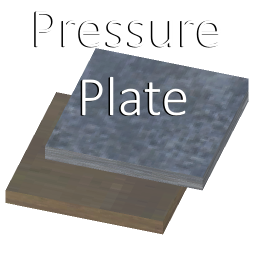
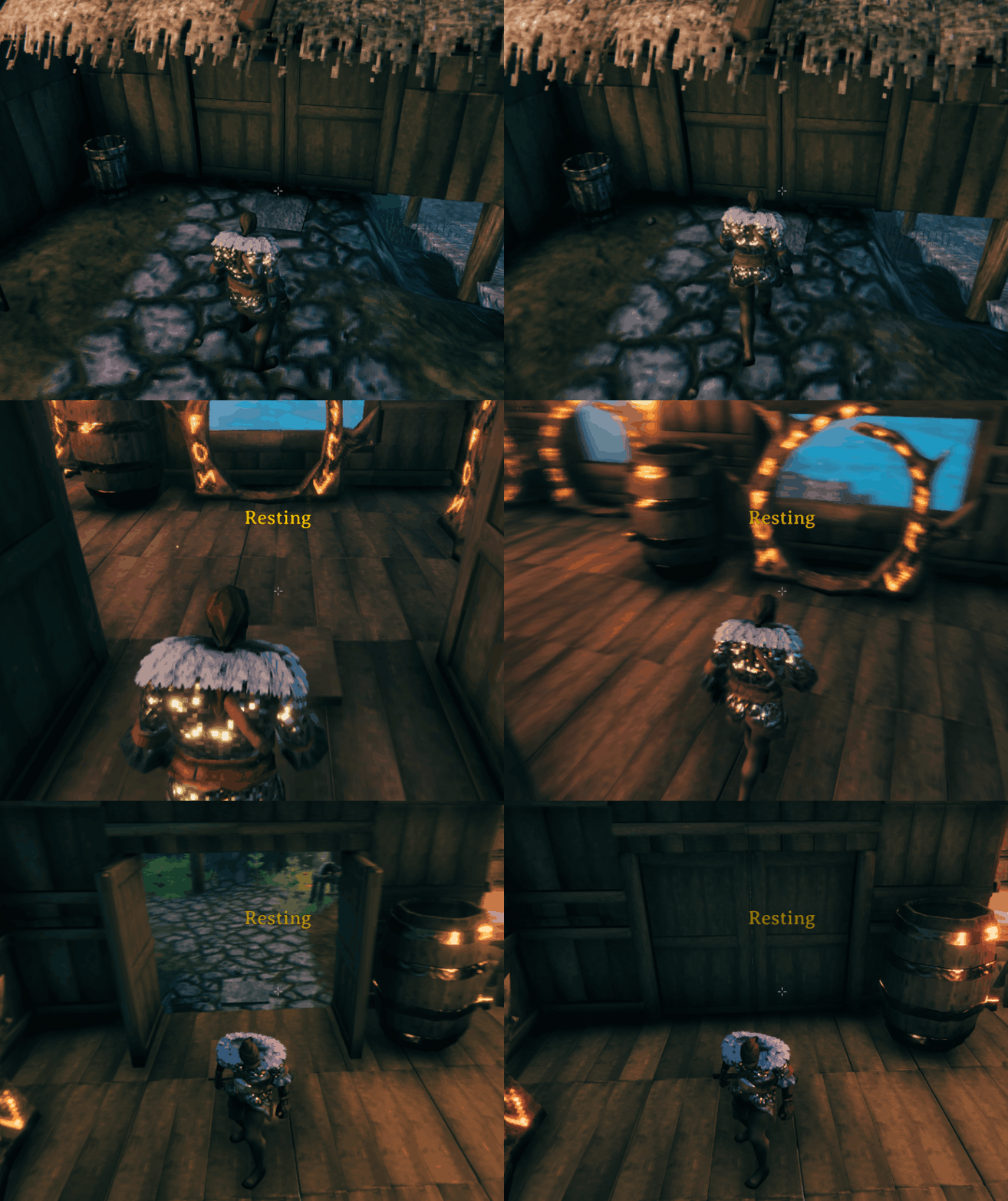
Adds multiple variation of pressure plates which open and close doors.
- Wooden pressure plate: 3 wood, 1 surtling core with the hammer. Requires a workbench in range
- Stone pressure plate: 3 stone, 1 surtling core with the hammer. Requires a workbench in range
- Crystal pressure plate, 1 crystal, 1 surtling core with the hammer. Requires a workbench in range
Ingame settings
Plate settings
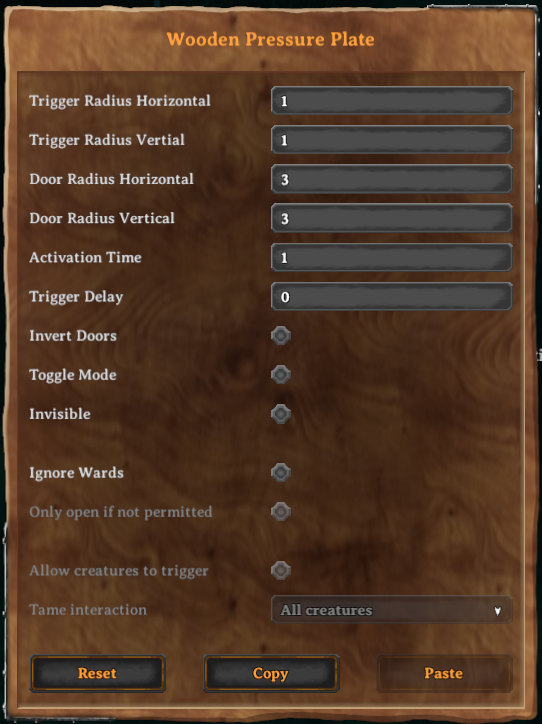
- Trigger Radius: if a player is inside this range, the plate is pressed
- Door Radius: all doors inside this radius are opened/closed
- Activation Time: duration in which the plate is pressed
- Trigger Delay: duration it takes before the plate is pressed
- Invert Doors: inverts open/closed state
- Ignore wards: allows other players to open doors even they have no access
- Allow Mobs: monster and creatures can also press the plate. Requires Ignore wards to be on
Global settings
Config file at BepInEx/config/com.maxsch.valheim.pressure_plate.cfg
- Plate Volume: set the volume level of all plates. Can be changed while ingame
Installation
Extract the content of Pressure-Plate into the BepInEx/plugins folder.
Install Jötunn, the Valheim Library and its dependencies
Development
Inside the repo are two folders, PressurePlate for the mod and UnityAssets for the Unity files.
Mod Setup
Create a file called Environment.props inside the project root.
Copy the example and change the Valheim install path to your location.
If you use r2modman you can set the path too, but this is optional.
<?xml version="1.0" encoding="utf-8"?>
<Project ToolsVersion="Current" xmlns="http://schemas.microsoft.com/developer/msbuild/2003">
    <PropertyGroup>
        <!-- Needs to be your path to the base Valheim folder -->
        <VALHEIM_INSTALL>E:\Programme\Steam\steamapps\common\Valheim</VALHEIM_INSTALL>
        <!-- Optional, needs to be the path to a r2modmanPlus profile folder -->
        <R2MODMAN_INSTALL>C:\Users\[user]\AppData\Roaming\r2modmanPlus-local\Valheim\profiles\Develop</R2MODMAN_INSTALL>
        <USE_R2MODMAN_AS_DEPLOY_FOLDER>false</USE_R2MODMAN_AS_DEPLOY_FOLDER>
    </PropertyGroup>
</Project>
This requires the publicized Valheim dlls. See here for example: https://github.com/CabbageCrow/AssemblyPublicizer
Unity Setup
This step is only needed if you want to compile the AssetBundle.
Place all needed Unity, Valheim and dependencies assemblies in the UnityAssets/Assets/Assemblies folder.
See PressurePlate/PressurePlate.csproj for reference. If some are still missing, Unity prints the name of a missing dependencies to the console.
Build the AssetBundle with the Unity toolbar "Assets/Build AssetBundles" to automatically copy the resulting file to the mod folder.
Adding custom door config
Custom door settings can be applied for every door type. This can only be done with code and is an optional for other mods. Vanilla items are configurable, too.
Here is a quick instruction:
-
Add this mod .dll to your assembly references. The next step ensures that everything works if a user doesn't have pressure plate installed.
-
Check if the mod is loaded:
const string pressurePlateGUID = "com.maxsch.valheim.pressure_plate";
if (Chainloader.PluginInfos.ContainsKey(pressurePlateGUID)) {
    // next steps...
}
This should be done at your plugins Start(). If you use Awake() and your mod is loaded first it may not detect it properly. Any following steps can be done whenever you like, even after the loading phase.
-
Create the config: DoorConfig config = new DoorConfig();
It takes two optional parameters:
- bool openClosedInverted, default: false
- float openTime, default: 1
This may requires using PressurePlate;
-
Add the config to the GameObject:
const prefabName = "your_door_piece_name";
DoorConfig.AddDoorConfig(prefabName, config);
or directly with your prefab
GameObject door = myDoorPrefab;
DoorConfig.AddDoorConfig(door.GetComponent<Door>(), config);
Changelog
0.6.1
- Added option to make a plate invisible
- Added option to allow only not permitted players
- Fixed doors could sometimes be opened even if a player has no access (and ignore wards was set to false)
0.6.0
- Added crystal pressure plate
- Added an option inside the config to set the volume of plate sounds
- All plates only require a workbench to be build
0.5.1
- Fixed MoreGates drawbridge open/close
- removed min. open time of doors
0.5.0
- Added an option to allow mobs to trigger a plate
- Improved networking code
0.4.3
- Fixed incompatibility with H&H update
0.4.2
- Added german translation
- Show plate name in UI and mouse hover
- Fixed input field text was not visible because of Jötunn 2.2.8
0.4.1
- Fixed trigger delay was ignored when the player left the plate, resulting in pressing the plate for a fraction of time
- Fixed trigger delay was not reset when the player left the plate
0.4.0
- Added UI to configure each plate individually
- Renamed "public/private" to "ignore wards"
- Removed global player settings
0.3.1
- Only show public/private option when the plate is inside an active ward
- Limited radius of configurable radius to 8 units
- Fixed a null error when destroying doors while standing on a pressure plate
0.3.0
- Added option to set plates public, this allows plates to bypass wards
- Fixed multiplayer async, resulting in opening a door after it was closed
0.2.1
- Fixed null error when placing a new door, as no ZNetView exists yet
- Fixed not opening a door if the player presses the plate while the door is closing
0.2.0
- Reworked internally how a pressure plate opens doors
- Modders can now set custom configurations for doors. This includes if the open/close is reversed and opening time
- A pressure plate no longer interrupts a open or close animation
0.1.0
- Replaced ValheimLib with Jotunn, everything is backwards compatible
0.0.6
- Added configuration: PressurePlateRadiusHorizontal
- Added configuration: PressurePlateRadiusVertical
- Added configuration: PressurePlatePlayerRadiusHorizontal
- Added configuration: PressurePlatePlayerRadiusVertical
- Added configuration: PressurePlateOpenDelay
0.0.5
- Added stone pressure plate
- Updated wood pressure plate icon
- Changed Language tokens: $pressure_plate -> $pressure_plate_wood, added $pressure_plate_stone
0.0.4
- Updated ValheimLib to 0.0.15
- Reverted last fix as it was fixed in ValheimLib
- Removed unnecessary 'valheim.exe' restriction
- Removed HookGenPatcher dependency
0.0.3
- Fixed "Destroyed invalid prefab ZDO..."-bug when moving through portals
0.0.2
- Added sound effects for pressing and releasing pressure plate
0.0.1
Links
Nexusmods: https://www.nexusmods.com/valheim/mods/498
Thunderstore: https://valheim.thunderstore.io/package/MSchmoecker/PressurePlate/
Github: https://github.com/MSchmoecker/Valheim-Pressure-Plate
Credits