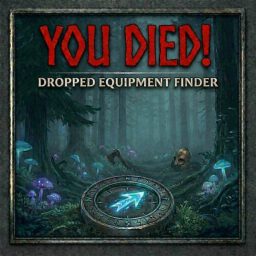
Dropped Equipment Finder
Author: You Died!
Version: 1.3.0
For: Valheim (BepInEx 5)
What It Does
Dropped Equipment Finder helps you locate equipment you've dropped in the world — whether you died and left gear behind, manually dropped something and forgot where, or got turned around in a dungeon.
When you drop a piece of equipment while the mod is installed, it is automatically tagged with your player ID. Press L at any time in-game to open the Lost Equipment panel, which lists all your tagged dropped items within range, along with their distance and cardinal direction.
Features
- Lost Equipment Panel — Press L to open. Shows all your dropped equipment within ~150m with distance and compass direction (N, NE, E, etc.)
- Track — Activates a HUD compass arrow at the top of your screen pointing toward the item, with live distance readout. Updates as you move and rotate the camera.
- Out of Range — If you walk beyond zone range (~158m horizontal, ~229m diagonal), the tracker shows "out of range — move closer" and automatically reacquires the item when you return.
- Pin — Places a map marker at the item's location on your minimap.
- Refresh — Rescans the area for any tagged items.
- Auto-dismiss — The HUD tracker automatically clears when you pick up the tracked item.
How to Use
- Drop a piece of equipment (it is automatically tagged by the mod).
- Press L to open the Lost Equipment panel.
- Your dropped items appear in the list with distance and direction.
- Click TRACK to activate the HUD compass arrow for that item.
- Follow the arrow. Distance updates in real time.
- Click PIN to add a minimap marker if you want to come back later.
- Press L, Escape, or click X to close the panel.
Note: Only items dropped after installing the mod are tracked. Items dropped before installation will not appear.
Important Notes
- Detection range: ~150m (horizontal/vertical), ~229m (diagonal). This is determined by Valheim's zone loading system — items beyond loaded zones cannot be detected.
- Items must be dropped by you specifically. Other players' dropped gear will not appear in your panel.
- The panel will not open while chat (Enter) or the console (F5) is active.
Installation
- Install BepInEx for Valheim.
- Drop
DroppedEquipmentFinder.dll into:
<Valheim>\BepInEx\plugins\DroppedEquipmentFinder\
- Launch the game.
Configuration
A config file is generated at:
<Valheim>\BepInEx\config\com.youdied.droppedequipmentfinder.cfg
| Setting |
Default |
Description |
| LocateHotkey |
L |
Key to open/close the Lost Equipment panel |
| MaxSearchRadius |
150 |
Search radius in meters |
| ShowHUDArrow |
true |
Show/hide the tracking arrow on HUD |
| AutoRemovePinOnPickup |
true |
Remove map pin when item is picked up |
Changelog
1.3.0
- Valheim AveriaSerifLibre font matching
- HUD tracker reacquires target after leaving and returning to range
- "Out of range" indicator on HUD when tracked item is beyond zone
- Suppressed panel opening during chat and console
- Removed redundant radius display
- Camera no longer lurches when closing the panel
- All input correctly blocked while panel is open
1.0.0