

Valheim
You are viewing a potentially older version of this package. View Latest Version
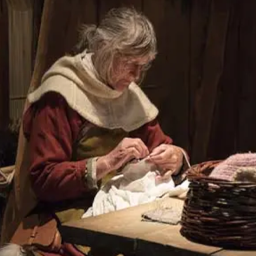
A re-upload with edits. (custom directory)
Developer: aedenthorn
Original mod link: https://www.nexusmods.com/valheim/mods/389
Use your own images as custom loading screens.
Recommended image size: 1920x1080
DEFAULT IMAGE FOLDER:
plugins\cjayride-CustomLoadingScreens\CustomLoadingScreens
EDIT CONFIG FILE:
config\aedenthorn.CustomLoadingScreens.cfg
Example: You can also specify a directory in the config folder to save your images: config\mypack\CustomLoadingScreens
You can specify any directory path inside the BepInEx folder.
Version: 0.4.2
Changed default image folder
Can now specify an image directory path in either plugins folder or config folder -- anywhere inside the BepInEx folder!
Received report on Discord that mod wasn't working. Make sure you generate the image folder and place your images in the folder before launching the game. The game will load these images into the game during startup.
https://github.com/aedenthorn/ValheimMods/tree/master/CustomLoadingScreens
To reload the config from the config file, type loadingscreens reset into the game's console (F5).