

Valheim
You are viewing a potentially older version of this package. View Latest Version
This is a BepInEx plugin for Valheim that allows you to configure signs to display in-game information.
Feel free to suggest other useful signs!
Simply place any sign and set the text to one of the following options, e.g {{onlineCount}}.
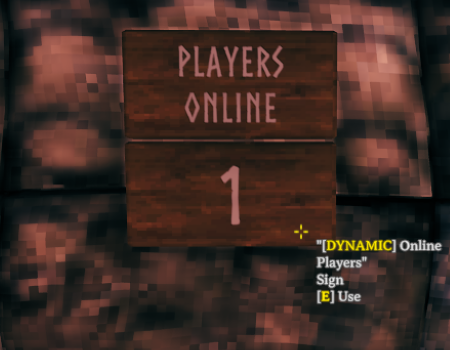
Displays the current number of players online.
{{onlineCount}}
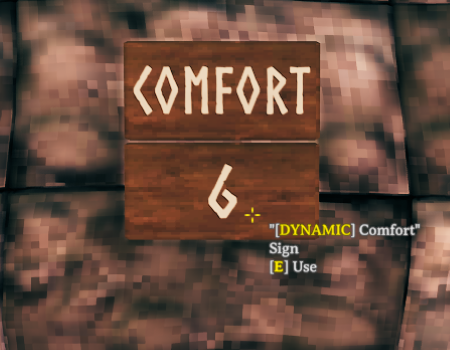
Displays the current comfort level of the player.
{{comfort}}
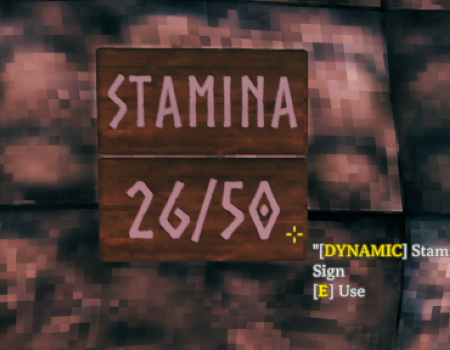
Displays the current stamina level of the player.
{{stamina}}
Displays the current health level of the player.
{{health}}

Displays the current in-game time.
{{gameTime}}
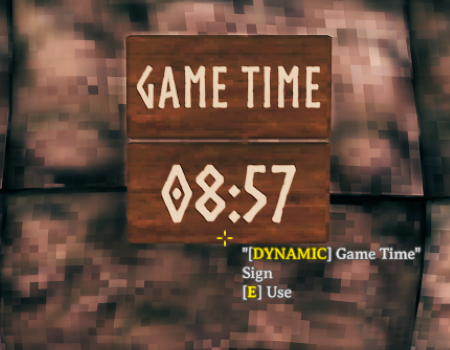
| Option | Description | Example | Example Output |
|---|---|---|---|
12 |
Outputs in 12 hour format | {{gameTime 12}} |
12:00 AM |
s |
Adds seconds to the time | {{gameTime s}} |
12:00:00 |
Displays the current time.
{{actualTime}}
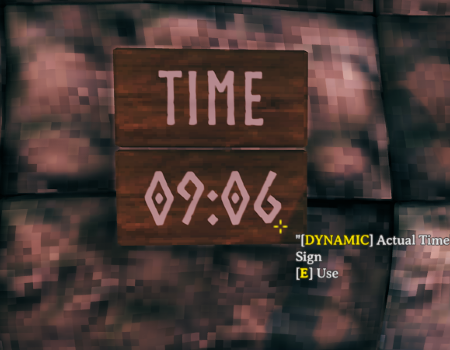
| Option | Description | Example | Example Output |
|---|---|---|---|
12 |
Outputs in 12 hour format | {{gameTime 12}} |
12:00 AM |
s |
Adds seconds to the time | {{gameTime s}} |
12:00:00 |
f |
Outputs full date and time | {{gameTime f}} |
06 September 2024 09:08 |
g |
Outputs date and time | {{gameTime g}} |
06/09/2024 09:08 |
If you're using a mod installer, you can likely ignore this section.
Download BepInEx, extract everything inside BepInEx_Valheim into your Valheim folder (
typically C:\<PathToYourSteamLibrary>\steamapps\common\Valheim).
Download from Thunderstore, extract the ZIP and place all content into BepInEx/plugins of your Valheim install.