

Valheim
You are viewing a potentially older version of this package. View Latest Version
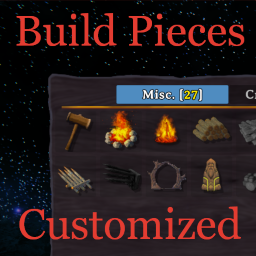
Customize individual build pieces. Set properties globally such as rain water ash lava damage immunity. Customize global material type properties.
This mod allows you to customize most properties individually and some properties globally.
There are several global lists set in config values:
All lists are comma-separated lists of prefab names. If prefab name is set in some list this value will override individual settings.
If you want all pieces to share that value then set "AllPieces" in config value.
There are several config values combined in groups by material type. It allows to configure:
This values are multipliers of vanilla numbers and 1.0 means vanilla properties.
When you open main menu or login into your world the file "Pieces and properties.md" will be generated and placed next to your mod dll.
That file contains all pieces from your current game and identifiers used to configure pieces.
Use it to find exact prefab name of piece to start customizing.
That file could be regenerated manually at any time using "bpcdocs" console command.
At first you need to generate template file with prefab name and current properties.
Use console command "bpcsave [prefab name]" and it will create JSON file with prefab name next to mod's dll.
If you trying to save file for already altered piece you should do it from main menu because in game it will be patched and will save its altered state.
You can change properties in that file as you want and then save it.
After editing you can move that file in any subfolder in mods directory. You can also place this files in "\BepInEx\config\shudnal.BuildPiecesCustomized" directory (first you need to create it manually). Or you can leave it next to mod dll.
All *.json files from all subdirectories in "\BepInEx\config\shudnal.BuildPiecesCustomized" folder and plugin folder will be loaded on the world login.
On every file loading there will be line in log like this
[Info :Build Pieces Customized] Found \BepInEx\plugins\shudnal-BuildPiecesCustomized\portal_wood.json
If you place that files on the server then its settings will be shared from the server.
If you want to undo changes delete the file and restart the game.
Most properties are self-explanatory but some may need some more explanation.
notOnFloor - surface should be vertical
inCeilingOnly - object should hang from the ceiling
onlyInTeleportArea - object should be placed near object emitting Teleport effect area (currently there are no such pieces)
spaceRequirement - minimum distance to next station extension object
allowRotatedOverlap - piece could clip into other pieces when rotated
vegetationGroundOnly - vegetable should be placed on the cultivated ground
blockRadius - piece could not be placed if there are another similar piece in that radius (like Sap collector)
extraPlacementDistance - additional distance to object when placing (currently only Drakkar from Ashlands)
targetNonPlayerBuilt - should enemies be attacking that object if it wasn't built by players (bonfire piece had it false and Fulings doesn't attack their own bonfires)
primaryTarget - monsters will attack that object firstly
randomTarget - should be attacked by monsters (if disabled then object will be ignored as a target but still could take AoE damage)
noRoofWear - water and rain immunity
noSupportWear - piece will not be affected by structural integrity check
supports - piece will be able to support another pieces built on top
hitNoise - how much noise will be generated on hit (how far you will be heard by enemies)
destroyNoise - how much noise will be generated on destroy (how far you will be heard by enemies)
ashDamageImmune - piece will not be affected by ash and lava damage
ashDamageResist - piece will take only 33% of lava damage and will not catch fire in Ashlands
triggerPrivateArea - if enabled then ward will flash when object is attacked (if player attack that piece next to NPCs they will become aggravated)
copy BuildPiecesCustomized.dll to your BepInEx\Plugins\ folder.
The best way to handle configs is Configuration Manager.
Or Official BepInEx Configuration Manager.