

Valheim
You are viewing a potentially older version of this package. View Latest Version
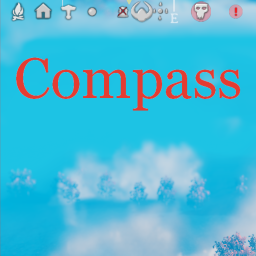
Yet another Compass mod showing map pins in the middle top part of your screen.
Pin style conditions define how pin should look like depending on distance.
While distance to pin increases at first it will be smaller and smaller and then after reaching certain threshold it will be more and more transparent.
Config value for this condition consists of 4 variables in form of Vector4.
It allows you to define how scale and alpha of pin will be set with different distances.
Default value is (1, 20, 250, 350).
It means if pin is between 1(X) and 20(Y) distance it will have maximum configurable size and alpha (transparency). If pin is between 20(Y) and 250(Z) distance its size will be gradually lowered with distance and its alpha will be maximum. If pin is between 250(Z) and 350(W) distance its size will be as it set in minimum scale value and now it's alpha will be decreased with distance. If pin is at 350(W) distance its size will be minimum and so as its alpha.
So basically first and last variables is pin visility filter.
On the launch mod will create ...\BepInEx\config\shudnal.Compass folder.
Original files will be put at config directory after first launch of the game.
On every launch if any of files compass.png, center.png, mask.png is missed it will be put there as this files are mandatory.
File names to load from config directory:
Files will be loaded on the fly after change.
extract Compass.dll into your BepInEx\Plugins\ folder
The best way to handle configs is Configuration Manager.