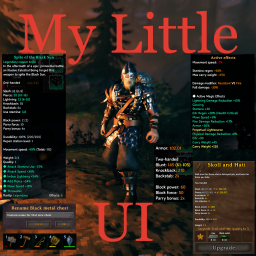
My Little UI
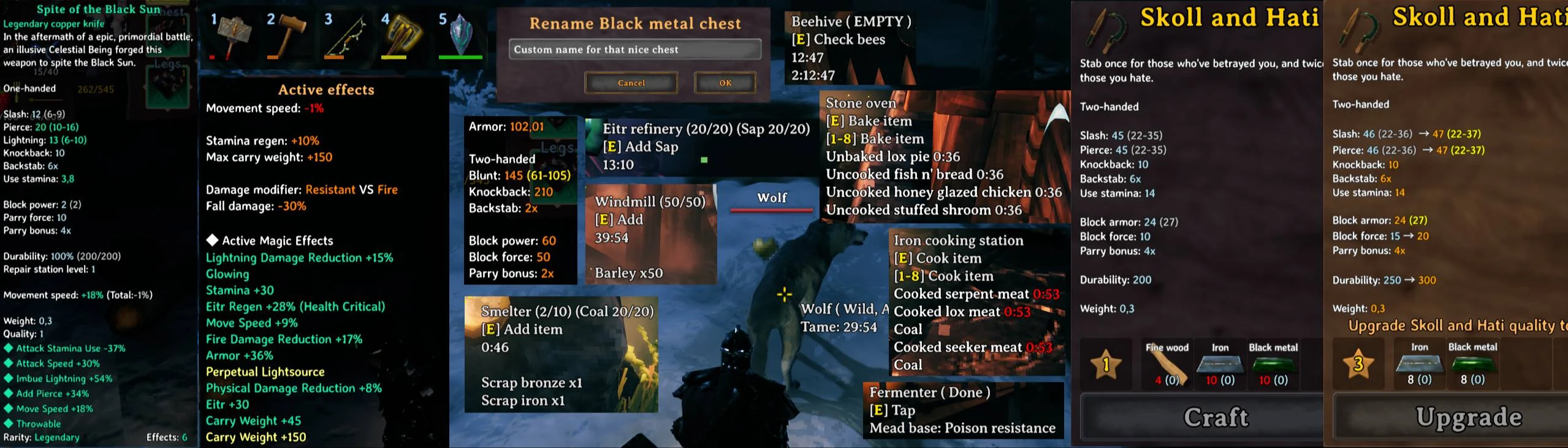 Bunch of little UI tweaks. Tooltips for production timers, player status, items. Custom chest names, buff list, and so on.
Items
- Amount of required resources from your inventory when crafting
- Colored durability bars on items
- Configurable icon scale
- Reordered item tooltips (EpicLoot supported)
- Highlight stats to be upgraded in crafting description
- Hold Alt to disable item tooltip altering
- Present quality level as configurable symbols (star by default)
- Configurable ammo and bait icons and amount for weapons using ammo
Clock
- Default position is above the minimap (you can move it to any position in the screen)
- Show/hide current day or current time or both
- Time could be set in a configurable fuzzy way
Weather forecast
- Default position is below the minimap (moveable)
- Tracked weathers (Clear, Rain, Snow storm, Thunderstorm, Mist, Cinder Raid)
- Icon and timer will show the moment of the next change of the weather state (like Clear -> Rain, or Thunderstorm -> Mist)
- If you have custom environment with ambient or particle systems with custom names it can be configured to be tracked in current tracked weather list
Wind forecast
- Default position is below the minimap (moveable)
- You will see the direction of next several winds (5 by default)
- Amount of forecasted winds and bar filling direction are configurable (so as other parameters)
- Winds change every 2 min
Stats
- Advanced character stats in character selection screen
- Combined characater stats in Armor hover tooltip (Top Right section in inventory window)
- Combined active status effects in Weight hover tooltip (Bottom Right section in inventory window, EpicLoot magic effects supported)
Hovers
- Fermenter (time to end, percent, current mead)
- Plants (time to full grow)
- Cooking stations (time to cook/coal for each cooking item)
- Oven (time to bake/coal for each baking item)
- Windmill (time to produce everything, depends on current wind force)
- Spinning wheel (time to end)
- Smelters (show ore and fuel on both sides, time to end, queued items in order)
- Kiln (time to end and queued wood)
- Tameable (time to stay fed for tamed, time to tame for untamed)
- Tamed (time to grow up)
- Eggs (time to hatch)
Chests
- Rename chests
- Configure what to show on chest hover
- Free slots or current/max item count
- Show chest content
Status effects
- Move status effects anchor
- Set direction of status effect list fill
- More compact look for status effect
- Move ship control interface
- Distinct settings for nomap mode and regular mode
Installation (manual)
extract MyLittleUI.dll folder to your BepInEx\Plugins\ folder.
Configurating
The best way to handle configs is Configuration Manager.
Or Official BepInEx Configuration Manager.
Mirrors
Nexus