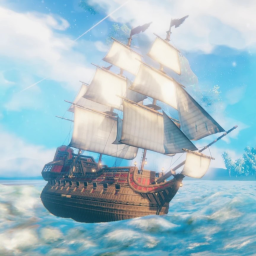
This mod aims to continue support for Water based features of the original ValheimRAFT mod and incorporate more vehicle types, items, and mechanics within the mod and further extends its capabilities.
This mod has both a beta and a non-beta on Thunderstore. Please make sure you are using non-beta if you want a stable experience. If you want to test previews, swap to the beta variant.
- [Swivels Visual Tutorial](https://youtu.be/wtnUCGz2zek)
- [Vehicle Dock (LandVehicles to WaterVehicle)](https://youtu.be/iJSqmvJZlzo)
:warning: Warning. If you are reading this readme on the ValheimMods/ValheimRAFT repo :warning:
This repo is a ValheimRaft fork that works with latest Valheim.
The original mod owner Sarcen stopped maintaining the mod August 2023. They gave permission to maintain and open source the mod on 12/25/2023.
Join us on discord to get the latest information, upcoming features, and discontain other mods.
| Name | Icon | Description |
|---|---|---|
| Vehicle Hammer |  |
Valheim Raft's Main build tool. Has a custom menu with all prefabs located under these tabs |
| Cannon (handheld) | 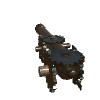 |
A mobile cannon that can be loaded by the player. Uses the same aiming mechanics as an auto turret. Fully multiplayer compatible. Uses it's own projectile system similar to cannons. |
| Cannonball (solid) |  |
A cannonball that can hit hard and penetrate through prefabs based on the material. Can be equipped by handheld and fixed cannons. |
| Cannonball (explosive) |  |
A blackmetal cannonball that can hit and explode delivering a powerful area effect blast. Can be equipped by handheld and fixed cannons. |
| Name | Icon | Description |
|---|---|---|
| Boundary Chunk Addition (8x8) and (16x16) | 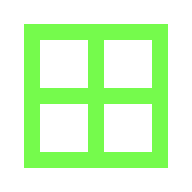 |
Added based on request from many players that there were bugs with their ships and having problems with collisions vastly exceeding safe areas of the ship.
This tool allows you to constrain the boundary of a vehicle within the box placed.
Viewing the boxes areas
Tips/Warnings :warning: Making a small area but large ship will break some raft logic if the player is not within the onboard zones. :brain: Try to add a box at front, back, and max height of ship and max lowest point of ship. This will encapsulate whole ship. |
| Boundary Chunk Clear | 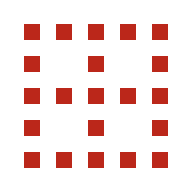 |
Individually Clear the Boundary Chunk Additions boxes placed. Clearing is based on intersection and multiple boxes will be removed if the clear box hits both of them. |
| Cannon (fixed) |  |
Introduced in 3.6.x updates. The cannon can be added to a any vehicle or base and be fired from a single controller. On Vehicles this is the wheel. Anywhere else this is the Cannon Control Center which is a telescope. |
| Cannon Control Center |  |
Introduced in 3.6.x updates. The cannon control center controls all logic for manual cannons. Hold [Block] to use the hotkeys. This applies for wheel controls too.There are 4 groups for forward, left, right, backwards. Block + S will tilt all cannons upwards in a group. Block + W will tilt all cannons downwards in a group. Block + W (cycles backwards in Groups) Block + D (Cycles forwards in groups). Pressing Block and not holding will immediately fire the selected group of cannons. These directions are determined by the Wheel/Control center position. |
| Hull (Wood) |  |
V2 Raft Hull. See more info on Hull Mechanics |
| Hull (Iron) |  |
V2 Raft Hull Iron, See more info on Hull Mechanics |
| Hull Slab (Wood) |  |
V2 Raft Hull Slab 2x2 and 4x4 variants. See more info on Hull Mechanics |
| Hull Slab (Iron) |  |
V2 Raft Hull Slab Iron 2x2 and 4x4 variants. See more info on Hull Mechanics. |
| Hull Wall (Wood) |  |
V2 Raft Hull Wall 2x2 and 4x4 variants. See more info on Hull Mechanics. |
| Hull Rib Side (Wood) (Iron) |
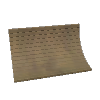
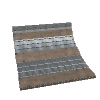
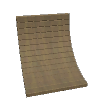
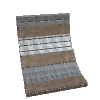
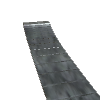
|
V2 Raft Hull Rib, a curved hull wall going for 0-90 degrees a combo of 3 hull walls. See more info on Hull Mechanics. |
| Ship Prow (Wood)(Iron) |

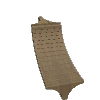
|
Allows for creating a front/back of the ship. Pairing this with a Rib side and a rib corner will seal the ship completely. |
| Ship Prow (sleek) (Wood, Iron) |


|
Makes ship more angular and compatible with 1x8 floor seals |
| Ship Prow (cutter+seal) (Iron) |


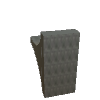
|
Makes ship more angular and compatible with 1x8 floor seals |
| Ship Hull-Rib Corner (Wood, Iron) |


|
Allows for sealing a hull for a ship. Useful when adding hull sides and prow pieces to seal a ship from all directions. |
| Ship Hull Corner floor (Wood left & right, Iron left & right) |


|
Allows for sealing a hull for a ship. Useful when adding hull sides and prow pieces to seal a ship from all directions. |
| Rudder Basic |  |
Basic Raft Rudder, turns with wheel. First rudder on ship will also move ship's wake effects to its location. Future updates may add functionality |
| Rudder Advanced (Iron) |  |
Advanced Rudder, a larger rudder that turns with the ship. First rudder on ship will also move ship's wake effects to its location. No other functionality. |
| Rudder Advanced (Wood) |  |
Advanced Rudder, a larger rudder that turns with the ship. First rudder on ship will also move ship's wake effects to its location. No other functionality. |
| Rudder Advanced Twin (Wood) |  |
Advanced Rudder, a larger rudder that turns with the ship. First rudder on ship will also move ship's wake effects to its location. No other functionality. |
| Rudder Advanced Twin (Iron) |  |
Advanced Rudder, a larger rudder that turns with the ship. First rudder on ship will also move ship's wake effects to its location. No other functionality. |
| Steering Wheel |  |
Steer the vehicle. Steering will be fast on slow speed, medium on half speed, and slow on fast speed. Previously all steering was slow. The direction it faces will determine the direction the boat sails. |
| Raft Sail |  |
Tier 1 Raft Sail. Offers modest sailing power. |
| Karve Sail |  |
Tier 2 Karve Sail offers mid-level sailing power. |
| Viking Sail |  |
Tier 3 Viking Sail offers high-level sailing power. |
| Drakkal Sail | |
Tier 4 Drakkal Sail offers high sailing sailing power and looks great. |
| Custom Sail (3) or (4) corners |  |
Tier 1 Custom Sail, Offers a customizable sail of 3 points or 4 point sails. Each sail cubic foot is counted for sailing force. The sails are a balanced at tier1 sailing. |
| Rope Anchor |  |
Connect an infinite number of ropes from this anchor point to the target prefab's center position. To disconnect grab a rope from the anchor point and re-attach to the already attached prefab. It should disconnect the rope. Ropes will not have any affect on physics. They do not anchor the ship. |
| Rope Ladder |  |
Connect a rope ladder to a boat or any building to allow for climbing from the ground up to the building. Will automatically extend to seafloor or ground every couple seconds if the terrain changes. |
| Boarding Ramp (normal, Wide) |  |
Boarding ramp can extend out from 1 - 50+ units. Each unit adds an additional expanded plank. There are no resource costs to increasing the extension bridge size. Boarding ramps collide with the sea so they will effectively hover over the sea. Ramps require network connection in multiplayer to properly work if the player is not the owner. |
| Dirt Floor (1x1, 2x2) |  |
Allows for growing vanilla Valheim crops. Currently does not support mods that utilize heightmaps to determine placement. Each dirt section is not a heightmap. |
| Ram Stake (Wood,Iron) (1x2 2x4) |


|
Allows for ramming ships, destroying rocks, and hitting monsters/characters. Rams impact within an area. A ram stake is better for piercing damage but will not do any slash or hurt trees. |
| Ram Blade (Iron-Only) (left, right, top, bottom) |


|
Has the largest area of effect hit, will crush rocks and by design is meant to be used as armor to bash and shred enemy ships. This ram is inspired (and part of) the nautilus project |
| Watermask creator - hides water |  |
Hides water, can be used to see through water from inside and outside. Allows for placing custom cubic shapes and other ships. Ships are generated via a point system each point creates a Bounds and each additional point increases the bounds. Final output is a volume which then is applied to the shape (Cube) or other ones if picked. Cube is only stable one working right now. Place 8 points. To generate the custom water mask. Can be deleted when in edit mode. vehicle colliderEditMode to toggle the edit mode. Edit mode has blue boxes around all watermesh hiders |
| Window Porthole Walls and floor (2x2, 4x4, 8x4) (4x4 floor) (v2.5.0+) |


|
Protects the user against external threats and allows clear visibility of outside. Has half the health of the Iron / Yggdrassil reinforced wood prefabs. |
| Anchors (v2.5.0+) |


|
Allows for physically anchoring the ship when the anchor touches the land. This will sync across clients. Users will need to get to the swamp and find materials to make it there. Without an anchor you will not be able to immediately stop the ship. _ This excludes flight. Flight can always immediately anchor the ship_. |
| Swivels (v3.4.0+) |  |
Allows for rotating or moving any prefab in the game using mechanism toggles as a trigger._. |
| Mechanism Toggle (v3.4.0+) | 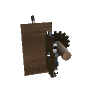 |
Allows for customizing the swivels and activating them at a distance. Requires power by default to activate a swivel. Additionally defaults to opening the vehicle debug panel which can toggle creative mode and other things._. |
| Eitr Power Generator (v3.4.0+) | 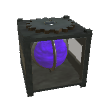 |
A way to use eitr and generate energy. Refined Eitr converts at a configurable rate into power. This power can then be used to power swivels or charge players through the charge panels. |
| Eitr Power Storage (v3.4.0+) | 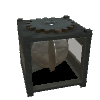 |
Stores energy. Required for charge/drain panels to work. Additionally required for swivels to work. |
| Drain/Charge Activator Plate (v3.4.0+) |

|
Charges the player with eitr. Converted from the system eitr at the inverse of the drain rate. Default is 10 eitr (regen) per second at a loss of 1 energy. The Drain panel allows the player to use their regen to charge a panel with a 10 eitr (regen) per second cost. |
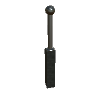
| Pylons (unavailable) |
|
Allow extending the grid much further. Have electrical arcs. Will be useful in determining which networks are connected via the visible discharge of the electricity. This is a beta feature until it's ready. |
| Vehicle Dock |
|
Allows for docking of ships. A single land vehicle can be attached to the dock and then undocked. This allows players to drop a land vehicle near the shore and the redock it when returning. Docks can also work in the air and can allow an air vehicle to drop a land vehicle and then later grab it from the ground. |
These prefabs are not fully ready or may be broken into smaller pieces. Please follow the description when using these prefabs and please be mindful that they are only available early so people can test them out and/or have fun with them. They are not meant to be balanced.
| Name | Icon | Description |
|---|---|---|
| Nautilus |  |
Nautilus is inspired by Jules Verne's 20,000 Leagues Under The Sea. Built with original assets by RacerX and given free to Zolantris on discord. This Prefab has all the meshes from the boat included, but the hatch is pulled back to players can enter the boat. It's not meant for serious play, and the recipe needs to be more balanced + the ship needs to be fully rigged for propulsion (propellers do not move, nor do the fins) |
:warning: The Raft Mod must be installed correctly in order to resolve Custom Sail materials. :warning:
<ValheimGameFolder>/BepInEx/plugins/ValheimRAFT or zolantris-ValheimRAFT and contain
a Assets folderNoting that in future updates this may not be required, however loading custom textures will always be supported. This allows players to drag and drop their favorite logos or custom sail textures and see them in game.
| Name | Image |
|---|---|
| Stag Logo |  |
| Pirate Logo |  |
These mechanics apply only to V2 WaterVehicles. The older V1 rafts will never support this feature.
Every piece of hull added to a ship will adjust the ship's floatation.
Floatation is determined by the key HullFloatationColliderLocation.
| Value | Floatation Calculation Description |
|---|---|
| Average | Average is the total number of vehicle pieces height averaged together. Example: 4 pieces are used with 0 height and 1 piece at height 5. The average would be (sum of height)/(number of pieces) or 5/5=1 height. If a hull is 4 pieces high the mid point (top of second piece) would be the floatation point |
| AverageVehiclePieces | The average of hull pieces only on the vehicle. This makes it ignore things like masts making hull calcs a bit more legitimate. |
| Center | The center point between the max height hull piece on a raft and the lowest height hull piece placed on a raft. No quantity will be factored in to determine the center point. |
| Fixed | Fixed a 0. This will never move making it the most stable way to build boats. This is the default config. Other values will mutate the floatation as more pieces are added or removed. |
| Custom | Direct way to control each vehicle. This will only be allowed on local vehicles. Place the FloatationPrefab on a surface of the boat. The surface's height will become the new float position. Placing another FloatationPrefab will unset and revert the vehicle back to the global default EG Fixed,Center,Average,AverageOfHull. This can launch the player beware of moving the custom float marker while on the vehicle without fall-protection. |
Server support may or may not work. In >=1.6.2 ships and loading were mainly
fixed by adding some threading
optimization. There is also a config called ServerRaftUpdateZoneInterval this
allows users to tweak the update
frequency of checks.
The following has been tested:
ValheimRAFT has extensive config. If you do not like the current balance, you are capable of editing this config and setting thing the way you like.
Please feel free to share the config if you feel it is more balanced than default. Maintainers will need to test it before accepting it as the default though.
Please download the mod Official BepInEx Configuration Manager to be able to edit ValheimRAFT config while playing. Most of the config can be set while playing.
Excludes
There is auto-documentation for this config at this link. Please go here to read up on all the config. config auto-generated document
ValheimRAFT has many commands. Please read below to see what is possible. All
Commands start with vehicle and then have a argument.
I highly recommend installing Server DevCommands by Jere if you want to get code completion for these scripts. (I believe it's this mod that does this. Also allows flight and other hacks on servers and automating it if you want to debug a build.)
| name | type | description |
|---|---|---|
help |
everyone | Shows command help text. |
debug |
admin | Opens the vehicle debug menu and related tools. |
destroy |
admin | Deletes the current nearby vehicle and destroys all of its pieces. |
recover |
everyone | Recovers nearby vehicles/pieces within recovery range. |
report-info |
everyone | Prints a diagnostic report for the current/nearby vehicle. Useful for bug reports. |
move |
admin | Moves the vehicle by relative x y z offset. Example: vehicle move 0 0 -50. |
moveUp |
admin | Moves the vehicle vertically by the provided offset. |
rotate |
admin | Resets tilt or rotates using explicit Euler input. |
toggleOceanSway |
everyone | Toggles ocean sway behavior for the nearby vehicle. |
creative |
everyone | Toggles vehicle creative mode and moves the raft into creative edit positioning. |
colliderEditMode |
everyone | Toggles water/collider edit mode for vehicle water mesh editing. |
resetLocalOwnership |
everyone | Forces local ownership takeover for the nearby vehicle when applicable. |
clearBoundaryChunkData |
everyone | Clears boundary chunk data on the nearest vehicle and forces a boundary rebuild path. |
fixAllVehiclePositions |
admin | Fixes the position of vehicle and all prefabs that are part of the vehicle. Applies to the entire world. Use fixNearbyVehiclePositions if you are not an admin or want to fix a vehicle in your area.Optional args: minHeight maxHeight. Warning this will potentially kill players if they are mid-flight or on a vehicle that this command runs on. |
fixNearbyVehiclePositions |
everyone | Fixes the position of vehicle and all prefabs that are part of the vehicle. Applies only to vehicles in a radius around the player. Optional args: radiusX radiusZ minHeight maxHeight (radius defaults to max of 250 250. Players can provide values that are lower eg 50 50).- This is less disruptive than fixAllVehiclePositions which runs everywhere including on potentially active vehicles. |
Debug-only commands are intentionally omitted from this production README section.
If you have a bug, please create an issue under the repo's issues section.
Player.log is required to properly debug many issues. Otherwise, you will
not be providing enough information for maintainers to help. Please copy paste
the log or
/drag drop it into the github issue.
%USERPROFILE%\AppData\LocalLow\IronGate\Valheim\C:\Users\bob_smith\AppData\LocalLow\IronGate\Valheim\Player.log
%USERPROFILE% to skip having to add your username or drive
path before
it. (more detailed)Click here to create an issue now.
In 1.6.0+ this mod supports PlanBuild a popular blueprinting mod.
Support is added via a patch that makes PlanBuild use the Raft localPosition
instead of world position which each item
could be moving/swaying and updating as the PlanBuild iterated through the
items. This easily breaks the Plan save.
Noting that Planbuild does not register well with harmony so searching for it is
not possible (from what I saw). There
is a path resolution and a config flag to enable coordinate fixes. Disable the
config value fixPlanBuildPositionIssues
and it should no longer cause errors for not having PlanBuild installed.
Please read these if you are experiencing trouble.
vehicle recover this command works in >=2.0.2Player.PlacePiece will cause problems with piece
placement.
vehicle creative
or raftcreative to make the ship stop moving and place pieces.Player.GetControlledShip will cause the boat to be
unable to interact or update hud or be controlled.Ship Values from Valheim will no longer
affect the V2 WaterVehicle. This means the Vehicle is much more
resilient
and more compatible with mods that add new ships but also means it has
it's own logic so the ship will not benefit OR break from those mods.Download Unity Explorer
Under Object list search for WaterVehicleShip it should show up
as ValheimVehicles_WaterVehicleShip
ValheimVehicles is a prefix for
anything related to V2 RAFT/Vehicles mod.inspector - another pannel, click on local position and change the Y
coordinate to +20 height or more.
Position 1600.084 29.7749 1685.39
Set to 1600.084 50 1685.39This is a known issue do the following work-around.
This may be resolved in future updates.
This project supports both Vulkan and Direct3D11 as of >=1.6.11. Previously it only supported Direct3D11.
| Name | Date | Active |
|---|---|---|
| Zolantris | 12-2023 - present | Active |
| Sarcen | 04-2021 - 08-2023 | Inactive |

NOT APPLICABLE YET.
These packages may contain logging. Logging can be opted out by any user by
unchecking enableMetrics. If you choose to opt-out, please be aware, this will
make it more difficult to troubleshoot issues.
This logging has yet to be implemented.