
WEBFISHING
You are viewing a potentially older version of this package. View Latest Version
--- Setup ---
extract and put in game mods folder unless using a mod loader :3
--- Instructions for Use In-Game ---
MINUS key: will open my image processing gui. includes a save menu. once an image has finished processing it will be available for use in game.
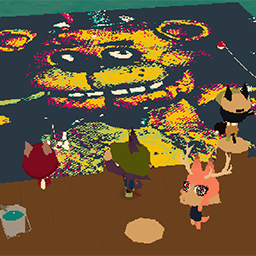
EQUALS key: spawn in an image where the cursor is (MAX OF ONE if not on a game canvas) OR will play a gif if a gif is placed down
SHIFT and EQUALS keys: will spawn in an image where the player is OR will toggle gif mode if a gif is placed down
CTRL and EQUALS keys: will spawn in an image for viewing at the dock
BACKSPACE Key: functions as CTRL Z for images placed down.
--- general info ---
be patient, my GUI might take a second to launch. but you can keep it open... !
you can paste images directly into my GUI
images are automatically adjusted to be upright relative to the player camera.
in game canvases can display one 200 * 200 image - I recommend keeping image size at 200 or below
only one image can be placed off the in game canvases at a time.
Be mindful of lag, especially when playing GIFs
CURRENTLY IN BETA