中文 | English
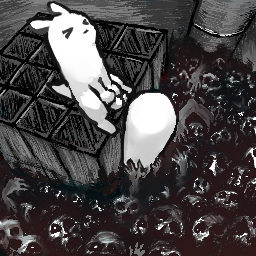
This is a Unity MOD for the game White Knuckle , implementing basic networked player mapping (currently only maps grabbable player capsules).
Important Disclaimer :
Known Issues:
Potential Future Goals:
graph RL
    %% Module 1: Player Display
    subgraph Player Display
        1d[Display Other Players' Held Items]
    end

    %% Module 2: Player Interaction
    subgraph Player Interaction
        2b[Item Grabbing/Stealing]
        2c[Add New Items]
        2e[Respawn After Death]
    end

    %% Module 3: Data Synchronization
    subgraph Data Synchronization
        3c[Sync Pickup Items]
        3e[Sync Entity Data]
    end

    %% Dependency Connections (cross-module and within modules)
    1d --> 2b
Download the required .zip file from the Releases page, then extract it into the BepInEx/plugins folder in your game directory.
New Commands:
host <name> [visibility] [max_players] – Create a lobby. For visibility options, see the lobbytype command.
host abcde host aaa friends 3join <name/lobby_code> – Join a lobby by lobby name or lobby code. The parameter is first matched against lobby names. If multiple lobbies share the same name, joining by name will fail; please use the lobby code instead.
join abcde join 109775241951624817leave – Leave the current lobby.lobbyid – Get the lobby code and copy it to the clipboard.allplayer – Get a list of all players and their Steam IDs.talk <text> – Speak in chat (text appears above your head and in the console). Currently, the console does not support Chinese characters.
talk hello talk I have the highlandlobbylist – Get information about all available lobbies, including lobby codes and current player counts.setlobbyname <name> – Change the lobby name. Host only.
setlobbyname newnamechangemodel <model_name> – Change the remote player model (does not take effect mid‑game). Currently supports default and slugcat.
changemodel slugcatlobbytype [public/private/friends] – Change lobby visibility. public = anyone can join, private = joinable only via lobby code, friends = visible and joinable only by friends.
lobbytype friendsinvite – Invite a friend to join the lobby. (Thanks to Fugel for the code.)allowcheats – Control whether cheat commands can be used in the lobby. If set to false, cheat mode and noclip are forcibly disabled.
allowcheats false allowcheats trueallowpvp – Control whether players can damage each other.
allowpvp false allowpvp trueCommands available after enabling cheat mode (cheats) in-game:
tpto <steamId (suffix matching)> – Teleport to another player. Supports autocompletion.
tpto 16422 or tpto 22 (for target Steam ID 561198279116422)After enabling cheat mode (cheats) in-game, use the following commands:
host <port> [max_players] - Host a server.
host 22222join <ip_address> <port> - Join an existing host server.
join 127.0.0.1 22222 or join [::1] 22222leave - Leave the current host server.
bash
# 1. Clone this repository locally
git clone https://github.com/Shen-X-L/WKMultiMod.git

# 2. Build the MOD
# Method A: Open and build WhiteKnuckleMod.sln in Visual Studio
# Method B: Use the command line
dotnet build -c Release
text
WhiteKnuckleMod/
├── src/Core/                       # Mod core logic
│   ├─ Asset/
│   │   └─ MPAssetManager.cs        # Retrieves game prefabs via Resources.FindObjectsOfTypeAll<GameObject>()
│   ├─ Component/                   # Components that depend on game libraries, cannot be moved to Unity project
│   │   ├─ LocalPlayer.cs           # Component class, responsible for local player positioning
│   │   ├─ NetworkedPiton.cs        # Component class, responsible for rock bolt synchronization
│   │   └─ RemoteEntity.cs          # Component class, responsible for dealing damage to other players
│   ├─ Core/
│   │   ├─ MPConfig.cs              # Reads configuration file data
│   │   ├─ MPCore.cs                # Core class, handles main events
│   │   ├─ MPGameModeManager.cs     # Manages network-transmittable game mode data and loads corresponding game modes
│   │   └─ MPMain.cs                # Startup class, initializes patches
│   ├─ Data/
│   │   ├─ DataReader.cs            # Reads data from ArraySegment<byte>/byte[]
│   │   ├─ DataWriter.cs            # Writes data to ArraySegment<byte>
│   │   ├─ MPDataPool.cs            # Manages thread-isolated read/write object pools to avoid frequent memory allocation
│   │   ├─ MPEventBusGame.cs        # In-game data bus, handles in-game event publishing and subscription
│   │   └─ MPEventBusNet.cs         # Network data bus, facilitates communication between MPCore and MPSteamworks
│   ├─ NetWork/
│   │   ├─ MPLiteNet.cs             # IP-based connection (currently deprecated)
│   │   ├─ MPPacketHandler.cs       # Class for processing received data packets, dispatches data based on protocol
│   │   ├─ MPPacketRouter.cs        # Builds packet type → handler function dictionary via reflection, calls handler based on packet type
│   │   └─ MPSteamworks.cs          # Separated Steam networking logic class
│   ├─ Patch/
│   │   ├─ Patch.cs                 # Patches for Miscellaneous patches (e.g., map sync via unlock progress and disabling flipping)
│   │   ├─ Patch_CommandConsole.cs  # Patches for command registration, cheat disabling, and fixing string output in the console
│   │   ├─ Patch_ENT_Player.cs      # Patches for capturing player events
│   │   ├─ Patch_PitonSync.cs       # Patches for capturing rock bolt events
│   │   └─ Patch_SteamManager.cs    # Patches for initializing MPCore via SteamManager lifecycle
│   ├─ RemotePlayer/
│   │   ├─ Factory/
│   │   │   ├─ BaseRemoteFactory.cs # Base class for remote object factories, provides interface for creating remote objects by cloning prefabs
│   │   │   └─ SlugcatFactory.cs    # Factory class with special handling for Slugcat prefab model
│   │   ├─ RPContainer.cs            # Handles data updates and lifecycle for a single remote player object
│   │   ├─ RPFactoryManager.cs       # Creates remote player objects and adds them to RPManager for management
│   │   └─ RPManager.cs              # Manages data updates and lifecycle for all remote player objects
│   ├─ Test/
│   │   ├─ Test.cs                  # Non-game-impacting test functions, allows quick modifications
│   │   └─ TestMonoSingleton.cs     # Test MonoSingleton, allows quick modifications
│   ├─ UI/
│   │   ├─ Patch_UI.cs              # Patches for adding the Multi Play button when the game mode menu initializes
│   │   ├─ UI_LoadingDisplay.cs     # Loading screen component (supports timed auto‑hide, immediate hide, and delayed hide)
│   │   ├─ UI_LobbyCreateButton.cs  # Component for the "Create Lobby" button (quickly creates a lobby and starts the game from the game mode menu)
│   │   ├─ UI_LobbyButton.cs        # Lobby option button component, handles the join lobby button functionality
│   │   ├─ UI_LobbyListPane.cs      # Lobby list panel component, displays the lobby list UI
│   │   └─ UI_Manager.cs            # UI Manager, creates and manages UI interfaces
│   ├─ Util/
│   │   ├─ Localization/
│   │   │   ├─ Localization.cs      # Localization utility class, retrieves localized console text
│   │   │   ├─ json_sort.py         # Sorts JSON files in the Localization folder
│   │   │   ├─ texts_en.json        # English texts
│   │   │   └─ texts_zh.json        # Chinese texts
│   │   ├─ MonoSingleton.cs         # Base class for Unity component singletons, provides singleton pattern implementation for Unity
│   │   └─ Singleton.cs             # Base class for regular singletons, provides generic singleton pattern implementation
│   ├─ World/
│   │   └─ PitonSyncManager.cs      # Manages creation, movement, and drop event synchronization for rock bolts
│   └─ LocalPaths.props.example     # Configuration file that defines local library reference paths for building the project, independent of the source tree
├── src/Shared/                     # Extracted Unity component logic for sharing with Unity project for rapid prefab construction
│   ├─ Component/                   # Components usable in Unity project
│   │   ├─ LookAt.cs                # Forces label to face player, scales label to maintain constant size
│   │   ├─ ObjectIdentity.cs        # Identifies the factory ID that created this object, used for proper destruction
│   │   ├─ RemoteHand.cs            # Controls hand position via network data
│   │   ├─ RemotePlayer.cs          # Controls player position via network data
│   │   ├─ RemoteTag.cs             # Controls label content via network data
│   │   └─ SimpleArmIK.cs           # Uses IK to connect arm to hand
│   ├─ Data/
│   │   ├─ HandData.cs              # Hand position data
│   │   └─ PlayerData.cs            # Player position data
│   ├─ MK_Component/                # Game-internal components, cannot be directly assigned, handled via mapping components
│   │   ├─ MK_CL_Handhold.cs        # Mapping for in-game CL_Handhold
│   │   ├─ MK_ObjectTagger.cs       # Mapping for in-game ObjectTagger
│   │   └─ MK_RemoteEntity.cs       # Mapping for mod's RemoteEntity
│   ├─ Util/
│   │   ├─ DictionaryExtensions.cs  # Dictionary utility class, provides suffix matching, set difference operations, etc.
│   │   └─ TickTimer.cs             # Debug output frequency controller
│   └─ LocalPaths.props.example     # Configuration file that defines local library reference paths for building the project, independent of the source tree
├── lib/                            # External dependency directory (must be added manually)
│   └── README.md                   # Dependency acquisition guide
├── WhiteKnuckleMod.sln             # Visual Studio solution file
└── README.md                       # This document
dotnet restore in the project root directory.lib/README.md to acquire the necessary game DLL files and place them in the lib/ directory.Welcome to submit Issues for bug reports or suggestions! Pull Requests are also welcome.
Reminder : The code quality in this project is inconsistent, and some is AI-generated. Please keep this in mind when contributing.
git checkout -b feature/YourAmazingFeature).git commit -m 'Add some AmazingFeature').git push origin feature/YourAmazingFeature).