

Dyson Sphere Program
You are viewing a potentially older version of this package. View Latest Version
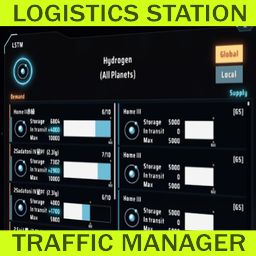
Mod for Dyson Sphere Program. Needs BepInEx.
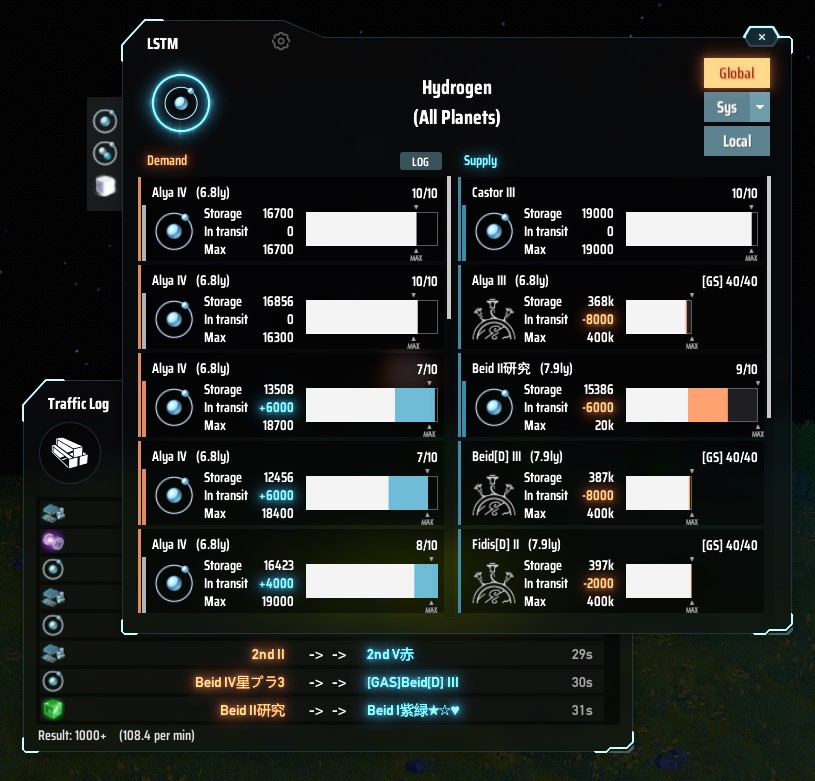
Lists the supply and demand balance of the Logistics Station by item and by planet.
Show overall status for each item
Show the status of all stations on specific planet
Display the target planet in the starmap (Universe Exploration lv4 is required)
Display navigation of the target station location.
How to open a window
When opening with the keyboard shortcut, if the item information is found under the mouse pointer, it is used as a item filter (e.g. Inventory, Storage, Replicator, Statistics Panel and much places where item icon is displayed).
Compatibility with other mods has not yet been checked.
LSTM has some settings depend on BepInEx (file name is com.hetima.dsp.LSTM.cfg).
| Key | Type | Default | Description |
|---|---|---|---|
| mainWindowHotkey | shortcut | LCtrl+T | Hotkey to open/close LSTM window |
| showButtonInStationWindow | bool | true | Add open LSTM button to Station Window |
| showButtonInStatisticsWindow | bool | false | Add open LSTM button to Statistics Window |
輸送ステーションの状況をアイテムごとや惑星ごとに一覧表示して需給バランスを確認できます。
アイテムごとに全体の状況を表示
惑星内の全ステーションの状況を表示
対象の惑星を星間ビューで表示(宇宙探査レベル4が必要)
対象のステーションの場所をナビ表示
ウィンドウの開き方
キーボードショートカットで開くときに、マウスポインタ上にアイテム情報を見つけたらそのアイテムでフィルタ表示します(インベントリ、ストレージ、合成機、統計パネル、その他のアイコンが表示されている場所)