
Outward
You are viewing a potentially older version of this package. View Latest Version
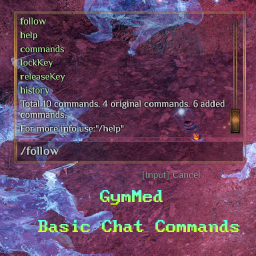
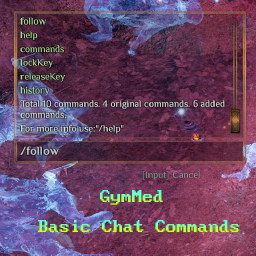



Firstly, install Chat Commands Manager. After that, you can use the commands provided by this mod directly in chat.
NavMeshPath to calculate a path and simulates character
movement input to begin following another character. Following is automatically
canceled when the follower starts moving manually.Usage:
/follow to follow a random nearby character (starting from
the local player)./follow characterName to follow a specific character.Usage:
/maxChatMessages to show chat panel messages limit./maxChatMessages --amount=90 to set max amount of how many messages chat panel can contain.Usage:
/setVisuals 1 15 11 5 2 To change race = 1, hairStyle = 15, hairColor = 11, headVariation = 5 and gender = 2.Usage:
/skills to show currently all available skills in the game./skills --type="1" to show specific type. Available: 0 - All, 1 - Active, 2 - Passive, 3 - Cosmetic.Usage:
/setTime 15:55 to set game time to 15 hours and 55 minutes.Usage:
/setMinutes 55 to set game current hour minutes 55 minutes.Usage:
/enchantments to print all enchantments in detailed way./enchantments --short="true" to print all enchantments count.Usage:
/enchantmentRecipes to print all enchantments recipes in detailed way./enchantmentRecipes --short="true" to print all enchantments recipes count.Usage:
/enchantmentRecipeItems to print all enchantments recipes items in detailed way./enchantmentRecipeItems --short="true" to print all enchantments recipes items count.Usage:
/brokenEnchantments to print all incorrectly added enchantments in detailed way./brokenEnchantments --short="true" to print all incorrectly added enchantments count.Usage:
/cfgToXml to store configs to default location:
"BepInEx\config\gymmed.Mods_Communicator\Basic_Chat_Commands\PlayerConfigs.xml"./cfgToXml --filePath="yourPath" to store configs to your provided path.To manually set up, do the following
Outward\BepInEx\plugins\OutwardBasicChatCommands\.BepInEx\plugins\OutwardBasicChatCommands\ directory you created.Outward\BepInEx\plugins\OutwardBasicChatCommands\OutwardBasicChatCommands.dll
Launch the game.