
You are viewing a potentially older version of this package. View Latest Version
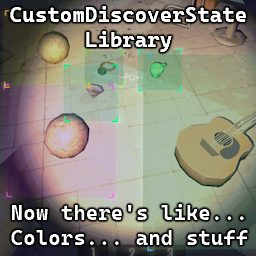
This library allows you to create custom colored highlights for ValuableDiscoverGraphic (the thing that appears when you see a valuable or a dead friend for a first time). Doesn't do anything by itself, other mods are meant to use it.
GUID: Kistras-CustomDiscoverStateLib
I suggest looking into vanilla ValuableDiscoverCustom class if you need:
This works better for my usecase, where I needed to dynamically scan for items & highlight them without interfering with the game too much.
ValuableDiscover.instance.New() with the state you created.Priority of the states is as follows:
ValuableDiscover.instance.New())Visit github page for working color-coding
using System;
using System.Linq;
using BepInEx;
using BepInEx.Logging;
using UnityEngine;

namespace CustomDiscoverStateExample;

using CDS = CustomDiscoverStateLib.CustomDiscoverState;
using State = ValuableDiscoverGraphic.State;

[BepInPlugin(MyPluginInfo.PLUGIN_GUID, MyPluginInfo.PLUGIN_NAME, MyPluginInfo.PLUGIN_VERSION)]
[BepInDependency("Kistras-CustomDiscoverStateLib")]
public class Plugin : BaseUnityPlugin {
    internal static new ManualLogSource Logger;

    // Apply this one manually to PhysGrabObjects
    private static State newDiscoverGraphic = CDS.AddNewDiscoverGraphic(
            middle: new Color(0.8f, 0.0f, 0.5f, 0.075f),
            corner: new Color(0.9f, 0.1f, 0.6f, 0.75f));

    // This one will be applied if the condition matches
    // In this example - if the value of an object is bigger than 1500
    private static State newConditionalDiscoverGraphic = CDS.AddNewConditionalDiscoverGraphic(
        condition: (ValuableDiscover valuableDiscover, PhysGrabObject physGrabObject) => {
            if (!physGrabObject) return false;
            ValuableObject valuableObject = physGrabObject.transform.GetComponent<ValuableObject>();
            if (!valuableObject) return false;
            return valuableObject.dollarValueCurrent > 1500;
        },
        middle: new Color(0.0f, 0.0f, 0.5f, 0.075f),
        corner: new Color(0.0f, 0.1f, 0.6f, 0.75f));

    // This one will be applied if the function will both return true and set middle/border color
    // In this example - discoverGraphic of any valuable object will be based on it's currency
    //     to initCurrency relation (red if nearly destroyed, green if wasn't damaged)
    private static Color middleColorDestroyed = new Color(1.0f, 0.0f, 0.0f, 0.075f);
    private static Color cornerColorDestroyed = new Color(1.0f, 0.1f, 0.0f, 0.75f);
    private static Color middleColorIntact = new Color(0.0f, 1.0f, 0.0f, 0.075f);
    private static Color cornerColorIntact = new Color(0.0f, 1.0f, 0.1f, 0.75f);

    private static State newDynamicDiscoverGraphic = CDS.AddNewDynamicDiscoverGraphic(
        (ValuableDiscover discover, PhysGrabObject physGrabObject, out Color? middle, out Color? corner) => {
            corner = middle = null;

            if (!physGrabObject) return false;
            ValuableObject valuableObject = physGrabObject.transform.GetComponent<ValuableObject>();
            if (!valuableObject || valuableObject.discovered == false) return false;

            // This is a value between 0 and 1, where 0 means the object is destroyed and 1 means it's in perfect condition
            float damagePercent = Math.Clamp(valuableObject.dollarValueCurrent / Math.Max(1, valuableObject.dollarValueOriginal), 0, 1);

            corner = cornerColorIntact * damagePercent + cornerColorDestroyed * (1 - damagePercent);
            middle = middleColorIntact * damagePercent + middleColorDestroyed * (1 - damagePercent);

            return true;
        });

    private void Awake() {
        Logger = base.Logger;
        Logger.LogInfo($"Plugin {MyPluginInfo.PLUGIN_GUID} is loaded!");

        // Utilize the custom discover graphic state as an example
        // NOTE: Doesn't actually do anything, since no objects are spawned when the plugin is loaded
        //       This is just an example of how to use the custom discover graphic state
        ValuableObject someValuable = FindObjectsOfType<ValuableObject>().FirstOrDefault();
        if (someValuable) {
            ValuableDiscover.instance.New(someValuable.physGrabObject, newDiscoverGraphic);
        }
    }
}

ValuableDiscoverGraphic.State baseGameReminder = CustomDiscoverState.AddNewDiscoverGraphic(
    middle: new Color(0.642f, 0.619f, 0.481f, 0.039f),
    corner: new Color(0.642f, 0.619f, 0.481f, 0.39f));
ValuableDiscoverGraphic.State baseGameBad = CustomDiscoverState.AddNewDiscoverGraphic(
    middle: new Color(1f, 0.0f, 0.067f, 0.059f),
    corner: new Color(1f, 0.1f, 0.067f, 0.59f));
ValuableDiscoverGraphic.State baseGameDiscover = CustomDiscoverState.AddNewDiscoverGraphic(
    middle: new Color(1f, 0.863f, 0f, 0.118f),
    corner: new Color(1f, 0.863f, 0f, 1f));
Because I've seen two mods already that implement this functionality and I'm in the process of making the third one. So making a library seemed like a right choice
