

Valheim
You are viewing a potentially older version of this package. View Latest Version
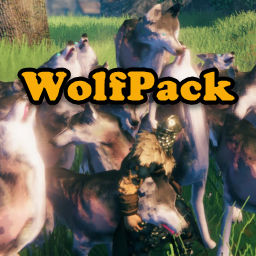
You've tamed them, fed them, bred them and love them. They love you too, but they're always looking for attention and getting in the way. And you have to pet each of them to get them to do what you want.
What you need is a little obedience training. With WolfPack, one keystroke will get all your tame wolves or other creatures to follow or stay at the same time.
DetectionRange: The maximum distance from a player that creatures will be affected by a Follow or Stay command. Default value is 50. Can be set from 1 to 150.
TrainableCreatures: a comma delimited list of creature names that will respond to Follow and Stay. Only tamed creatures will be affected. Default value is "wolf".
Calls either wolf, boar, or lox, depending on which was the current selection (see CharacterSelectionKey below). You may append an asterisk (*) as the last character in a creature name to include all characters who's name begins with the letters before the asterisk.
The first item would call all Human creatures (from PopVillages) whose name begins with "Human", including Human Commoners and Human Guards. The second item would only call Human Guards. NOTE: you need to provide the actual token name of the creature, not the display name. (see LogCreatureNames below)
PackBehaviorShortcut: The keystroke to toggle between Follow and Stay for the currently selected creature. If you set UseTwoKeys to True (see below), this key will only issue the Follow command. Default is LeftAlt+T
UseTwoKeys: If set to True will use a separate keytroke for the Stay command as configured in AlternateStayShortcut (see below). Default is False
AlternateStayShortcut: The keystrokes to call creatures to Stay. Only used if UseTwoKeys (above) is set to True. Default is LeftAlt+Y
CreatureSelectorShortcut: The keystokes to rotate through the list of TrainableCreatures (above). Pressing this key repeatedly will cycle through the configured list. If UseMouseWheel (see below) is set to True, holding this key down while spinning the mouse wheel will cycle through the configured list. The current selected creature will appear in the message area in the upper left corner under the hot bar. Default is LeftAlt+U
MinimumCreatureLevel: The 'lowest' level of creature (in 'stars') affected by Follow and Stay. NOTE: This setting will be applied to all TrainableCreatures. Default is 0. Can be set from 0 to 2
UseMouseWheel: If set to True, the mouse wheel is used to cycle through the TrainableCreatures list to set the current creature. Hold down the CreatureSelectorShortcut key while spinning the mouse wheel. If you don't have a mouse with a wheel or use another input device that makes this difficult, set to False. Default = True
UseSound: If set to True, will use the sound configured in PackCallSound (below) whenever creatures are called to follow.
PackCallSound: The audio clip played when creatures are called to Follow. Default is Whistle.wav. WolfPack is distributed with three audio clips; Whistle.wav, Horn1.wav, and Horn2.wav.
Whistle is a sharp finger whistle, Horn1 is a traditional hunting horn, and Horn2 is a deeper battle horn. These clips are located in the same folder as WolfPack.dll (...\BepInEx\plugins\Neobotics-WolfPack)
NOTE: You can put your own audio clips in this folder, and set PackCallSound to your file name. Be advised, however, this is 'at your own risk'. WolfPack has only been tested with the three included files, which are 16-bit uncompressed PCM WAV files sampled at 44100.
MouseWheelLatency: Controls the mouse wheel spin behavior so 'big' spins don't 'overshoot' the next creature in the configured list. The default is 3, which should be sufficient for most users. Increase this value if the wheel spin is too sensitive and you find yourself 'skipping' over creatures in the list. Decrease this value if you find the wheel's response is too 'sluggish'. Can be set from 0 to 10.
LogCreatureNames: If set to True, will log all 'found' creatures called with Follow and Stay. This may be useful to identify the actual creature name as opposed to the display name when configuring the TrainableCreatures list. The 'real' creature name may be different from what is displayed in the game. For instance, the "Greydwarf Brute" is actually "Greydwarf_Elite".
In the log, you'll see 'native' Valheim creature names begin with the prefix "$enemy_" (e.g., $enemy_Wolf). Do not include the "$enemy_" prefix in the TrainableCharacters list. A good source for the 'real' creature names can be found at: https://valheimgamer.com/kb/cheats-and-console-commands/
WolfPack is a new mod. While every effort goes into ensuring it works as described, there's no way to test every possible game scenario, especially with other mods.
If you find a compatibility issue you can post it on NexusMods at: https://www.nexusmods.com/valheim/mods/1549?tab=posts. It's likely a compatibility issue if WolfPack works with the other mod disabled. Be sure to include the mod name and version you think may be incompatible.
If you have a bug please report it on NexusMods at https://www.nexusmods.com/valheim/mods/1549?tab=bugs. If you do post a bug report, please make sure to include the following:
WolfPack does not modify any 'pet' interactions with creatures. In other words, you can't use WolfPack to pet individual creatures, such as Lox to Follow or Stay (like Wolves) without some other mod.
Unfortunately, WolfPack does not currently support a multi-player environment. I'm working on it.
Your comments and feedback are always welcome. Please feel free to post on NexusMods or send a personal note.