Developed by aedenthorn
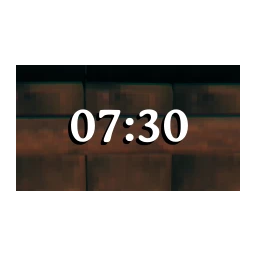
Adds a simple configurable clock widget to the screen showing the in-game time of day or a fuzzy representation like "Late Afternoon" and optionally the current day.
This mod adds a simple but highly configurable time and day display to the game.
You can set:
You can also now drag the clock around the screen with the cursor, yay!
You can also customize the fuzzy strings used to divide the day up into custom intervals by editing ClockFuzzyStrings in the config file.
Clock format follows this syntax:
https://docs.microsoft.com/en-us/dotnet/standard/base-types/custom-date-and-time-format-strings
The clock supports rich text and uses string.Format() to display the clock string, which you can set in the config file.The string can include up to three variables:
{0} is replaced by the actual time string, {1} is replaced by the fuzzy string {2} is replaced by the current day
So, you could put something like:
{0} <color=blue>{1}</color> {2}
to show all three.
By default, the mod now uses the game's UI font, AveriaSerifLibre-Bold. If you want to use a different font, here's a list of fonts currently available in the game:
Arial
AveriaSerifLibre-Light AveriaSerifLibre-Regular AveriaSerifLibre-Bold AveriaSerifLibre-Italic AveriaSerifLibre-BoldItalic
AveriaSansLibre-Light AveriaSansLibre-Regular AveriaSansLibre-Bold AveriaSansLibre-Italic AveriaSansLibre-LightItalic AveriaSansLibre-BoldItalic
OpenSans-Light OpenSans-Regular OpenSans-LightItalic OpenSans-Italic OpenSans-BoldItalic OpenSans-SemiBold OpenSans-Bold OpenSans-ExtraBold OpenSans-SemiBoldItalic OpenSans-ExtraBoldItalic
Norse Norsebold
prstart prstartk rune
Just change ClockFontName to one of these.
If you want to use a font installed on your OS (this is untested), set ClockUseOSFont to true and provide the name of your font file, e.g. Arial.ttf. Let me know if it doesn't work. To dump a list of OS fonts to the debug log, type clockmod osfonts into the console (F5).
A config file BepInEx/config/aedenthorn.ClockMod.cfg is created after running the game once with this mod).
You can adjust the config values by editing this file using a text editor or in-game using the Config Manager.
To reload the config from the config file, type clockmod reset into the game's console (F5).
Automated
Manual
If you want to complain or ask for help or help me test my mods, you can visit my Discord server.
Click here for a list of all my mods for Valheim.
https://github.com/aedenthorn/ValheimMods
v1.3.0
v1.2.0
v1.1.0
v1.0.0
v0.11.1
v0.11.0
v0.10.0
v0.9.1
v0.9.0
v0.8.1
v0.8.0
v0.7.0
v0.6.2
v0.6.1
v0.6.0
v0.5.2
v0.5.1
v0.5.0
v0.4.0
v0.3.0
v0.2.0