Show item icons on the cursor because the human brain recognizes images much faster than it recognizes words. Quickly identify things via the inventory item icon.
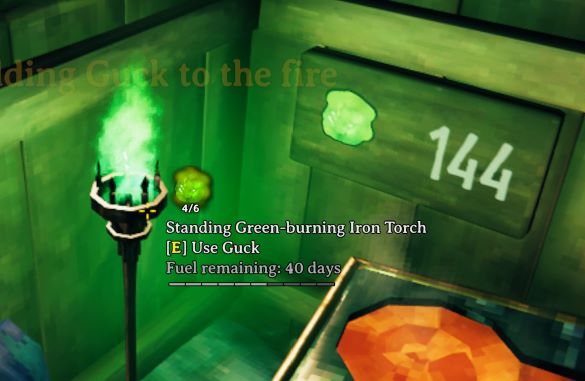
NOTE: Fireplaces and torches show remaining fuel as the number of days left instead of hours, minutes, and seconds because the game uses days as a unit of time, not clocks.
If you would like to display icons from your own mod please visit the wiki for instructions on how to display your own custom icon data as hover icons. Easy to integrate: no hard dependency, no API, no reflection required.
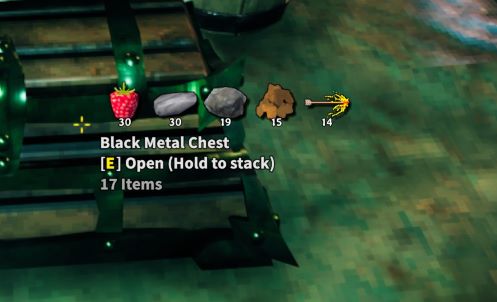

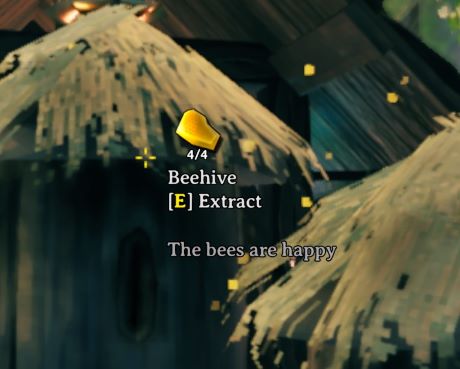
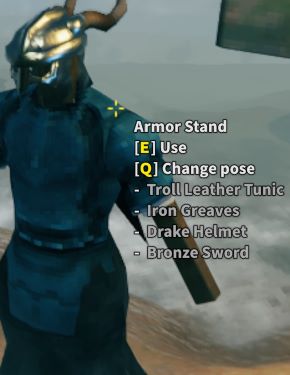
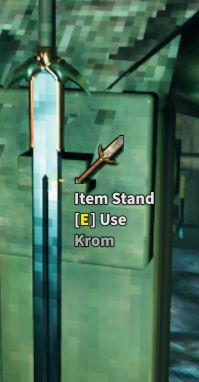
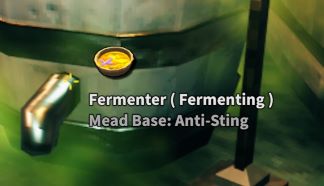
NOTE: Technically it is not required on the server. However, if it is installed on the server then it will force all clients to have it installed as well. This is to enable two modes of usage:
This mod operates entirely client side. That means you can connect to any vanilla server with this mod installed. Other players do not need to have the mod installed.
NOTE: If you host a game session with this mod installed then it will be considered to be installed on the server since your session is the server. Therefor, all clients will be required to have it. If you don't want to require all players to have this mod then you will need to host your game in a dedicated server. You can easily download and run the Valheim Dedicated Server from Steam or host one in the cloud.
The full collection of all Zen MODS:
Enjoy!
## Settings file was created by plugin ZenHoverItem v1.0.0
## Plugin GUID: ZenDragon.ZenHoverItem

[Armor Stand]

## [Admin] Display the hover icons for armor stands
# Setting type: Boolean
# Default value: false
Show Hover Icons = false

## [Admin] Display the hover text for armor stands
# Setting type: Boolean
# Default value: true
Show Hover Text = true

[Containers]

## [Admin] How many icons to display on containers?
# Setting type: Int32
# Default value: 4
# Acceptable value range: From 0 to 5
Container Max Icons = 4

## [Admin] Show the summary text for containers
# Setting type: Boolean
# Default value: true
Show Summary Text = true

## [Admin] Show the phrase "Hold to stack" on the tooltip for containers (vanilla: true)
# Setting type: Boolean
# Default value: true
Show Hold To Stack = true

## [Admin] Show a hint on non-player made containers but don't reveal their contents until you open it.
## Once you open it the contents will display on the hover icons until you leave the area.
# Setting type: Boolean
# Default value: true
Show Uncrafted As Mystery = true

[Fuel]

## [Admin] Show the hover icon for fuelable things such as fireplaces, torches, and smelters
# Setting type: FuelPieceType
# Default value: Fireplace, SmelterFuel, SmelterOre
# Acceptable values: None, Fireplace, SmelterFuel, SmelterOre
# Multiple values can be set at the same time by separating them with , (e.g. Debug, Warning)
Show Icon = Fireplace, SmelterFuel, SmelterOre

## [Admin] Show the capacity x/max for fuelable things such as fireplaces, torches, and smelters
# Setting type: FuelPieceType
# Default value: Fireplace, SmelterFuel
# Acceptable values: None, Fireplace, SmelterFuel, SmelterOre
# Multiple values can be set at the same time by separating them with , (e.g. Debug, Warning)
Show Capacity = Fireplace, SmelterFuel

## [Admin] Show the meter
# Setting type: FuelPieceType
# Default value: SmelterOre
# Acceptable values: None, Fireplace, SmelterFuel, SmelterOre
# Multiple values can be set at the same time by separating them with , (e.g. Debug, Warning)
Show Meter = SmelterOre

## [Admin] Show the queue on smelters
# Setting type: Boolean
# Default value: true
Show Smelter Queue = true

## [Admin] Show the number of game days of fuel remaining on Fireplaces. (Vanilla: false)
## This helps you understand the different dynamics of the various light sources and realize they are not just cosmetic.
## The game itself does not provide a clock. Vikings had no clocks. The only unit of time they had was days.
## Install ZenCompass to see the passage of time.
## NOTE: This is very important when using ZenRaids as you need to know how long before the fire burns out and monsters spawn.
## Also, in a mod like Seasons you need to know if you have enough fuel to last the winter.
# Setting type: Boolean
# Default value: true
Display Fuel Days = true

## [Admin] This will adjust the fuel burn rate on fireplaces so the amount of days remaining when full are easily recognizable numbers. (Vanilla: false)
## Vanilla day lengths and fuel burn times are not evenly divisible resulting in awkward max fuel days.
## This adjusts the burn rate per unit of fuel so they divide evenly with the day length.
## The result is that max fuel days will be easily recognizable days 20, 25, 50, 60 instead of 22, 28, 56, 67.
## [logout required for changes to take effect]
# Setting type: Boolean
# Default value: true
Adjust Fuel Burn Rate = true

[General]

## [Admin] Display hover icons on the crosshair for important pieces, such as containers (Global)
# Setting type: Boolean
# Default value: true
Show Hover Icons = true

[Items]

## [Admin] Display the item description when hovering over items on the ground or on stands
# Setting type: Boolean
# Default value: true
Show Item Description = true

[Plants / Crops]

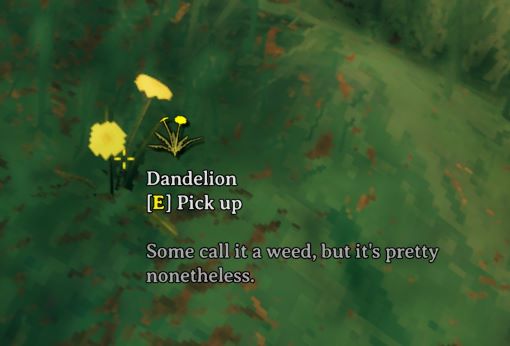
## [Admin] Reformat the hover text for crops to make it look nicer (vanilla: false)
# Setting type: Boolean
# Default value: true
Reformat HoverText = true

[Shield Generator]

## [Admin] Display the power of the shield as a meter when looking at the generator
# Setting type: Boolean
# Default value: true
Show Shield Meter = true
Bitcoin