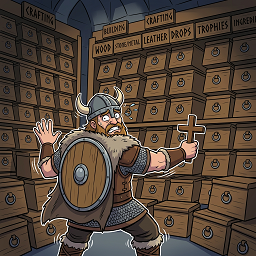
Tired of managing storage in Valheim? This mod is your new best friend. Become a walking warehouse with unlimited storage capacity and zero weight penalties for items in your custom inventory.
Upon death, items are not lost from Infinity InventoryFully compatible with:


| Action | Description |
|---|---|
| RMB | Move 1 item to regular inventory |
| Shift + RMB | Select quantity to move (for stackable items) |
| Ctrl + LMB | Drop 1 item on the ground |
| Shift + LMB | Drop entire stack on the ground (for stackable items) |
| Ctrl + C | Instantly move entire stack from custom inventory to open container |
| Ctrl + RMB | Instantly move entire stack from regular inventory/container to custom inventory |
| Ctrl + X | Open quantity dialog to move items from regular inventory/container to custom inventory |
| R | Press this key while hovering an item to prioritize it for cooking |
| Setting | Description | Default |
|---|---|---|
| AutoShowWithInventory | Auto-open panel when inventory opens | false |
| Scale | Panel scale multiplier | 1.0 |
| PositionX | Horizontal position offset | 0 |
| PositionY | Vertical position offset | 50 |
| ScrollSensitivity | Mouse wheel scroll speed | 500 |
| ClearInventory | Button to clear custom inventory | - |
| Hotkeys Infinity Inventory-Move One Item | Move 1 piece from custom inventory to regular inventory | RMB |
| Hotkeys Infinity Inventory-Select Quantity | Open quantity dialog for stackable items | Shift+RMB |
| Hotkeys Infinity Inventory-Drop One Item | Drop 1 piece from custom inventory | Ctrl+LMB |
| Hotkeys Infinity Inventory-Prioritize Item for Cooking | Press this key while hovering an item to prioritize it for cooking | R |
| Hotkeys Infinity Inventory-Drop All Items | Drop entire stack from custom inventory | Shift+LMB |
| Hotkeys Infinity Inventory-Quick Move To Container | Instantly move entire stack from custom inventory to open container | Ctrl+C |
| Hotkeys regular inventory/container-Move All Stack | Instantly move entire stack from regular inventory/container to custom inventory | Ctrl+RMB |
| Hotkeys regular inventory/container-Move Quantity | Open quantity dialog to move items from regular inventory/container to custom inventory | Ctrl+X |
# Version 1.6.1
-Added function to delete items from II

# Version 1.4.1
-Fixed with doubling resources in crafting stations
-Remove dropdown filter
-Added quick buttons for filter

# Version 1.3.7
-Fixed with display not usable custom items

# Version 1.3.6
-Fixed performance issues when pickup items

# Version 1.3.5
-Fix problems with items for crafting stations
-Added new function for crafting stations. Now you can set a priority for the food that you go to roast or bake first. Default hotkey to set priority for items "R"
- The item that is prioritized is indicated by an icon 🍖

# Version 1.2.3
-Fix with the display of items in II

# Version 1.2.2
- Added transfers items from main inventory and containers to infinity inventory (hotkeys, ctrl+rmb-Instantly move entire stack from custom inventory to open container,ctrl+x-Open quantity dialog to move items from regular inventory/container to custom inventory)
- Added the ability to change any keyboard shortcuts in configure manager.

# Version 1.1.2
- Added support for rare colors for EpicLoot items

# Version 1.0.2
- Removed unnecessary logs

# Version 1.0.1
- Fixed an issue with the first appearance of inventory
- Fixed conflict with other custom UI