

Valheim
You are viewing a potentially older version of this package. View Latest Version
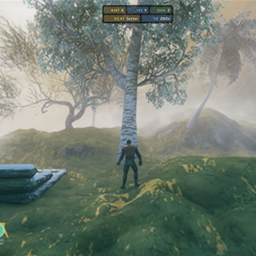
In Valheim, snowy visuals on pieces, vegetation and minimap is hardcoded. Thid mod removes the snow accumulation visual effect from vegetation-like world objects in selected biomes, mainly for custom biomes added by Expand World Data.
The active build handles two things:
Expand World Data is the intended setup because this mod reads custom biome rules from expand_biomes.yaml.

Snowy visuals of vegetations and pieces over altitude > 50

After installing this mod and configuring to not have snowy visuals
(Can't remove snowy visuals on pieces for now unfortunately)

Minimap color is like mountains for zones that is higher than altitude 50 although it is not mountain

After installing this mod and configuring those biomes to not have whitened minimaps

Now the minimap color somewhat fits the custom biome
This mod supports extra fields inside Expand World Data's expand_biomes.yaml biome entries:
noSnownoSnowMinAltitudenoSnowWhiteningnoSnowWhiteningMinAltitudeThese are not official Expand World Data fields. NoSnowyBiome reads them from the same synced YAML and applies its own behavior.
expand_biomes.yaml Example- biome: MyCustomBiome
terrain: Plains
nature: Plains
noSnow: true
noSnowMinAltitude: 50
noSnowWhitening: true
noSnowWhiteningMinAltitude: 50
Meaning:
noSnow: true
Enables snow visual removal for supported vegetation-like objects in that biome.noSnowMinAltitude: 50
Starts removing supported object snow visuals at altitude 50 and above.noSnowWhitening: true
Disables minimap whitening for that biome only.noSnowWhiteningMinAltitude: 50
Starts suppressing minimap whitening at altitude 50 and above for that biome.For world object snow removal, priority is:
expand_biomes.yaml rule for that biomeIf a biome does not have a noSnow YAML rule, the active build leaves that biome unchanged.
For minimap whitening, only YAML rules are used:
noSnowWhitening: true enables biome-specific minimap whitening suppressionnoSnowWhitening: false leaves that biome unchangedIf noSnowMinAltitude is missing but noSnow: true exists, the active build uses the internal default altitude 50.
If noSnowWhiteningMinAltitude is missing but noSnowWhitening: true exists, the active build uses:
noSnowMinAltitude50The active build attaches suppression to vegetation-oriented runtime objects such as:
StaticPhysicsPickablePickableItemPlantTreeBaseTreeLogThe vegetation patch is simple:
noSnow: true and the object is above the configured minimum altitude, the mod forces the material snow value _AddSnow to 0._ADDSNOW_ON keyword, that snow path is disabled as well.In practice, this means the mod is not repainting the whole world every frame. It attaches to supported vegetation-style objects when they load, applies the no-snow material state, and then stops.
The minimap patch is separate from vegetation.
noSnowWhitening: true.This only changes the minimap's high-altitude whitening overlay. It does not change terrain textures in the world.
Vegetation and pieces do not expose the same controls.
_AddSnow, so the active mod can disable snow accumulation directly and cleanly.Custom/Piece, and that shader path does not expose a matching _AddSnow control in the same way.That made piece handling much less reliable: