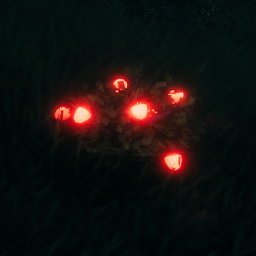
Shiny World allows you to make in-game materials emit light with customizable colors and intensity. Perfect for finding those hard-to-spot resources in the dark!
| Biome | Material | Default Color | Default Intensity |
|---|---|---|---|
| Meadows | Raspberry | Red | 1 |
| Meadows | Dandelion | Yellow | 2 |
| Meadows | Boletus Mushroom | Red | 1 |
| Black Forest | Carrot Flower | Yellow | 2 |
| Black Forest | Blueberry | Blue | 2 |
| Black Forest | Tin Ore | Grey | 1 |
| Swamp | Turnip Flower | Yellow | 2 |
| Plains | Cloudberry | Orange | 1 |
| Mistlands | Magecap | Blue | 2 |
| Mistlands | Yggdrasil Mushroom | Yellow | 2 |


You can add any other materials using the Custom Rules section in Configuration Manager.
Format: MaterialName|Color|Intensity
Example: MyCustomPlant|r|1.5
Add multiple rules separated by semicolons: Plant1|r|1;Plant2|00FF33|2
All settings are available in Configuration Manager (F1 by default):
You can use color names or HEX codes:
| Name | Color |
|---|---|
| r / red | 🔴 Red |
| g / green | 🟢 Green |
| b / blue | 🔵 Blue |
| yellow | 🟡 Yellow |
| orange | 🟠 Orange |
| purple | 🟣 Purple |
| pink | 🩷 Pink |
| brown | 🟤 Brown |
| white | ⚪ White |
| grey / gray | ⚪ Gray |
| black | ⚫ Black |
| cyan | 🔵 Cyan |
| magenta | 🟣 Magenta |
Or use HEX: #FF00FF or FF00FF
If you're hosting a game, all your settings will automatically sync to any player who has the mod installed. They'll see the same glowing materials as you!