

Valheim
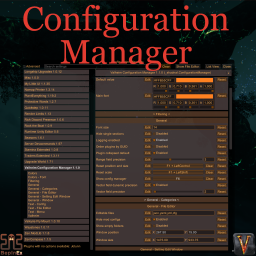
The mod was originally created and hosted by the BepInEx team https://github.com/BepInEx/BepInEx.ConfigurationManager
It is distributed under the GPLv3 and this version maintains that license.
That fork have additions from other similar mods
Press hotkey button in game (default F1) to open mod window and change configuration of mods.
The game does not take input while the window is open (only player input by default).
The game will be paused (if it can be paused) while the window is open (disabled by default).
Create file shudnal.ConfigurationManager.hiddensettings.json and place next to plugin dll or in \BepInEx\config folder.
The file could contain array of strings with special format. pluginGUID=Section name=Settings name equal sign separated strings containing mod GUID, section name and config name.
If such settings is found in settings list it will be hidden completely.
In given file entries 1 and 2 are here for format example. 3rd string will hide setting "Pause game" in section "Valheim" of that Configuration manager mod.
[
	"pluginGUID=Section name=Settings name",
	"authorname.exampleGUID=Section name=Settings name 2",
	"shudnal.ConfigurationManager=Valheim=Pause game"
]
To get mod GUID ingame you can enable "Debug mode" toggle in mods header. Now mod GUID will be presented in mod tooltip on hover.
Said file could also be placed on server to push that hidden settings to clients. Combined with preconfigured modpack configs you can prevent users from changing values of client-sided mods easily. Yet they can still edit files manually.
The mod is incompatible with original configuration manager and will not be loaded in that case.
extract ConfigurationManager.dll folder to your BepInEx\Plugins\ folder.